10
6. LE DUT TX/RX Test(MP)
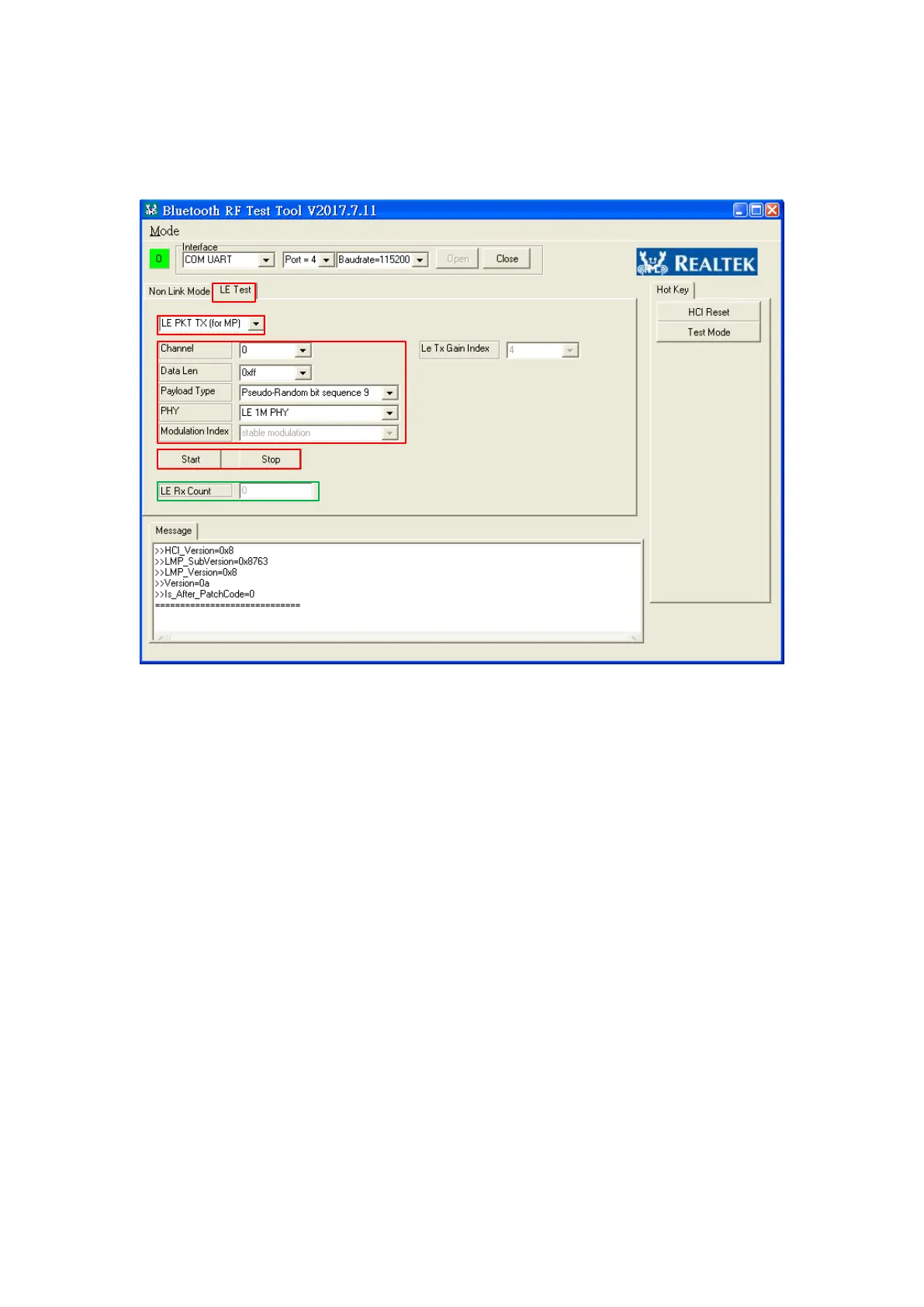
Figure 6 LE Test
Step 1: Choose “LE Test”.
Step 2: Choose “LE PKT TX” or “LE PKT RX”
Step 3: Choose LE Test Parameters :
(a) Channel :0~39.
(b) Data length:0~0xFF
(c) PayType: PRBS9, 1111_0000, 1010, PRBS15, ALL1, ALL0, 0000_1111,
0101
(d) PHY: LE 1M PHY, LE 2M PHY, LE Coded PHY with S=8, LE Coded
PHY with S=2
Step 4: Click “Start” button and start to test. After testing, click “Stop” button.
The green rectangle shows received LE Rx Packets in LE PKT RX mode.



 To Next Page