12
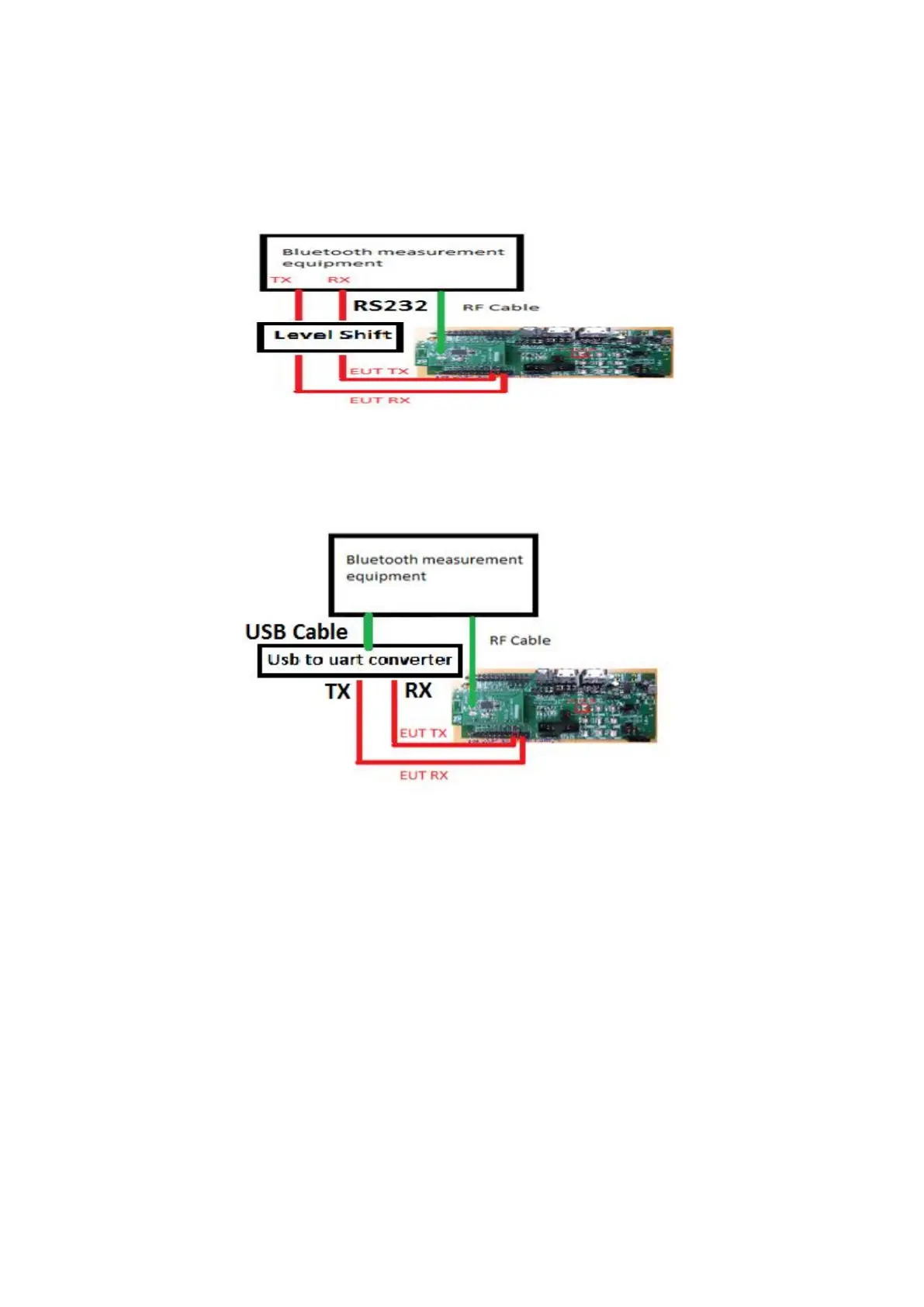
if Bluetooth measurement instrument interface is RS232, Level shift is
required also .
Figure 9 Connect to instrument for RS232 interface
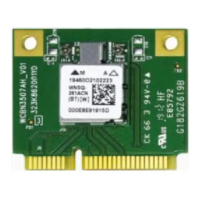
if Bluetooth measurement instrument interface has support USB converter
UART board, such as FTDI USB converter board.
Figure 10 Connect to instrument for usb to uart converter boar
Configuration test environment step by step :
1. Connect an RF cable between the antenna connector on the EUT and Bluetooth
measurement equipment.
2. Connect the HCI UART(RS232) TX to UART RX of Bluetooth measurement
equipment ( level shift or usb converter board).
3. Connect the HCI UART(RS232) RX to UART TX of Bluetooth measurement
equipment ( level shift or usb converter board).
4. Connect GND between the EUT and Bluetooth measurement equipment or
connect USB Cable to Tester.
5. Push HW Reset pin and to begin test..



 To Next Page