Using the V8BT Memory
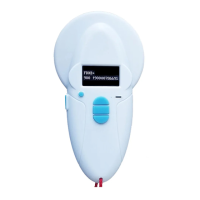
The V8BT reader has a memory enabling it to store 800 identifiers (tag numbers).
This function must be activated by the user if he wishes to use it.
Storage of numbers read by the V8BT reader
The V8BT allows the user to store the numbers of the tags read in order to transfer them subsequently to
a PC using the USB cable included with the reader or with Bluetooth.
To use this function, you must first activate the “Memory” function (see block diagram: “Memory 1”).
When the Memory is activated each time a new tag is read, the reader displays the number but if the
same tag is read twice by mistake the reader indicates this by emitting a characteristic beep and
displaying “DUP” on the right of the screen.
This number will not be stored a second time.
If the reader is switched off, the memory function will still be activated when it is switched on again.
Deactivating the memory
The memory can be deactivated via the “Memory” menu.
Two cases may arise:
First case:
Numbers are recorded in the reader’s memory (Block diagram: Memory 3)
In this case you must transmit the list of recorded numbers actually or virtually (without plugging in
the USB cable) and then erase them.
Second case:
The memory has been previously activated but no number has been recorded.
In this case simply “deactivate” the memory (block diagram: “Memory 2”)
Erasing the memory
To erase the contents of the memory to avoid errors, you must select the “Memory” menu and transmit
the list of recorded numbers actually or virtually (without plugging in the USB cable) and then erase
them (see Block Diagram: Memory 3).


 To Next Page