52
Programming a V8BT reader via the USB port
This programming of the V8BT reader by connecting the USB port of a PC is only possible from
version V8.v 18.8
This and superior versions include a bootloader to update V8BT programs.
Material required:
- PC with Windows 7, 8, 10
- Drive with software V8 V18.8 or higher.
- Cable for drive connection to PC.
Software required
- Firmwareloader version 1.02.exe
- Firmware to be loaded in the V8BT.
Procedure for the programming
- Install Firmwareloader version 1.02.exe on PC
- Connect the V8BT to the PC using the USB cable
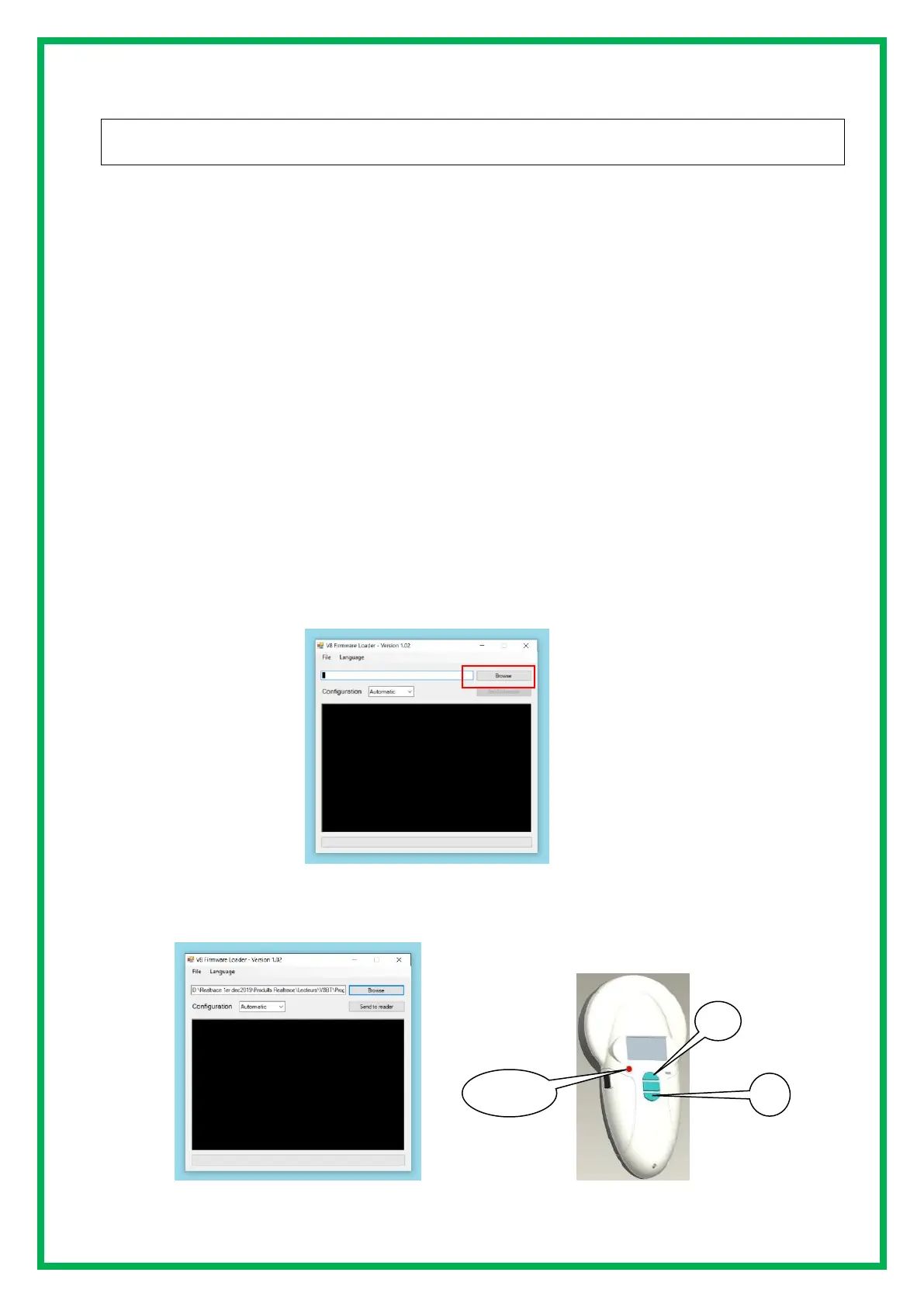
When the program opens, the following screen appears:
After loading the selected program in this case V8 I.D. ology-2.1


 To Next Page