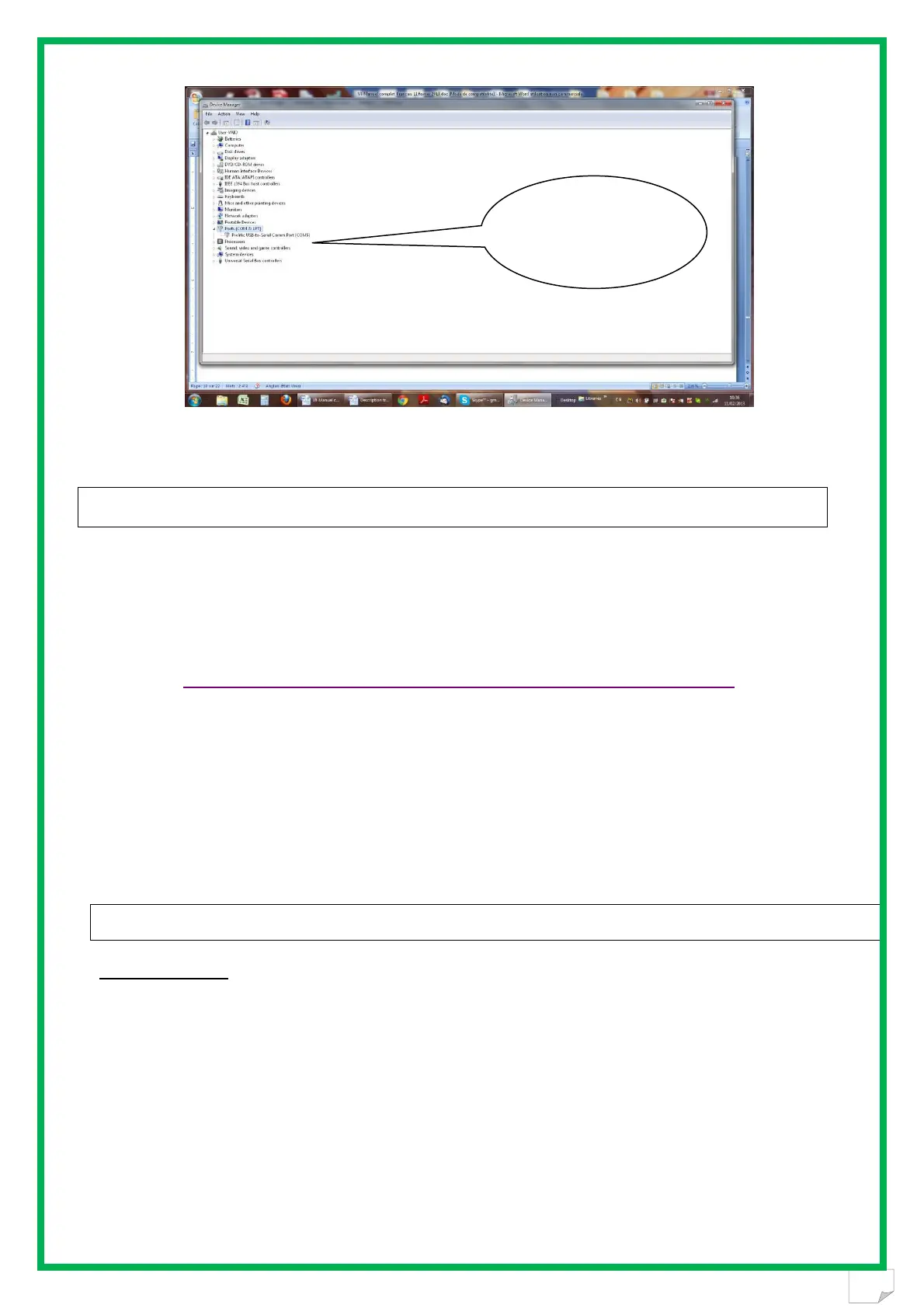
The number of the Com port is shown.
The screens may be a little bit different. It depends of the Windows version.
RealTrace Terminal
This software is a tool supplied free of charge to all users of the RFID Realtrace standard (with
USB cable) or Bluetooth reader.
You can download this software following this link :
Initial parameterization of the « RealTrace Terminal » software
Sometimes, after installing Realtrace Terminal on your PC, you will have to parameterize the communication.
Sometimes it is not necessary but as safety precaution you can verify if all is correct. Click on « File » then
« Properties » then enter the USB port or Bluetooth’s communication port number as well as the following data :
- bits per second : 9600
- data bits : 8
- stop bits :1
- parity : none
- flow control : none
Using the software “Realtrace Terminal”
Menu Options
Choose your language. You can choose between French, English, Spanish, and Chinese.
Select the data you want to appear:
- if you select "All data" it will show the type of chip (FDXB, HDX, FDXA) followed by the ISO
"smart" number and the CRC.
Example: UFDXB 939 000004095425*AC02
- if you do not select "All Data" only the ISO number of the "chip", or 15 numeric characters
(FDXB and HDX), or 10 Hexadecimal characters (FDX A) will be displayed.
Example: 939 000004095425
Do not forget to declare the type of keyboard you use - AZERTY or QWERTY - if not you risk
having inconsistent signs being displayed on the PC screen.
Number of Port Com
connected with the
V8BTBT
http://www.swissplusid.com/downloads/RealtraceTerminal.exe


 To Next Page