
 Need help?
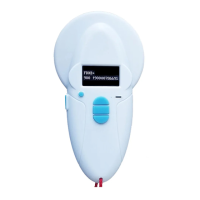
Do you have a question about the RealTrace RT100 V8BT and is the answer not in the manual?
Instructions on transferring tag data using Bluetooth or USB cable connection.
How to store tag numbers read by the V8BT reader for later transfer.
Procedures for disabling or clearing the reader's memory contents.
Guide to using Hyperterminal software for PC communication with the V8BT.
Settings required for connecting the V8BT reader to a PC via hardware.
Details on the structure of data frames sent from the reader to the PC.
Explanation of the algorithm used for calculating the CRC control word in data frames.
Steps for initial setup and parameterization of the RealTrace Terminal.
Information on mobile phone compatibility with the PetScan application.
Steps to start and confirm the writing process to the transponder chip.
Options for choosing between taking a new photo or selecting an existing one.
How to remove specific readings from the recorded history.
Procedure for removing individual records from the application's database.
Steps for starting and verifying chip data writing on iOS.
Options for adding photos from camera or gallery on iOS.
How to remove specific entries from the iOS history log.
Procedure for deleting individual records from the iOS database.
Lists the necessary hardware, software, and firmware for programming the V8BT reader.
Details on obtaining and using the PetScan application on mobile platforms.
Procedure for embedding owner's contact details into an ISO tag using the reader.
Critical considerations regarding chip compatibility and battery charging for data writing.
 General
| Brand | RealTrace |
|---|---|
| Model | RT100 V8BT |
| Category | Card Reader |
| Language | English |

 To Next Page