Beijing Reci Laser Technology Co., Ltd
User Guide for FCA Series Hand Laser Welding System
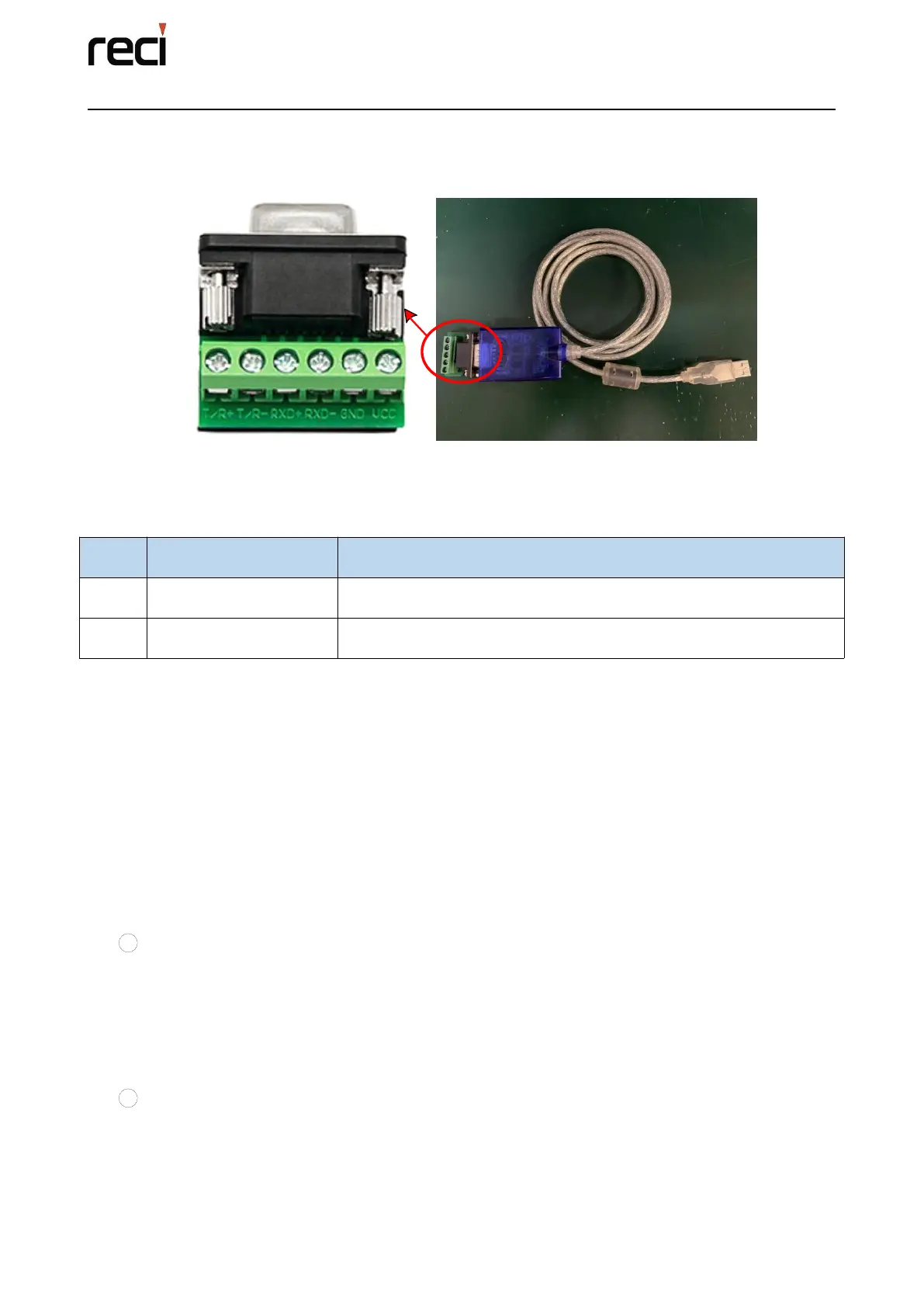
4.4.2 RS485 wire
This wire is a serial cable used for RS485 to USB.
Figure 4.5 The wire for the 485 connecting
Details for the 485 connection are shown in the table below:
Table 4.5 Definition of the 485 interface
Connect to 485A of CTRL_INTERFACE
Connect to 485B of CTRL_INTERFACE
4.5 Laser Control
The power supply of the fiber laser is controlled by the air switch on the rear panel and the
emergency stop on the top panel. The emergency stop is the switch used in the emergency situation
and does not need to be pressed during normal shutdown. After connecting the 220V AC INPUT,
you need to turn on the air switch, the control circuit is powered on to start the self-check, and the
220V AC OUTPUT aviation plug has 220VAC output. After the self-check is completed, the power
circuit starts to work when there is no alarm.
The laser has two control methods: touch screen and PC:
1 In the mode of touch screen, the laser enable, work mode, peak power, frequency and duty
ratio, as well as the wobble frequency and amplitude of the galvanometer can be touch-input on the
main interface of the screen, and the parameters can also be saved and selected. All auxiliary
parameter (E.g. the Pre-Flow, Post-Flow, start power, rise time, stop power, drop time, laser delay,
wire ahead, spot welding duration and spot welding interval time, etc.) can be set.
2 In the mode of PC, all the parameters set by the touch screen can be set on the monitoring
interface and parameter setting interface of the PC, but it is necessary to connect the RS485
communication line to the PC through the CTRL-INTERFACE interface on the rear panel.
After the laser is powered on and initialized and there is no alarm, you can turn


 To Next Page