30
12. Adjustments & Maintenance
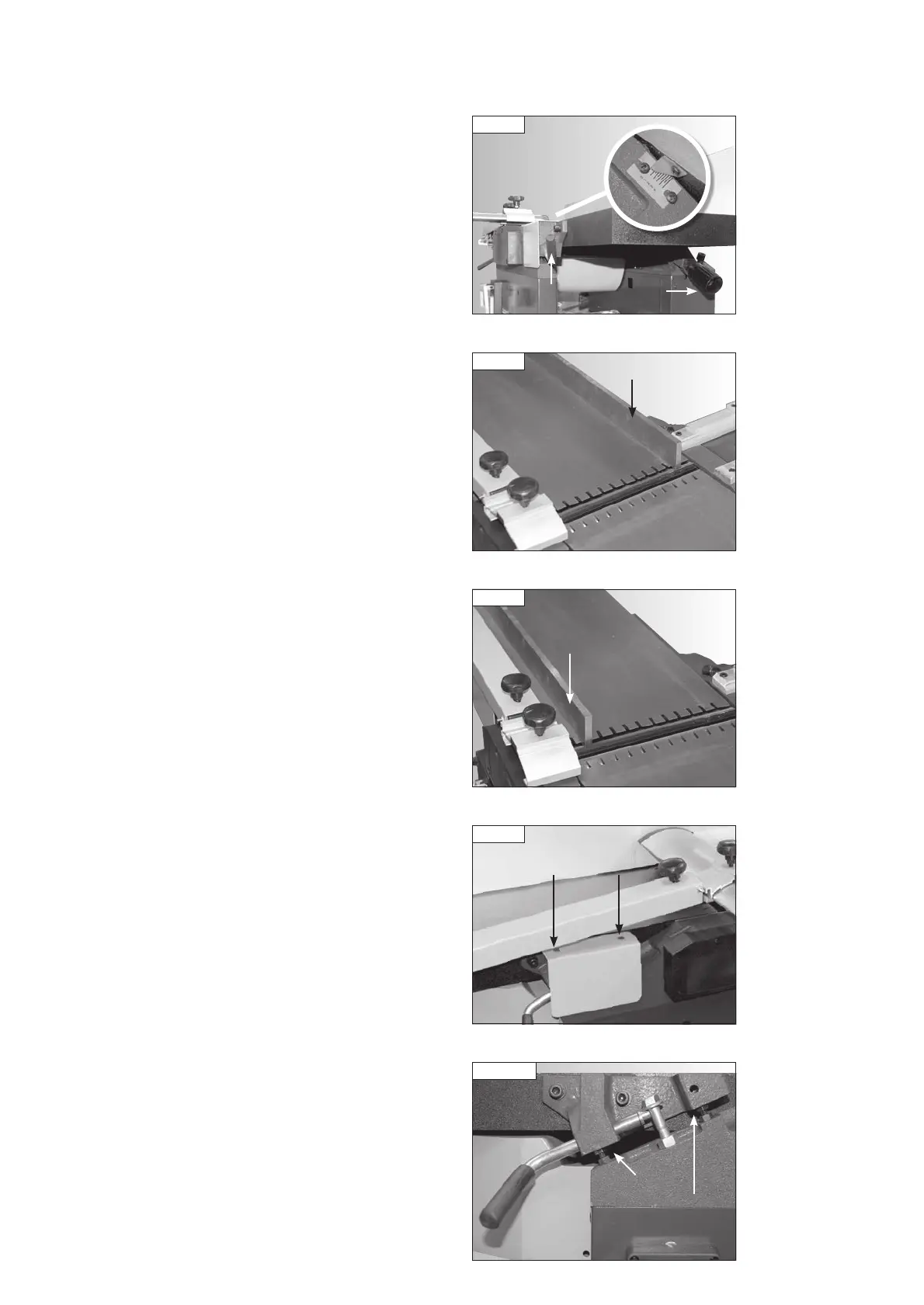
Fig 12.6
Table lock
Adjusting
handle
Planing depth
of cut scale
Aligning the Out Feed Table with the Cutter Block
To ensure accurate results when planing and thicknessing, the in feed
and out feed tables must both be aligned square to the cutter block.
This alignment is carried out during assembly and manufacture and no
adjustment should be needed. If the tables become misaligned due to
damage in transit or misuse (e.g. moving the machine around the workshop
by the tables) then follow the instructions below to realign them.
Place a straight edge on the out feed table at the end of the cutter block
nearest the fence mount, Fig. 12.7, and position the table to be 0.1 mm
(or as close as possible to 0.1 mm) below the blade, as previously described.
Place the straight edge on the out feed table at the opposite end of the
cutter block as shown in Fig. 12.8 and check that the table is at the same
height in relation to the cutter block as at the other end.
If adjustment is needed, remove the protective cover as shown in Fig. 12.9
by removing the 2 Phillips head screws from the top to gain access to the
table levelling bolts, Fig. 12.10.
Adjust the table levelling bolts until the table is aligned square with the
cutter block.
Table
levelling bolts
Fig 12.10
Fig 12.7
Straight edge
Fig 12.8
Straight
edge
Fig 12.9
Phillips head screws
Release the infeed table lock, Fig. 12.6, and adjust the table until it is at
the same height as the outfeed table, Fig. 12.5.
Lock the infeed table in place.
Set the pointer as shown in Fig. 12.6 to 0 on the planing depth of
cut scale.
PT107 Manual 3.2.indd 30PT107 Manual 3.2.indd 30 25/04/2022 14:43:5925/04/2022 14:43:59


 To Next Page