EasyManua.ls Logo

Record Power PT260 - User Manual

Record Power PT260
41 pages
Print Icon
To Next Page IconTo Next Page
Loading...
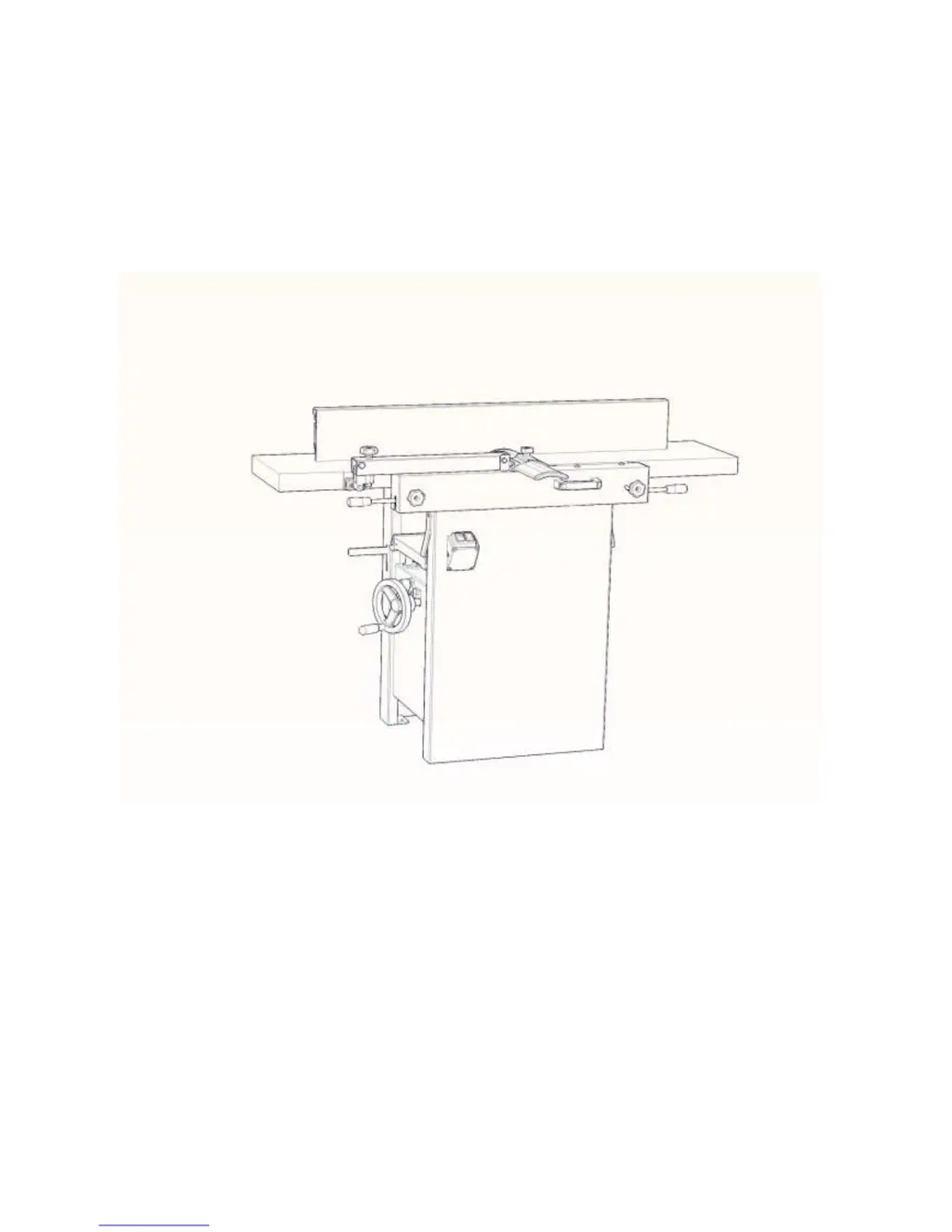
PLANER &THICKNESSER
WOODWORKING MACHINE
PT260
USER’S OPERATING MANUAL
& SERVICE INSTRUCTIONS
CAUTION: Read the instruction manual before using the appliance

Other manuals for Record Power PT260

Questions and Answers

  • J
    Jasmine GreenAug 13, 2025
    Why is my Record Power Planer thicknesser not feeding the workpiece through?
    • M
      Maria GeorgeAug 13, 2025
      There are several potential causes: * The thicknesser drive belt might be worn or broken, requiring a check and replacement. * The drive chain tension spring could be broken, also needing a check and replacement. * The workpiece might be sticking; try cleaning the table and using a silicone-based lubricant. * The planer blades may be wrongly adjusted, requiring a check and reset.
  • D
    Danielle JonesAug 17, 2025
    What to do if my Record Power Planer machine will not start (General)?
    • A
      Adriana PhillipsAug 17, 2025
      If your machine won't start, consider these possibilities: * A blown fuse: Check and replace the fuse if necessary. * Incorrect selector switch setting: Check and reset the switch to the correct function. * Micro switch adjustment: Check and readjust the micro switches.
  • R
    Robert CollinsAug 21, 2025
    How to fix Record Power Planer not planing workpiece squarely?
    • D
      Dennis Cruz Jr.Aug 21, 2025
      If your workpiece isn't planing squarely, check these items: * Blades: Make sure they are properly adjusted. * Fence: Ensure the fence is square to the table; adjust the fence and the 90°/45° stops. * Outfeed table: Using a straight edge, align the outfeed table to the infeed table.
  • L
    Laura MccoyAug 25, 2025
    What to do if my Record Power Planer machine will not start in Planer mode?
    • E
      Elizabeth NealAug 25, 2025
      If the machine doesn't start in Planer mode: * Verify that the chip ejection hood is correctly located against the micro switch. Ensure the thicknesser table is raised to hold it securely. * Check the out-feed table and locking lever to ensure they are correctly located against the micro switch. Verify the right-hand lock lever operates the micro switch; adjust the micro switch position if needed. * Confirm the selector switch is set to the correct function.
  • M
    Molly ParkerAug 28, 2025
    Why is my Record Power Planer not thicknessing to a uniform thickness?
    • T
      Thomas CarrollAug 28, 2025
      If your planer isn't thicknessing uniformly: * The blades might be wrongly adjusted; check and adjust them. * The thicknesser table may be twisted due to a wrongly adjusted rise and fall chain. It is suggested to have machine checked and repaired by a suitably qualified person / authorised agent.
  • J
    Jeffrey KiddSep 1, 2025
    Why is my Record Power Planer surface planer not producing a flat workpiece?
    • L
      Lawrence LucasSep 1, 2025
      If your surface planer isn't producing a flat workpiece: * The surface tables might not be parallel. Check and adjust using a straight edge along the length of the table. * The blades might not be set correctly to the out-feed table. Check and adjust the blade after checking the tables.
  • M
    Matthew HendrixSep 4, 2025
    What to do if my Record Power Planer machine will not start in Thicknesser mode?
    • A
      Allen PhelpsSep 4, 2025
      If the machine won't start in thicknesser mode: * Check the position of the chip ejection hood and adjust it as necessary to operate the micro switch. * Verify the selector switch is set to the correct function.
  • L
    Lisa RaySep 9, 2025
    Why is the Record Power Planer thicknesser rise and fall stiff or not operating?
    • S
      Stephanie StoutSep 9, 2025
      If the thicknesser rise and fall is stiff or not working: * There might be a buildup of shavings or dust on the mechanism. Clean and lubricate it with a silicone-based lubricant. * The rise and fall chain could be wrongly adjusted or broken. It is suggested to have the machine checked and repaired by a suitably qualified person / authorised agent.

Summary

Foreword

Use of the machine

Details the machine's intended use and operational limits for woodworking.

Purpose of the machine

Details the machine's intended use for woodworking and its operational limits.

Workers qualifications

Specifies the required skills and training for operating the machine.

Working environment

Storage and transportation temperature

Defines the acceptable temperature range for storage and transport.

The environment classification

Classifies the environment regarding fire hazards.

Safety instructions

General

Emphasizes reading and understanding safety instructions for safe operation.

Basic safety requirements

Lists fundamental safety precautions before and during operation.

Clothes and personal safety

Advises on appropriate attire and personal protective equipment for safe operation.

Safety regulations for operators

Outlines rules and precautions specifically for machine operators.

Safety regulations for maintenance

Specifies safety procedures for performing maintenance tasks.

Safety regulations for place of work

Details requirements for maintaining a safe and clear working environment.

Transport and storage

Technical specifications

Specifications concerning noise of the device

Provides data on noise emission levels during operation.

Features and Terminology

Receiving

Unpacking

Electrical Connection

Operating Controls

Jointer to Planer Setup

Planer to Jointer Setup

Power

Planer Controls and Adjustments

Power Feed

Explains the function of the power feed handle for planer operation.

Table Lock

Describes how to lock and unlock the planer table for adjustments.

Table Height Adjustment

Details the procedure for adjusting the planer table height.

Jointer Controls and Adjustments

Outfeed Table Height Adjustment

Explains how to adjust the outfeed table height.

Infeed Table Height Adjustment

Guides on adjusting the infeed table height for different cuts.

Cutterhead Guard

Specifies the correct positioning of the cutterhead guard.

Fence Movement

Details how to move and tilt the jointer fence for various operations.

Adjustments

Table and Knife Adjustments

Lists conditions for accurate jointing related to table and knife settings.

Coplanar Alignment

Defines coplanar tables and explains their importance for jointing.

Rear adjustment

Details the process for adjusting the rear table using setscrews.

Front adjustment

Explains how to adjust the front table using hex cap screws.

Setting Cutterhead Knives

Replacing Cutter Knives

Jointer Table Lock Handle Adjustment

Belt Replacement

Preparation

Outlines preparatory steps and tools needed for belt replacement.

Cutterhead Drive Belt Replacement

Details the process for replacing the cutterhead drive belt.

Feed-roller Belt Replacement

Guides on replacing the feed-roller belt.

Planer Table Adjustment

Checking Planer Table Parallel to Cutterhead

Describes how to verify the planer table is parallel to the cutterhead.

Adjusting Work Table Parallel to Cutterhead

Basic Operations

Dust Collection

States the requirement for connecting a dust collector before operation.

Initial Startup

Guides on the initial power-up and testing of the planer.

Changing Mode of Operation

Jointer Operations

Correct operating position

Advises on the proper stance and position for jointer operations.

Hand placement

Details the correct hand placement and movement during jointer operations.

Surfacing

Explains the process and purpose of surfacing with a jointer.

Direction of Grain

Advises on feeding wood relative to the grain direction for best results.

Jointing

Beveling

Planer Operations

Depth of Cut

Explains how to set and adjust the depth of cut for planing.

Precautions

Lists important precautions for using the thickness planer.

Preparing the Work

Guides on preparing lumber for planing, including flatness and warp.

Feeding the Work

Details how to feed lumber into the planer for automatic operation.

Avoiding Snipe

Maintenance

Blade Care

Advises on the importance of blade condition and cleaning.

Sharpening the Knives

Provides instructions for sharpening the planer knives.

Lubrication

Guides on where and how to lubricate the machine's moving parts.

Troubleshooting

Performance Troubleshooting - Jointer

Lists common jointer problems, their causes, and remedies.

Performance Troubleshooting - Planer

Lists common planer problems, their causes, and remedies.

Mechanical Troubleshooting - Planer;Jointer

Addresses mechanical issues like chain jumping and power problems.

Record Power PT260 Specifications

General IconGeneral
Maximum Planing Width260 mm
Maximum Thicknessing Capacity160 mm
Feed Speed5 m/min
Max. Depth of Cut3 mm
Number of Blades2
Motor Power1500 W
Table Size260 mm x 1040 mm

Related product manuals