Table is heavy. Use care when raising. Failure to comply may cause serious injury.
When raised, the table should be in the vertical position as shown in C, Fig. 3. The latch (E, Fig. 3)
should be engaged, preventing the table from an accidental forward fall.
3. Position the dust chute (D,H Fig. 3) to the right. Use extreme care to avoid contact with
cutterhead knives.
Note: The planer table may need to be lowered to allow clearance needed to position the dust
chute.
Planer to Jointer Setup
Referring to Figure 3: To change the machine configuration from planer
to jointer:
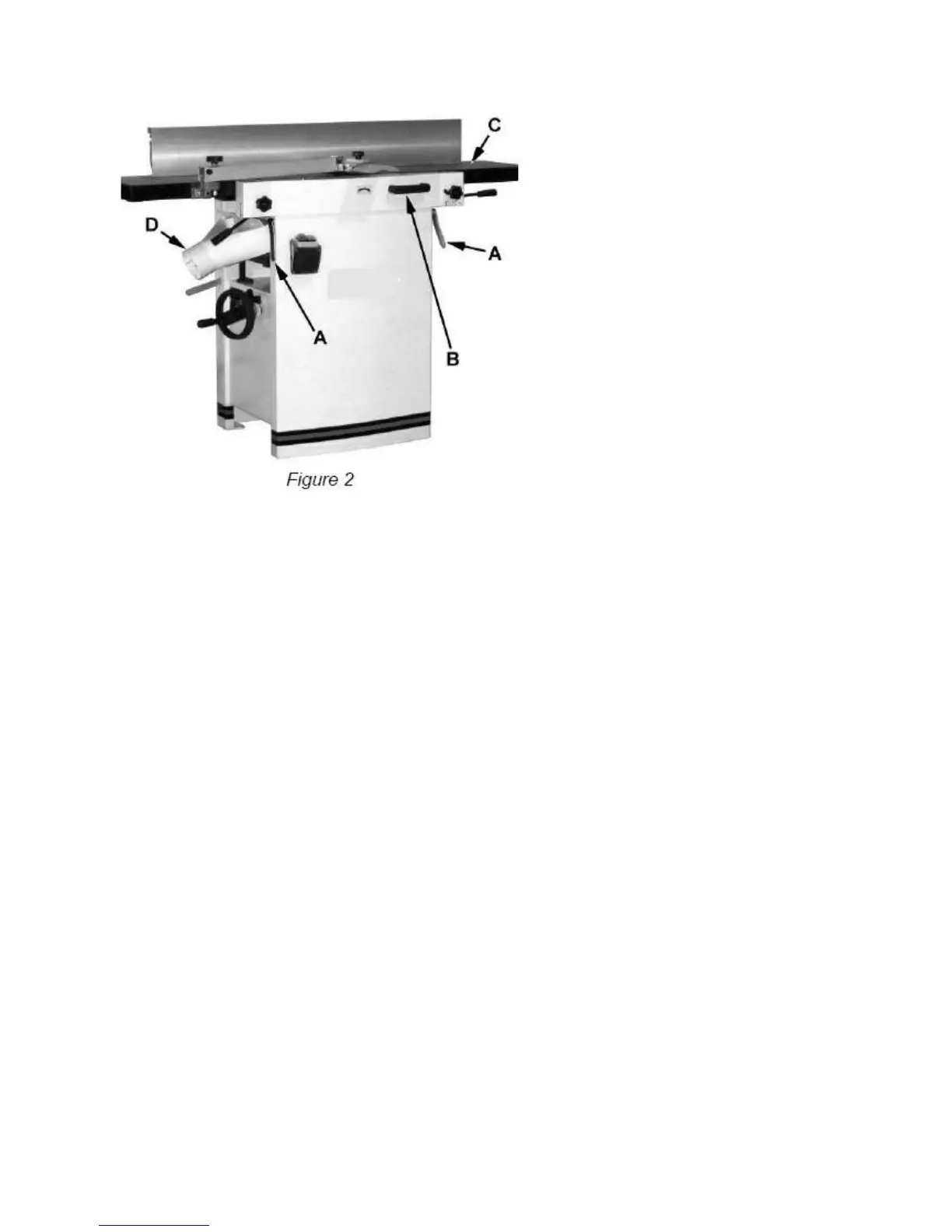
1. Pull the release knob (F) and reposition the dust chute (D, G) to the left. It should be positioned
as shown in D, Fig. 2.
Table is heavy. Use care when lowering. Failure to comply may cause serious injury.
2. Release the latch (E) and bring the table forward using the tilt handle (B). It should be positioned
as shown in C, Fig. 2.
3. Lock the table (C) by pushing the lock handles (A) in toward the machine and rotating down
(away from the operator).


 To Next Page