OWNER’S MANUAL - SERIES 6100 & 8100 DISPLAY CONTROL PANEL
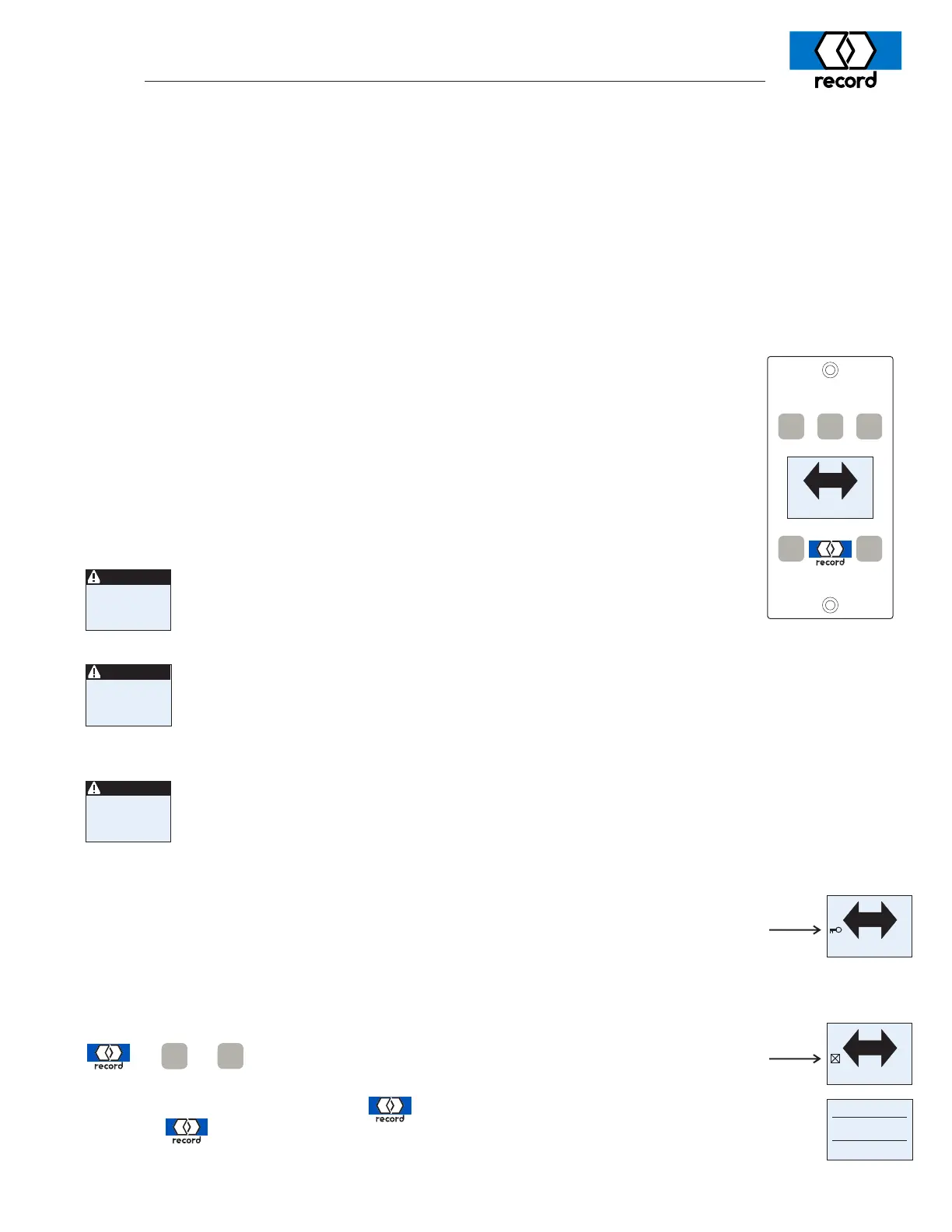
An optional feature for the Series 6100 and 8100 swing door systems is an electronic control panel to
select the operating mode of the door, and provide feedback on the door status.
Included are five pushbutton / keys-
-
+
OPEN
E
C
OFF
AUTO
PROG
EXIT
AUTO
OFF
PROG
+ +
To re-enable the keypad, repeat the above sequence.
The control panel includes a backlit display providing confirmation of the above mode
selection, reminders of safety checks and phone numbers, and will additionally indicate
when the system has an abnormal operating status. Abnormal status indication is in the
form of a short text description of the anomaly. Examples include “BodyGuard active >
(for more than) 60s”, “Obstruction”, “Encoder Fault”, etc. The user may be able to re-
solve some issues without requiring a service call. Certain door status will require an
authorized technician to service the door, and their phone number can be accessed by
momentarily switching the door OFF, then back on (AUTO, EXIT, or OPEN), and the
phone number will momentarily display.
Using the above examples -
4743
Encoder fault
47
Obstruction
63
BodyGuard active > 60s - indicates the swing-side safety sensor has
been actuated for more than 60 seconds. This alarm will clear as
soon as the sensor stops providing a signal to the operator.
Obstruction - indicates the door(s) has encountered significant resistance in either opening
or closing and cannot move without exceeding code limited forces. Inspect the bottom
guides, weatherstripping, etc., around the perimeter of the door and in the door’s path
of motion. NOTE: After an obstruction ocurrs, the next operation of the door will approach
the obstruction point at a reduced speed; normal speed is resumed after traveling through
the obstruction point without impediment.
Encoder fault - indicates erratic or no signals are received from the motor mounted encoder.
The operator will automatically reset 20 seconds after detecting this alarm. If the alarm
continues to occur, a call should be placed to the authorized record-USA dealer.
Additional screens provide similar information concerning the door sensors and operator components.
A small key displayed on the left side of the screen indicates a remote override switch has
disabled the panel.
If the message “Control Panel can’t override” is displayed when attempting to change operator modes, a
second control panel is connected to the door and has priority.
Sep’07
OFF turns off automatic motion and allows the door to be moved manually
Note 1: Depending on door configuration, this may close & LOCK the door.
AUTO enables full automatic operation with response for both ingress and egress.
EXIT enables automatic operation for egress traffic only.
OPEN automatically opens the door and remains open.
PROG is used to select low-energy configurations. In this mode, assuming the door
is not locked, the door is free to be opened by manual pressure applied to the
door. Closing force is provided by an internal spring and is electronically regulated.
The control panel can be “locked”, preventing unauthorized use, by pressing the key sequence
A small square with an “X” will appear on the left of the display.
473
active>60s
BodyGuard
AUTO
AUTO
To reset the door operator, press the button for 8 seconds. The screen at right will appear.
Press the button again to initiate a software reset; normal operation should resume in a
few seconds. If not, contact your local record dealer
Reset control?
No
Yes



 To Previous Page
 Loading...