5 Commissioning
14 / 30 BAL_SD_R62_EN_2V3_BLA_121-006454377
5 Commissioning
See also:
2 Parameter settings - Service Display [}16]
5.1 Commissioning the Service Display
NOTICE
Before using the record Service Display, it has to be configured in order to communicate with
the PLC (Programmable Logic Control).
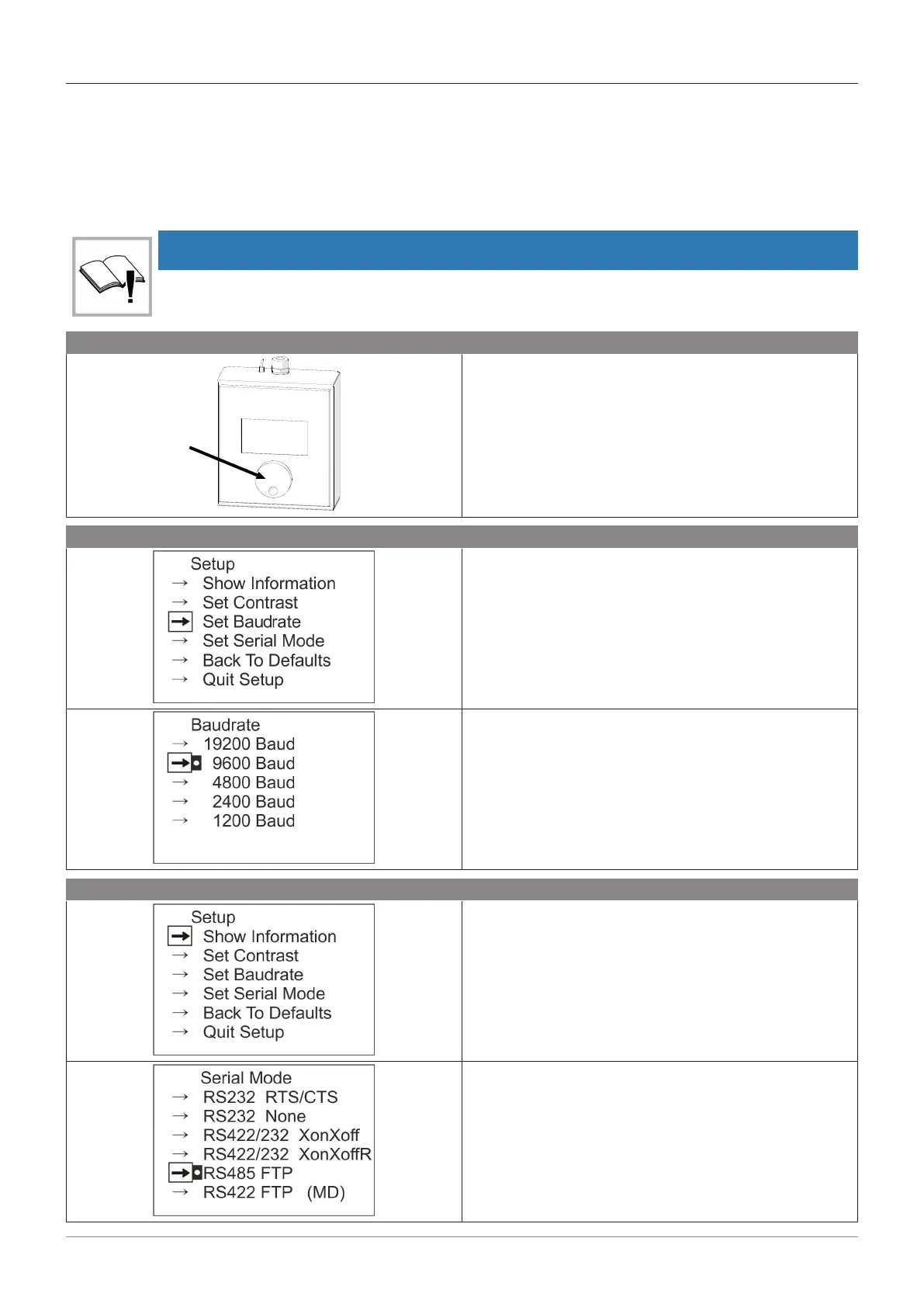
Accessing the “SETUP” menu on the screen:
Se cur ity Po rta l R6 2
Ve rsi on : X. XX. XX
In fo : X.X X.X X
Ti me : X X:X X:X X
Da te : X X.X X.X X
– Connect the plug while keeping the rotary dial
pressed.
Setting the communication speed:
– Scroll down to “Set Baudrate” and confirm.
– Set to “9600” and confirm.
– Return to the previous menu.
Selecting the communication mode:
– Select “Set Serial Mode” and confirm.
– Select “RS485 FTP” and confirm.



 To Next Page