RED DSMC OPERATION GUIDE
COPYRIGHT © 2013 RED.COM, INC
955-0020_V5.1, REV-D | 101
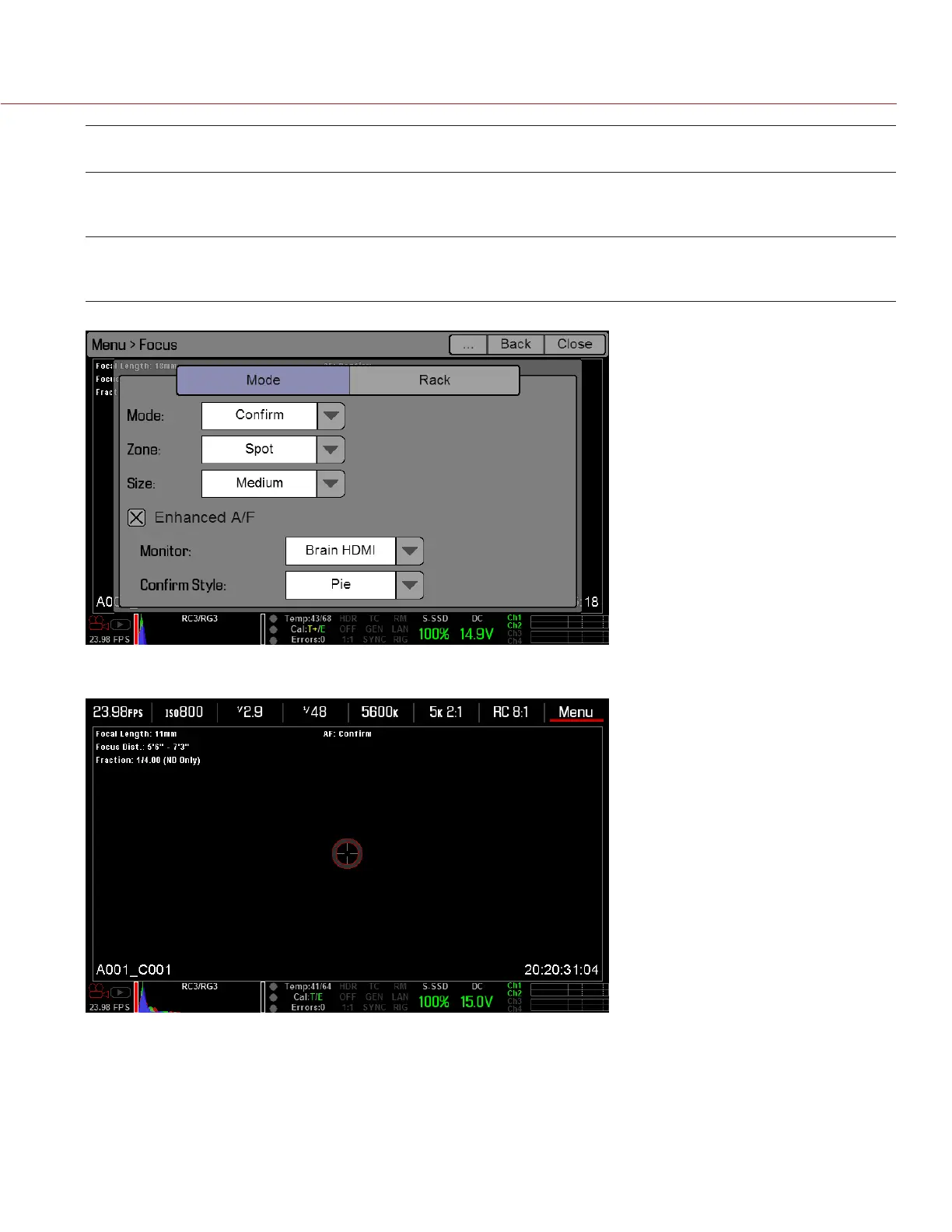
CONFIRM
STYLE
DESCRIPTION OBJECTS IN TARGET ARE IN
FOCUS...
OBJECTS IN TARGET ARE OUT OF
FOCUS
Bar Bar target Target is yellow or green;
vertical bar on the right side is
filled up
Target is red;
vertical bar on the left side is
almost empty
Pie Pie target Target is yellow or green;
line around the curve is filled up
Target is red;
line around the curve is almost
empty
8. Exit the Focus screen.
The target displays on the touchscreen LCD, and the monitor that you selected for the Enhanced A/F fea-
ture is in Clean mode.
RACK TAB
Use the Rack tab to configure up to four focus points and execute rack focus between them.
SET UP RACK FOCUS
1. Ensure that a DSMC Nikon Mount, DSMC Canon Mount, or DSMC Canon MOTION MOUNT is installed and
that a supported lens is attached.


 To Next Page