COPYRIGHT © 2013 RED.COM, INC
RED DSMC OPERATION GUIDE
955-0020_V5.1, REV-D | 22
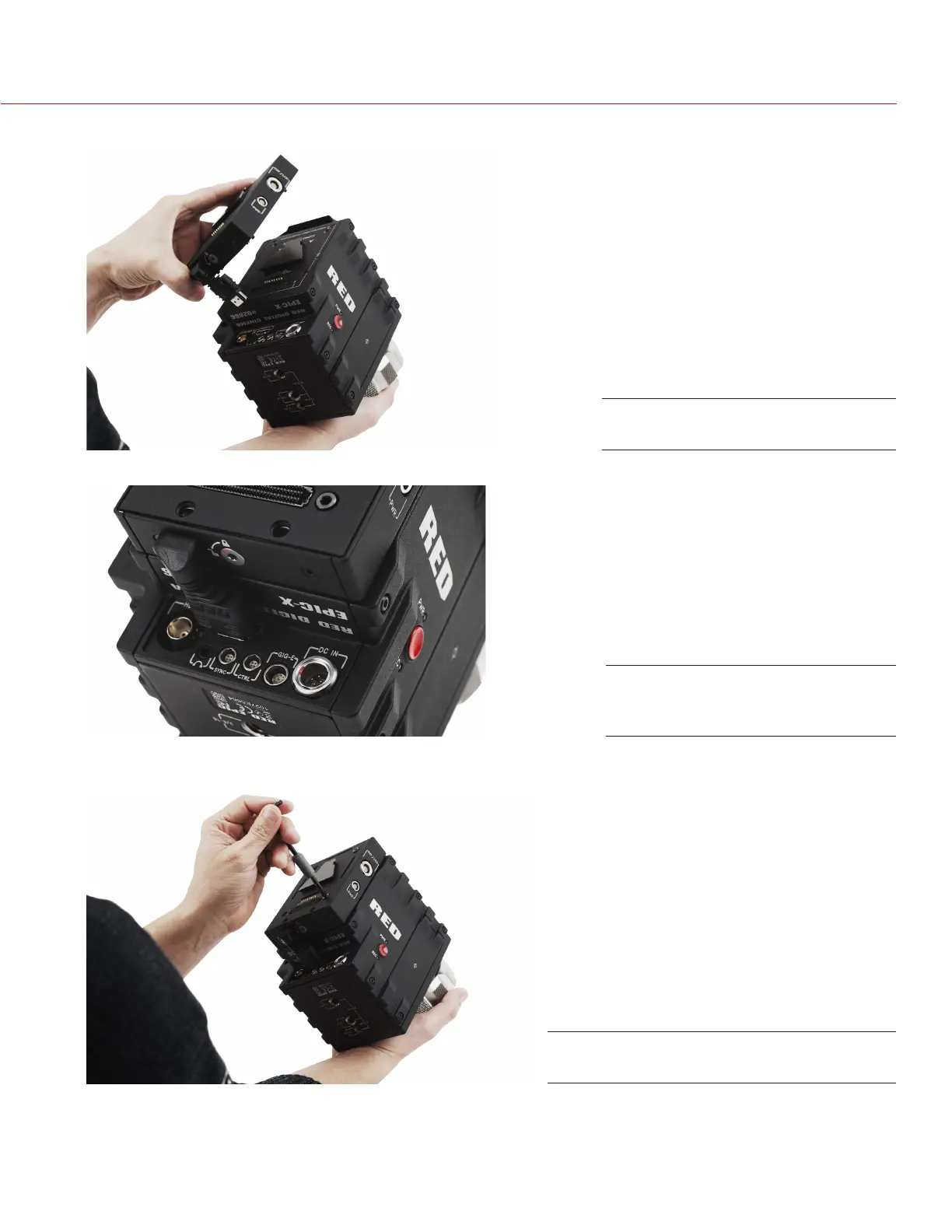
3. Align the +1 ADAPTOR MODULE with the back of the DSMC BRAIN.
4. Insert the HDMI connector into the DSMC BRAIN.
5. Use a T20 Torx driver to tighten four (4) captive screws. Tighten screws in a cross pattern approximately
two turns each. DO NOT FULLY TIGHTEN.
6. Fully tighten four (4) screws in a cross pattern. DO NOT OVERTIGHTEN.
Install +1 ADAPTOR MODULE
Insert the HDMI Connector to
DSMC BRAIN
Tighten the screws in an “X” pattern


 To Next Page