RED DSMC OPERATION GUIDE
COPYRIGHT © 2013 RED.COM, INC
955-0020_V5.1, REV-D | 29
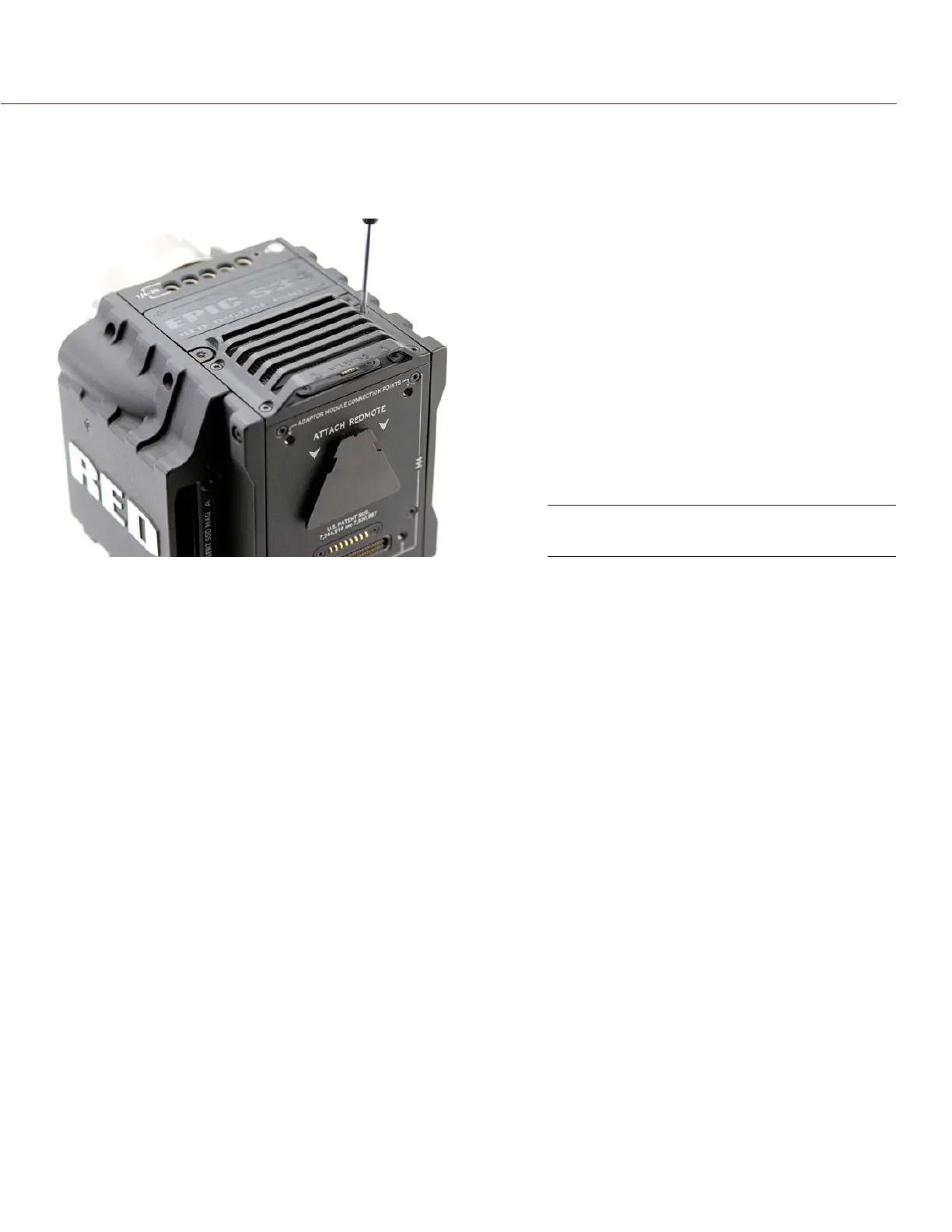
HOOD SCOOP REPLACEMENT
The hood scoop on some EPIC-X and EPIC-M models sweep back and extend beyond the rear plane of the
camera. Replacement hood scoops are available to allow for the attachment of an LCD display or other RED
accessories to the mounting locations on the top of the +1 ADAPTOR MODULE.
Use the following instructions to replace DSMC fan hood scoop.
1. Use a T8 Torx driver to remove the four (4) screws.
2. Lift off the old hood scoop.
3. Place the replacement hood scoop on the camera. Align hood scoop screw holes with the threaded holes
on top of the camera.
4. Insert and lightly tighten the four screws in a cross pattern. DO NOT FULLY TIGHTEN.
5. Tighten the screws again in a cross pattern until tight. DO NOT OVERTIGHTEN.
Replace the Hood Scoop


 To Next Page