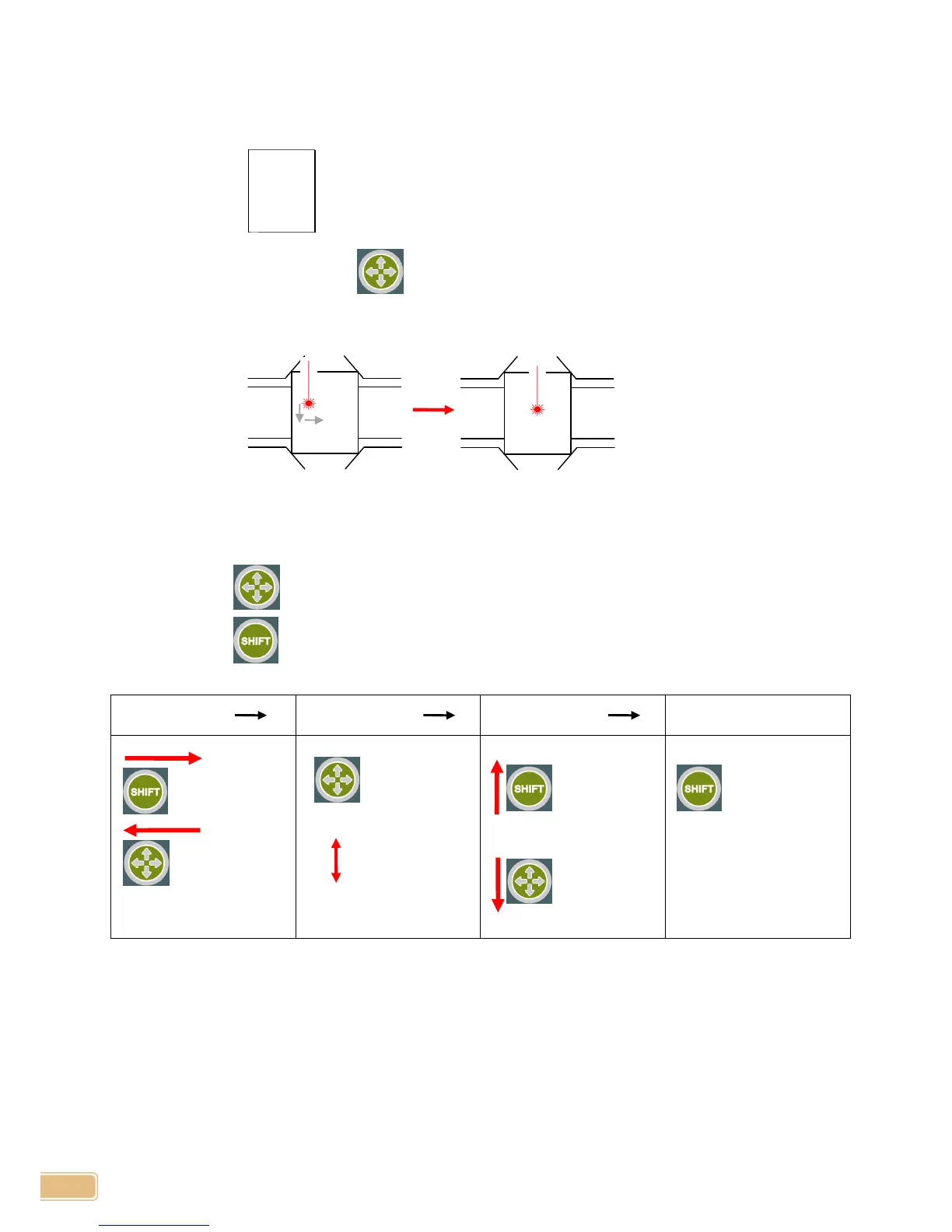
Vise Center Calibration:
1. Prepare a rectangular or circular material and mark a dot on the center of the material with
marker pen.
2. Turn power ON pressing , then release the button as soon as machine beeps.
3. Tool will move to the center of vise, then red laser pointer will be lit.
Button Use:
Short each button press moves the pointer to the left/bottom or right/top depending on its mode.
Long press of button will change mode to left/right movement or top/bottom movement.
Long press of button saves pointer calibration and return home.


 To Next Page