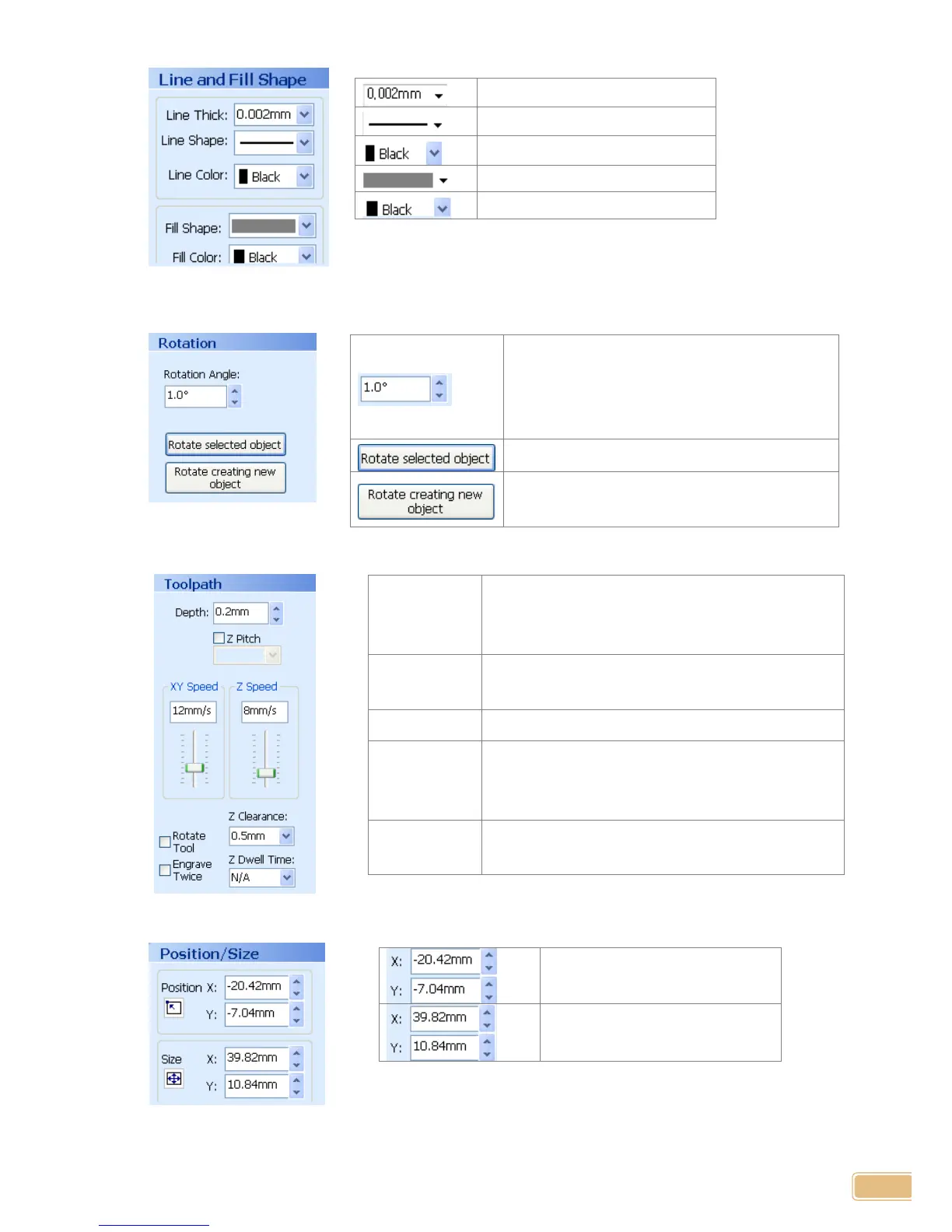
Rotation Properties
Tool Path Properties
Selected object’s line thickness
Selected object’s line shape
Selected object’s line color
Rotate selected object by one degree. When
inputting your wanted rotation angle and
pressing button, object is rotated as much as
input angle
Rotate selected object as much as input angle.
Rotate and add new object as much as input
angle
It shows “pulled pressure” instead of real engraved
depth, in which dept is deeper, pressing pressure is
larger
Indicate speed of XY-axis movement
Indicate speed that Z-axis is moved down to object
Z direction
movement
height
In moving to other engraving position, first, lift Z-axis
in order that tool is not contacted with material
surface and then, appoint height.
Engrave designed content two times.
Selected tool path position
Selected tool path’s total size


 To Next Page