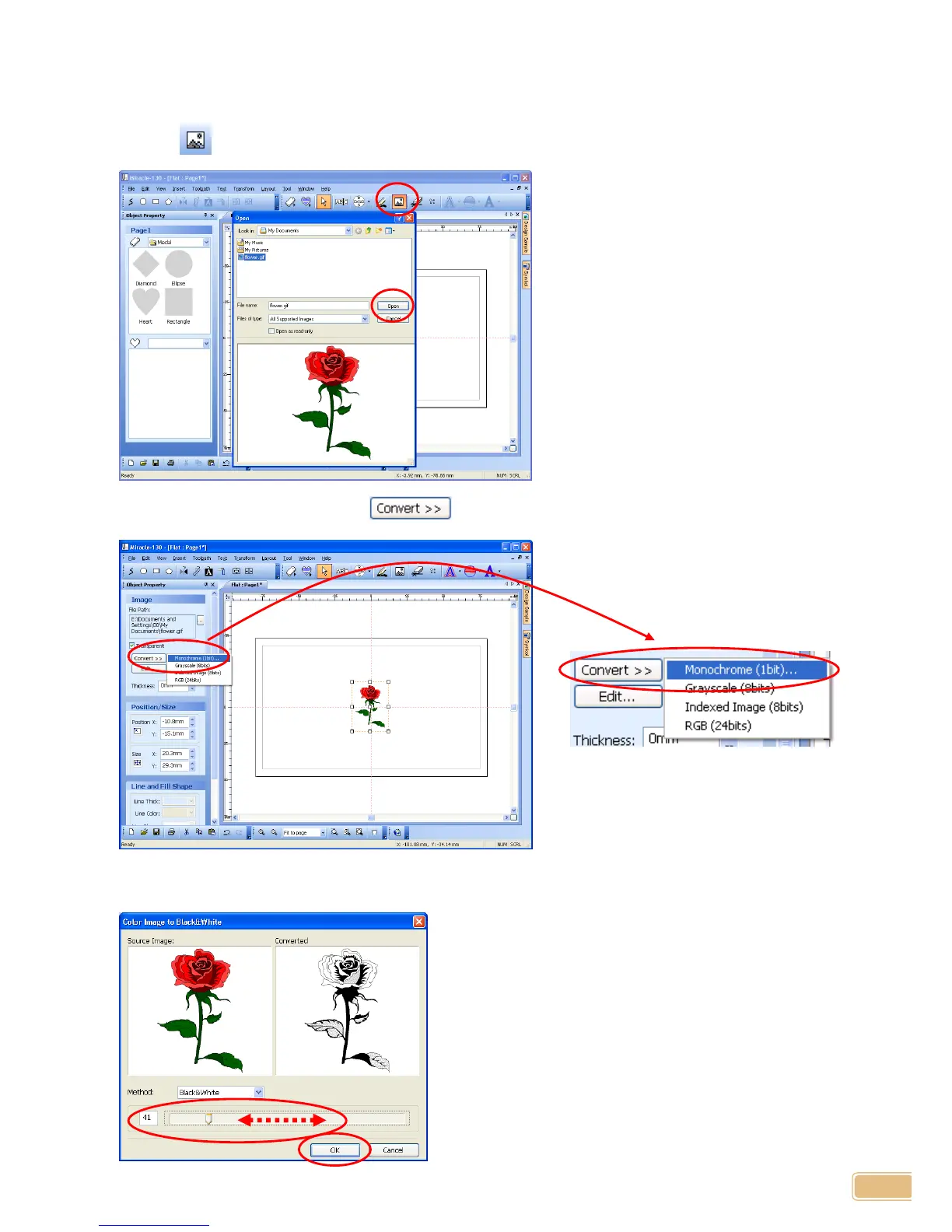
Loading Image and Converting It to Engravable Image
A image saved as JPG, GIF, BMP etc. can be loaded to engrave.
1. Click button and select a image to load then click “Open” button.
2. Once the image is loaded, click “ button, then select “Monochrome(1bit)...”.
3. On pop-upped window, adjust slider to produce most suitable image to engrave, then click “OK”
button.
☞ This is NOT necessary when loading
monochrome image. In this case,
“Monochrome(1bit)...” will be disabled.


 To Next Page