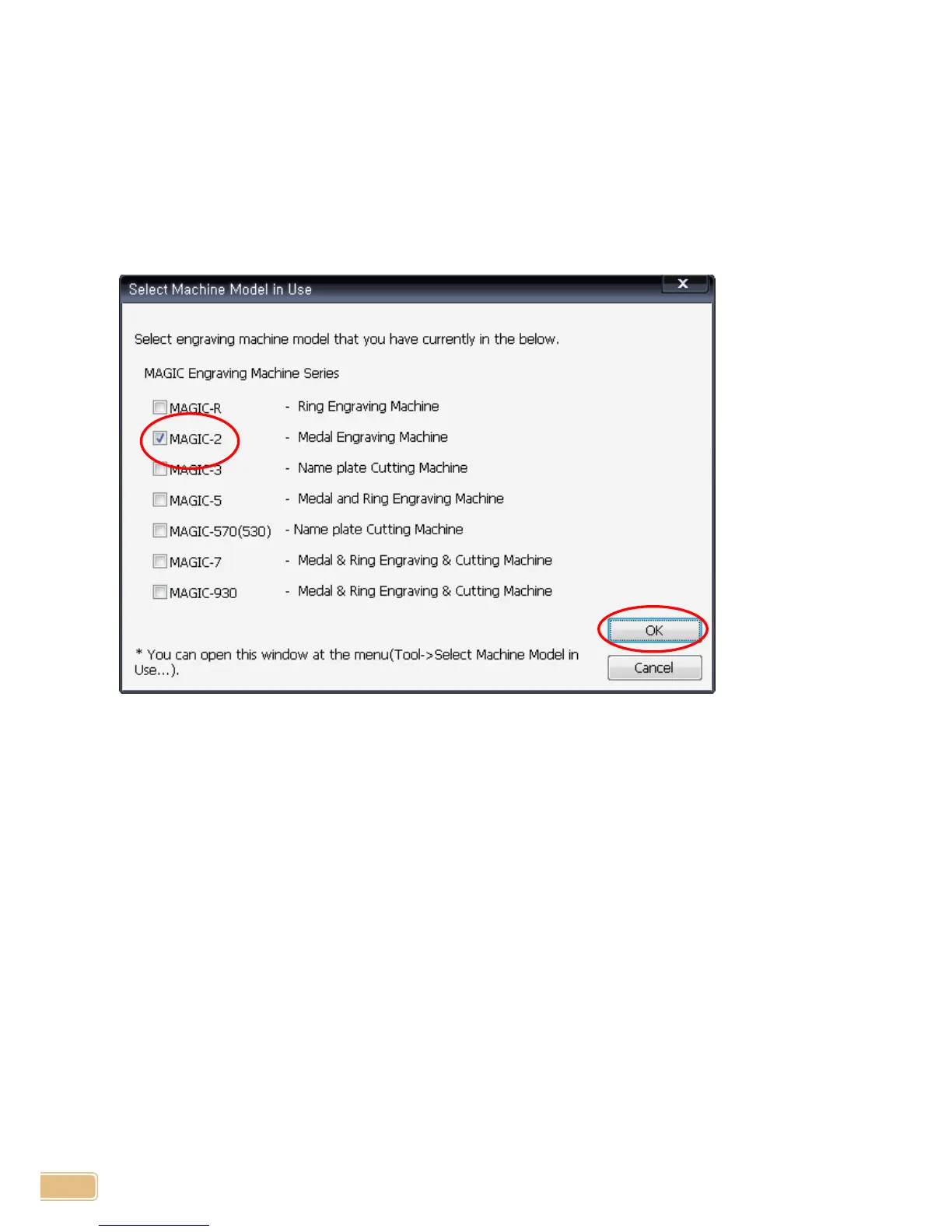
Model Selection
When the program is run first after the installation, "Select Machine Model in Use" window will be popped up.
Select proper model in the list.
If serveral different models are being used, select all the models from the list.
※ This option can be opened at menu, "Tool" -> "Select Machine Model in Use" whenever needed.


 To Next Page