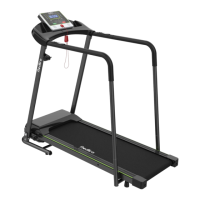
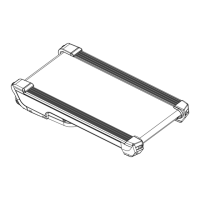
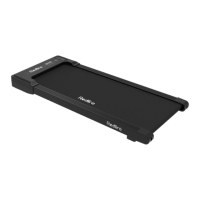
This document is a user guide for the TREADMILL MODEL: JK1608L-T, providing comprehensive information on its assembly, operation, maintenance, and troubleshooting.
Function Description:
The JK1608L-T is a treadmill designed for at-home use, offering a platform for walking and running exercises. It features a control console with various display modes and preset programs to customize workouts. The treadmill is equipped with a safety key for immediate stopping in emergencies and handrails for support. It allows users to track workout metrics such as time, distance, speed, and calories burned. The device supports both standard and custom workout modes, enabling users to set specific goals for their exercise sessions.
Important Technical Specifications:
- Input Voltage: 110 V
- Speed Range: 0.5-5.5 mph
- Maximum Load Bearing: 300 lbs (136 kg)
- Package Size: 53.1 x 27.4 x 8.7 inches
- Assembly Size: 51 x 25 x 46 inches
- Operating Area: 41 x 16 inches
- Rated Power: 2.25 hp
- Net/Gross Weight: 66/77 lb
Usage Features:
- Safety Information: Emphasizes crucial safety precautions, including using the device in an area with 3-6 feet of free space, avoiding carpets thicker than 0.5 inches, keeping children and pets away, wearing appropriate attire and the safety key clip, and unplugging after use. It also warns against disassembling the machine without manufacturer guidance and exceeding the maximum weight capacity.
- Assembly: Detailed, step-by-step instructions with diagrams for assembling the treadmill, including attaching the support bar, console, armrests, and securing various knobs and screws. It highlights the importance of correctly connecting communication cables and ensuring all parts are tightened.
- Console Command Description:
- Display Modes: The console features windows for "Distance," "Time," "Speed," and "Calories." "Distance" and "Time" have standard and preset/custom modes, while "Calories" has standard and preset/custom modes. A "SCAN" mode cycles through Speed, Time, and Distance every 5 seconds.
- Buttons:
- START Button: Initiates the treadmill after 3 seconds in standby mode (default speed 0.5 mph) or resumes a paused program.
- STOP Button: Pauses activity or puts the device in standby mode.
- +/- Buttons: Adjusts speed (0.1 mph increments) or settings in preset/custom mode. Holding for over 0.5 seconds allows continuous adjustment.
- MODE Button: In standby, switches between time, distance, and calorie settings. During use, cycles through Scan, Time, Speed, and Calorie display modes.
- PROG Button: In standby, selects from 12 preset automatic programs (P01-P12).
- Security Key: A magnetic key that, when pulled from the treadmill, immediately stops the running belt in an emergency.
- Workout Modes:
- Standard Mode: Allows users to start the treadmill at 0.5 mph and manually adjust speed, select display modes (Scan, Time, Distance, Calorie), and pause/turn off the treadmill.
- Preset Mode: Offers 12 automatic programs (P01-P12) with varying speed profiles. Users can adjust the duration of these programs (5-99 minutes) before starting. Speed cannot be adjusted during a preset program.
- Custom Mode: Enables users to set specific goals for time (5-99 minutes), distance (0.4-99 miles), or calories (10-990 calories) before starting their workout. Only one of these three modes can be selected at a time.
- Heart Rate Display: Users can hold sensors on the handrails to view their current heart rate. Note that heart rate data cannot be displayed simultaneously with speed, time, and calorie data.
Maintenance Features:
- Daily Cleaning: Recommends regular cleaning of the running belt and console. Users should power off and unplug the treadmill, wipe the exterior with a damp cloth and mild soap, and dry thoroughly with a soft towel. The display console must be kept dry.
- Routine Maintenance:
- Silicone Lubricant Use: The treadmill is pre-lubricated, but regular lubrication (every 3 months or after 100 miles of use with 10ml of oil) is recommended to maintain performance and extend service life. Instructions are provided for applying lubricant under the running belt.
- Running Belt Adjustment:
- Off-Center Belt: Instructions for adjusting the running belt if it shifts to the left or right using an L-Wrench to turn the rear roller bolts. It warns against using the treadmill with an off-center belt to prevent wear and injury.
- Loose Belt: Instructions for tightening a loose running belt by turning both rear idler bolts clockwise with an L-Wrench.
- Tight Belt: Warns that a belt that is too tight can damage the belt and rollers, and strange noises indicate a tight belt that needs to be loosened.
- Troubleshooting and Handling: Provides solutions for common issues such as:
- Electricity affected by treadmill power-on.
- Treadmill not turning on or turning off automatically.
- Power switch light on, but screen displays nothing.
- "Err" displayed and treadmill not working (often related to the safety key or internal connections).
- Unresponsive screen display or safety key.
- Treadmill shaking or poor stability.
- Wear on the side of the running belt.
- Running belt slowing down or stopping during use.
- Abnormal noise from the running board or under the upper cover (motor area).
- Abnormal noise from front and rear rollers.
- Fault codes on display (E05: Over current protection, E06: Lower control board damaged, E07: Communication failure, E08: Poor contact of motor power line or motor failure).
- For persistent issues, users are advised to contact customer service.
Warranty:
The product comes with a manufacturer's limited warranty from Mixdollar, covering manufacturing defects in material and workmanship for 1 year on all components. Exclusions include damage from improper installation, non-household use, surface damage, normal wear and tear, vandalism, accidents, natural disasters, environmental conditions, improper operation, modification, handling, storage, misuse, neglect, or poor contact of motor power line. Warranty repairs or replacements do not renew the warranty period and are non-transferable. Original proof of purchase is required. Contact information for replacement parts and required information for after-sales support are provided.

 Need help?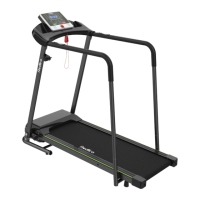

 To Next Page
 General