Need help?
Do you have a question about the Redliro JK1608P and is the answer not in the manual?
Steps to pair the remote control with the treadmill for initial use.
Guide for operating the treadmill in its standard, non-programmed mode.
Instructions for selecting and using the treadmill's 12 pre-programmed workout routines.
Guide for setting up personalized workout routines based on time, distance, or calories.
Instructions for the regular cleaning of the treadmill's running belt and console.
Guidance on applying silicone lubricant to the running board for optimal performance.
Steps for adjusting the running belt if it becomes off-center or loose.
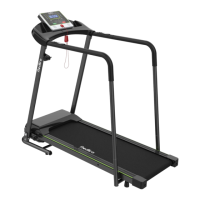
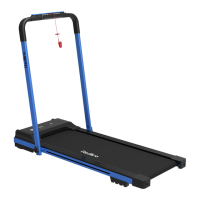
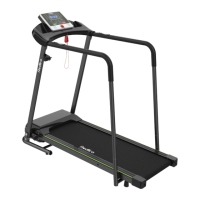
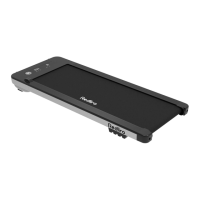
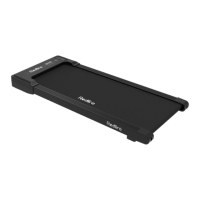
The Redliro Treadmill (model JK1608P) is designed for at-home use, offering a convenient way to engage in walking or light jogging workouts. This compact and user-friendly device emphasizes ease of operation and maintenance, making it suitable for individuals seeking a straightforward fitness solution.
The Redliro Treadmill provides a motorized running belt for walking and light jogging. It features a digital display panel that shows key workout metrics such as time, calories burned, steps taken, current speed, and distance covered. The treadmill operates within a specific speed range, allowing users to adjust their pace according to their fitness level and workout goals.
The device is controlled primarily via a remote control, which enables users to start and stop the treadmill, adjust speed, select different display modes, and choose from a variety of preset workout programs or customize their own. The remote control also includes a mute function for noise control and a reset button to return the treadmill to standby mode.
The treadmill offers two main operating modes: Standard Mode and Preset Mode. In Standard Mode, users can manually adjust the speed and monitor their progress. In Preset Mode, the treadmill provides 12 pre-programmed workout schemes (P01-P12) with varying speed profiles, designed to offer structured exercise routines. Additionally, a Custom Mode allows users to set specific targets for time, distance, or calories, providing a personalized workout experience.
For safety, the treadmill is designed to operate in an area with sufficient free space around it and should not be used on thick carpets or near water. It is intended for use by one person at a time and has a maximum weight capacity. The device incorporates safety features such as a gradual stop mechanism when paused or reset, and it is recommended to unplug the power cord after use and before maintenance.
Setting up and using the Redliro Treadmill involves a few simple steps. Before the first use, it is essential to plug in the power cord, establish a connection between the treadmill and the remote control, and press the power switch on the treadmill until the indicator light turns on.
To begin a workout in Standard Mode, users press the Start/Stop button on the remote control while the treadmill is in standby. The running belt will start moving at a default speed after a 3-second countdown. Speed adjustments are made using the +/- buttons on the remote control, with each press changing the speed by 0.1 mph. Holding the button allows for continuous speed adjustment. The display panel can be toggled between fixed and cyclic display modes by pressing the M button, showing different metrics in 5-second intervals in cyclic mode. To pause, press Start/Stop again; to restart from the paused state, press Start/Stop once more. To turn off the treadmill from a paused state, press the Reset button.
In Preset Mode, users select one of the 12 automatic programs (P01-P12) using the P button on the remote control while in standby. The duration of these programs can be adjusted in 1-minute increments using the +/- buttons, with a selectable range of 5 to 99 minutes. Once a program and duration are selected, pressing Start/Stop will begin the workout at the preset program speed after 3 seconds. It's important to note that speed cannot be adjusted while running in Preset Mode.
Custom Mode allows for more tailored workouts. From standby, pressing the M button cycles through options to set targets for time, distance, or calories. Time can be set from 5 to 99 minutes, distance from 1 to 99 miles, and calories from 20 to 990. Adjustments are made using the +/- buttons. Only one of these three modes can be selected at a time.
The remote control requires battery replacement over time. The process involves pushing back the cover, removing the old button cell, and inserting a new one of the correct type. After battery replacement or if the remote loses connection, it needs to be re-paired with the treadmill by simultaneously holding the Mute and Reset buttons for 5 seconds until the remote's light flashes, indicating pairing mode.
The treadmill also supports Bluetooth pairing, allowing users to connect their devices. To pair, turn on the treadmill, ensure Bluetooth is enabled on the device, and select "Bluetooth" from the pairing screen.
Regular maintenance is crucial for the Redliro Treadmill to ensure safety, extend its lifespan, and maintain optimal performance.
Daily Cleaning: The treadmill should be cleaned regularly. After each use, power off and unplug the treadmill. Wipe the exterior with a damp cloth and a small amount of mild soap. The display console should be kept dry and wiped with a dry, soft towel. It is important not to spray liquid directly on the treadmill to avoid damage.
Troubleshooting: The manual provides a comprehensive troubleshooting guide for common issues, including:
For any issues not resolved by the troubleshooting guide, users are advised to contact customer service, providing their order number, a description of the part (with photo or video if possible), part number, purchase date, and recipient's full address and phone number.
 General
| Motor Power | 2.5 HP |
|---|---|
| Max User Weight | 220 lbs |
| Display | LCD display |
| Foldable | Yes |
| Programs | 12 preset programs |
| Incline | Manual, 3 levels |

 To Next Page