
 Need help?
Do you have a question about the REDRAGON DEVARAJAS K556 RGB and is the answer not in the manual?
Details warranty rules, including exclusions for man-made damages and natural disasters.
Specifies repair guarantee for electrical circuit problems within 18 months of purchase.
Lists supported operating systems for the device.
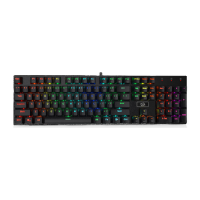
Highlights ergonomic design, durable keycaps, metal case, and high-performance switches.
Explains FN key combinations to switch between various dynamic backlighting effects.
Details FN key combinations for locking Windows, adjusting speed, direction, and brightness.
Lists FN+F key combinations for controlling media playback and applications.
Provides solutions for common issues such as mouse unresponsiveness or performance delays.
Details the absence of toxic substances like Pb, Hg, Cd, Cr(VI), PBB, and PBDE in product parts.
States that products are free from harmful substances and are environmentally friendly and recyclable.
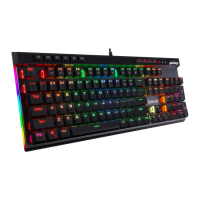
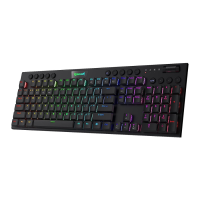
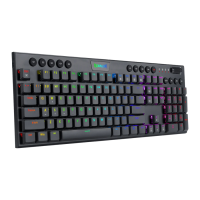
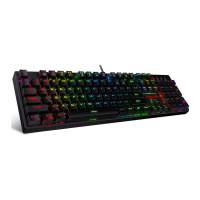
The Redragon Devarajas is a wired mechanical gaming keyboard designed for an enhanced gaming experience. It boasts an ergonomic design, ensuring comfort during prolonged use, and features N-Key rollover, which means every keypress is registered accurately, even when multiple keys are pressed simultaneously. The keycaps are made with a double injection process, contributing to their durability and longevity. The keyboard is housed in a fully metal case, providing a robust and premium feel, and is equipped with high-performance gaming switches, optimized for responsiveness and tactile feedback crucial for competitive gaming.
The Devarajas keyboard offers extensive backlighting customization to suit individual preferences and enhance the aesthetic appeal of your gaming setup. It provides various backlighting modes that can be cycled through using specific key combinations. For instance, pressing FN+INS allows you to switch between three modes: "The Trial of Light," "Breathing," and "Normally On," offering different visual effects from dynamic light patterns to a steady glow. Similarly, FN+HOME provides access to "Ripple Graff," "Pass without Trace," and "Coastal" modes, each presenting a unique light animation. The FN+PGUP combination offers "Hurricane," "Accumulate," and "Digital Times" modes, while FN+DEL lets you choose between "Go with the Stream," "Clouds Fly," and "Winding Paths." For more artistic lighting, FN+END activates "Flowers Blooming," "Snow Winter Jasmine," and "Swift Action" modes. Finally, FN+PGDN offers "Both Ways," "Surmount," and "Fast and the Furious" modes, providing a wide array of visual options.
Beyond the aesthetic backlighting, the keyboard also offers practical control over its lighting features. You can adjust the running speed of the backlight patterns in 4 levels using FN+"". The direction of the backlight can be adjusted with FN+“←”, and the backlighting color can be switched by cycling through various colors using FN+“→”. The brightness of the backlight can also be adjusted in 4 levels using FN+“↑” and FN+“↓”. If you wish to revert to the default lighting settings, FN+PRTSC will restore the flow mode.
The Redragon Devarajas keyboard also integrates a range of convenient multimedia functions, accessible via the FN key in combination with the function keys (F1 through F12). FN+F1 opens the media player, FN+F2 decreases the volume, FN+F3 increases the volume, and FN+F4 mutes the audio. For media playback control, FN+F5 stops playback, FN+F6 skips to the previous track, FN+F7 plays or pauses the current track, and FN+F8 skips to the next track. Additionally, FN+F9 opens your email client, FN+F10 takes you to the home page, FN+F11 opens the calculator, and FN+F12 initiates a search function. The keyboard also includes a FN+WIN key combination to lock and unlock the Windows and APP functions, preventing accidental interruptions during gaming.
For advanced customization, the keyboard supports macro recording and backlight settings through dedicated software. This software can be installed from the included CD or downloaded from the official Redragon website (www.redragonzone.com), allowing users to personalize their keyboard experience further by creating custom macros and fine-tuning lighting effects.
In terms of maintenance and troubleshooting, the manual provides guidance for common issues. If the mouse, which is often used in conjunction with a keyboard, is not responding, it is recommended to check if it is correctly plugged into the computer's USB port or to try a different USB port. If the mouse exhibits slow movement, jumping, or delay, trying a different surface is advised, as dark, dirty, un-flat, or bright surfaces can negatively impact mouse performance. The use of a mouse pad is strongly recommended to ensure optimal tracking.
The Redragon Devarajas keyboard is designed with environmental considerations in mind. The product does not contain toxic or harmful substances and is environment-friendly, indicating that it can be recycled. The manual includes a table detailing the presence of various substances like Lead (Pb), Mercury (Hg), Cadmium (Cd), Hexavalent Chromium (Cr(VI)), Polybrominated Biphenyls (PBB), and Polybrominated Diphenyl Ethers (PBDE) in different parts of the keyboard, such as plastic parts, metal parts, circuit components, and cables. An "O" in the table signifies that the percentage of the toxic or harmful substance in that part is within acceptable limits.
The product comes with a warranty that is valid for 18 months from the purchase date. This warranty covers failures due to electrical circuit problems. However, it explicitly excludes man-made damages such as disassembly, hard impacts, submersion into water, plugging into improper current or voltage, and damages caused by natural disasters like fire, flood, or earthquake. Consumable parts, such as foot pads, and spare parts replacements are also not included in the warranty. The manual includes a section for recording customer and wholesaler information, including name, telephone, address, and zip code, along with the date of purchase, to facilitate warranty claims and customer service.
 General
| Type | Mechanical |
|---|---|
| Switch Type | Outemu Blue |
| Key Backlighting | RGB |
| Anti-Ghosting | Yes |
| Polling Rate | 1000 Hz |
| Key Rollover | N-Key Rollover |
| Cable Type | Braided |
| Connectivity | Wired |
| Interface | USB |
| Keycaps | ABS |
| Number of Keys | 104 |
| Actuation Point | 2.2 mm |
| Total Travel | 4.0 mm |
| Cable Length | 1.8 m |
| Weight | 1.2 kg |
| Software | Yes |
| Wrist Rest | Detachable |
| Keyboard Layout | US |
| Compatibility | Windows |

 To Next Page