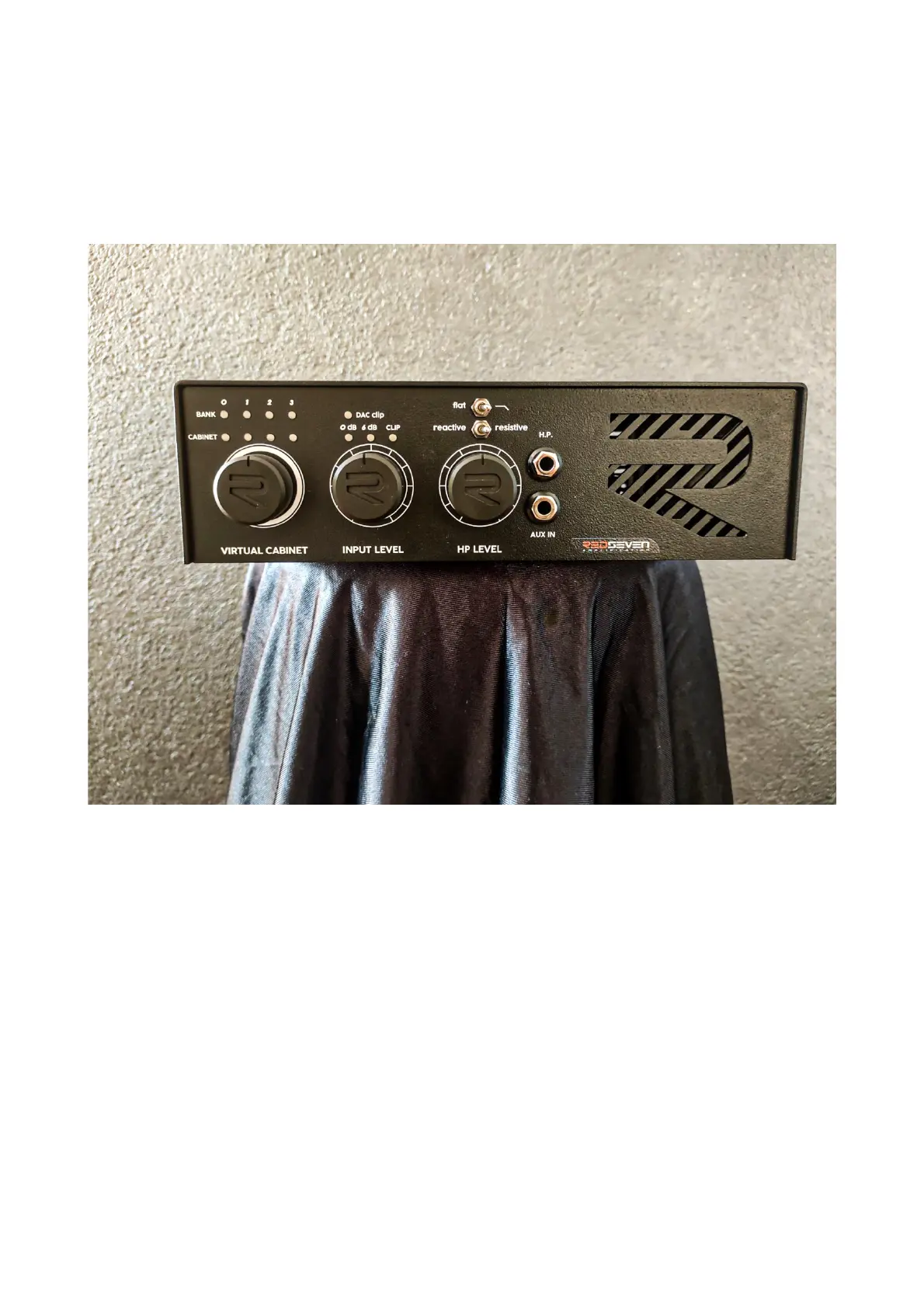
FRONT PANEL
(left to right)
• VIRTUAL CABINET SELECTOR: chose one of the sixteen preloaded I.R.'s.
• BANK/CAB: for the convenience of memory, the sixteen cabinets are divided in four files with
four I.R.'s in each file. Toggle between them by turning the VIRTUAL CABINET ENCODER left or
right.
• INPUT LEVEL: attenuation level of the output of your amplifier. This should be used in
conjunction with the analog LED METERS and DAC CLIP meter. The goal is to reach a proper
signal without any clipping. Turn it up until CLIP led starts to blink at the higher dynamics of
your clean channel and then kick it back just a little.
• HEADPHONE LEVEL: this pot controls the output volume of your headphones. Everything
coming into the Amp Central both from your amplifier or LINE IN will be affected by this
control, using the headphones output.


 To Next Page