14
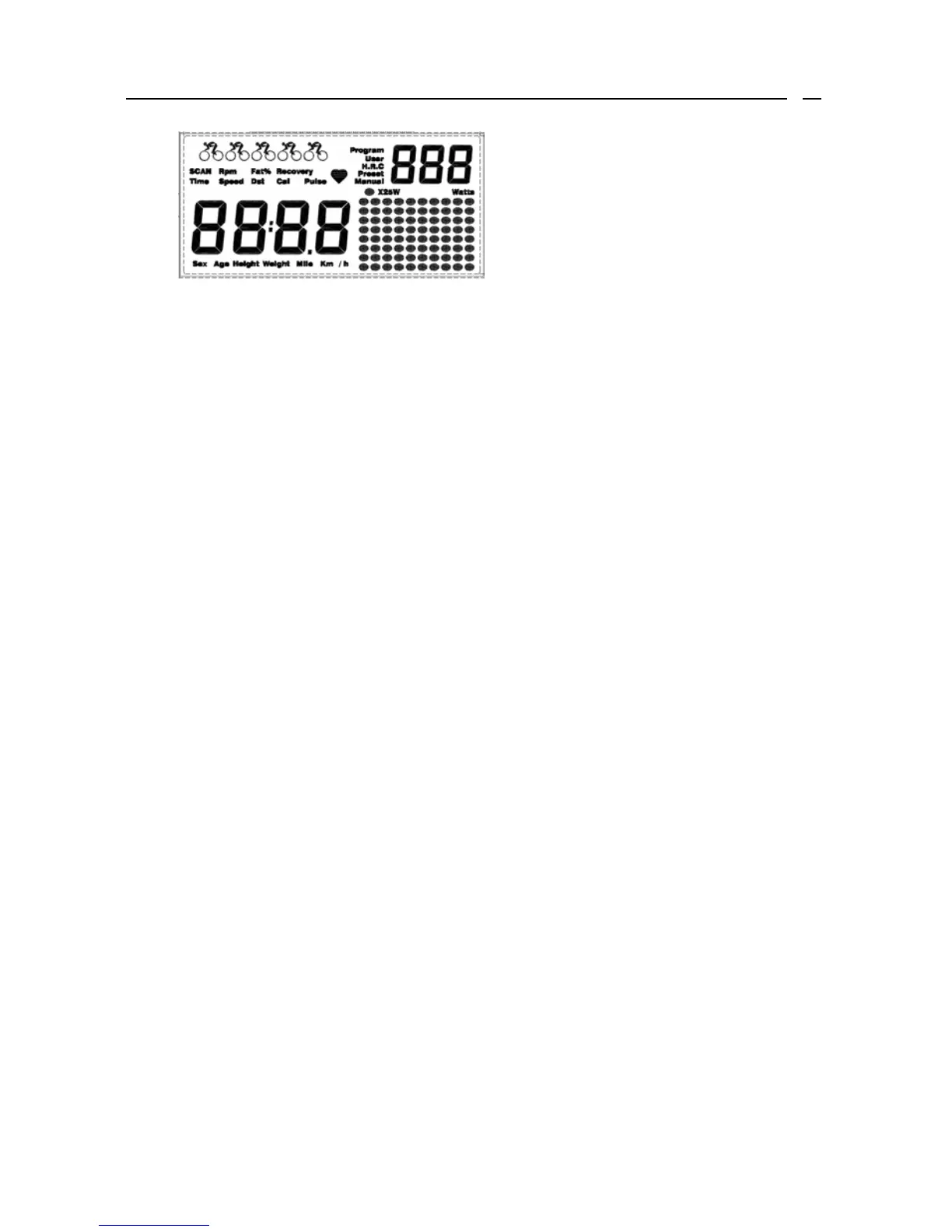
LCD display Function:
1. SCAN:Display the following function and each function will show for
8 second on the main screen.
Time→Speed→Dst→Cal→Pulse→Rpm→Time
2. Time:The exercise times was displayed from 00:00 to 99:59.
3. Speed:Display the current speed from 0.1Km to 99.9Km.
4. Dst:Accumulate the distance trip, the range from 0.1Km to 999.9Km.
5. Cal:Accumulate the Calories consumption ,the range from 0.1Kcal to
999.9Kcal。
6. Pulse:Display your heartbeat rate in beat per minute, the range from
40 to 220.
7. Rpm: Display the rounds per second, the range from 10 to 200.
8. Fat %: Display your body fat. When the icon Fat% show on the windows
you can press the ENTER button the monitor will go into BODY
FAT analyze function. You have to enter your personal data into
monitor step by step.
a. First press UP or DOWN button to select the personal gender (S-
1=male,S-0=female) . Then press the
ENTER button to confirm gender.
b. Second press UP or DOWN button to enter your personal height.
Then press the ENTER button to confirm height.
c. Then press the UP or DOWN button to enter your personal weight,
and press the ENTER button to confirm weight.
d. Press the UP or DOWN button again to select age, and press the
ENTER button to confirm your age.
Then place the palms of your hands on the both of contact pads to
measure your body fat.
NOTE: *If E3 message appearing on the screen that means you are not
place the palms of your hands on the both of contact pads.





 To Next Page