EasyManua.ls Logo

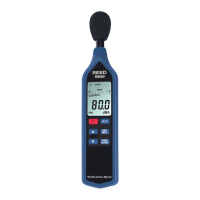
REED R8060 - Instrument Component Overview; Display Indicator Guide

REED R8060
12 pages
Print Icon
To Next Page IconTo Next Page
To Previous Page IconTo Previous Page
Loading...
5
Instrument Description
1. Windscreen
2. Display
3. Power Button
4. Up Arrow
(LevelRangeIncrease)
5. Down Arrow
(LevelRangeDecrease)
6. Frequency Weighting
Button
7. MIN/MAXHoldButton
8. Time Weighting Button
9. Microphone
10. AC/DC Output Terminal
11. Tripod Mounting Screw
12. Battery Cover
Display Description
Bar Graph Indicator
Reading Indicator
Battery Capacity Indicator
C-Weighting Indicator
Auto Power Off Indicator
Under Range Indicator
Minimum/Maximum
Value Hold Indicator
Fast Response Indicator
Slow Response Indicator
Over Range Indicator
Calibration Mode Indicator
A-Weighting Indicator
w ww. . com
information@itm.com1.800.561.8187

Related product manuals