3. Turn on/off the Film Scanner
Press the power button to turn the Film Scanner on/off.
4. Clean the Light Table
Push the film door tab left to flip open the door. Use the included cloth,
a brush or compressed air to clean the light table.
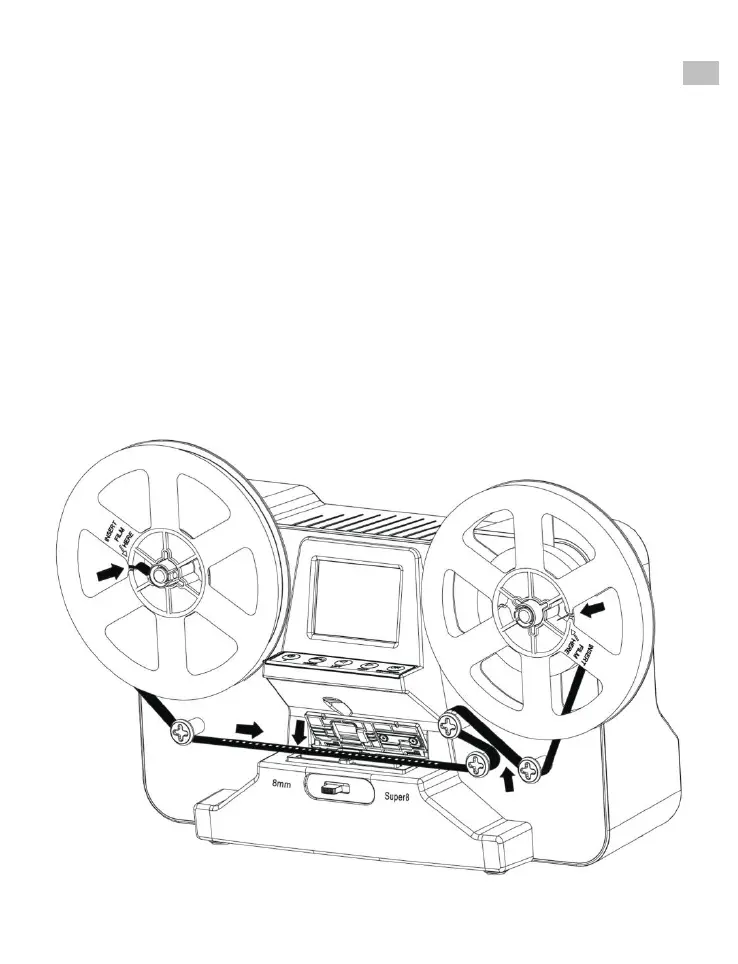
5. Mount the Reels and Film
a. If your film reel has a 8 mm (small) mounting hole, mount the
reel directly to the shaft, otherwise use the provided reel
adapter.
EN
b. Mount the included 5" reel onto the right shaft.
c. Follow the film routing diagram printed on the face of the scanner
to route the film.















 To Next Page