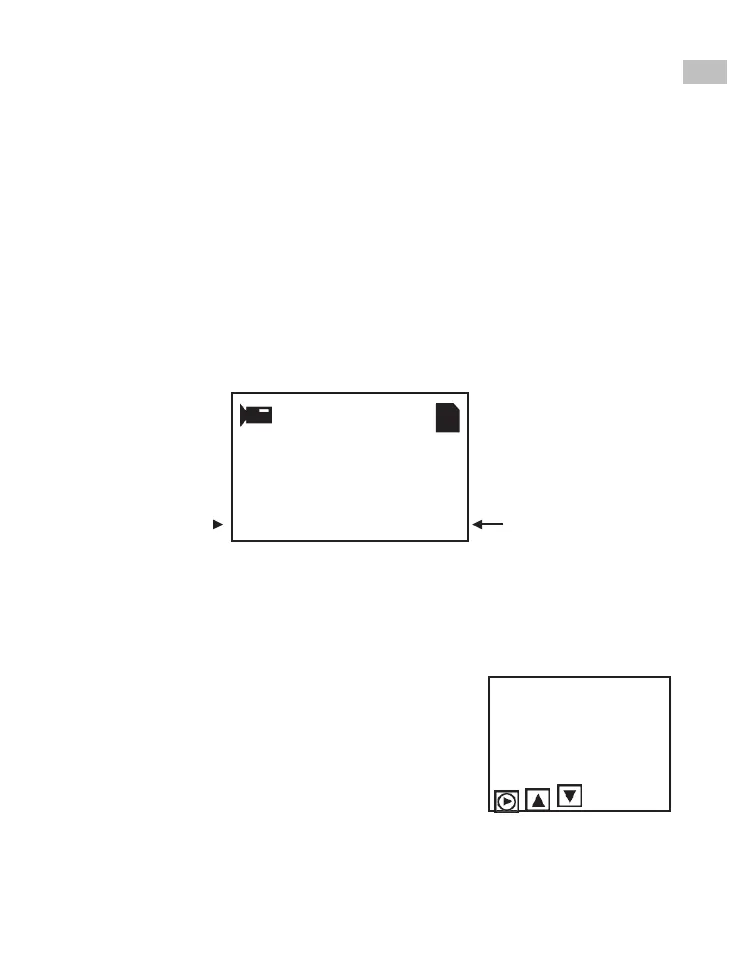
Record
1. Move the film type lever left (8 mm) or right (Super 8) to select the
film type then press the Enter/Start button.
2. Press Enter/Start to start recording. While recording is in process, a
red dot on the upper left corner will blink.
3. The film scanner will stop recording 2 seconds after the user presses the
Enter/Stop button.
4. The frame counter at the lower right corner will increase by one for
every scanned frame.
Note:
Adjustments for Exposure, Sharpness, Frame adjustment are available -
please make adjustments before recording.
EN
Film Type
Frame Counter
Playback
1. Press the Menu button, highlight the
Playback selection, then press Enter.
2. Press the Up/Down arrow button to select the
file to Playback, then press Enter/Start.
3. Press Enter/Stop to pause the playback.
4. Press the Menu button once to the enter Edit
mode. Highlight Return (go back to Playback) or
Delete (delete the current file).
5. Press the Menu button twice to go back
to Record mode or the Main menu.















 To Next Page