•
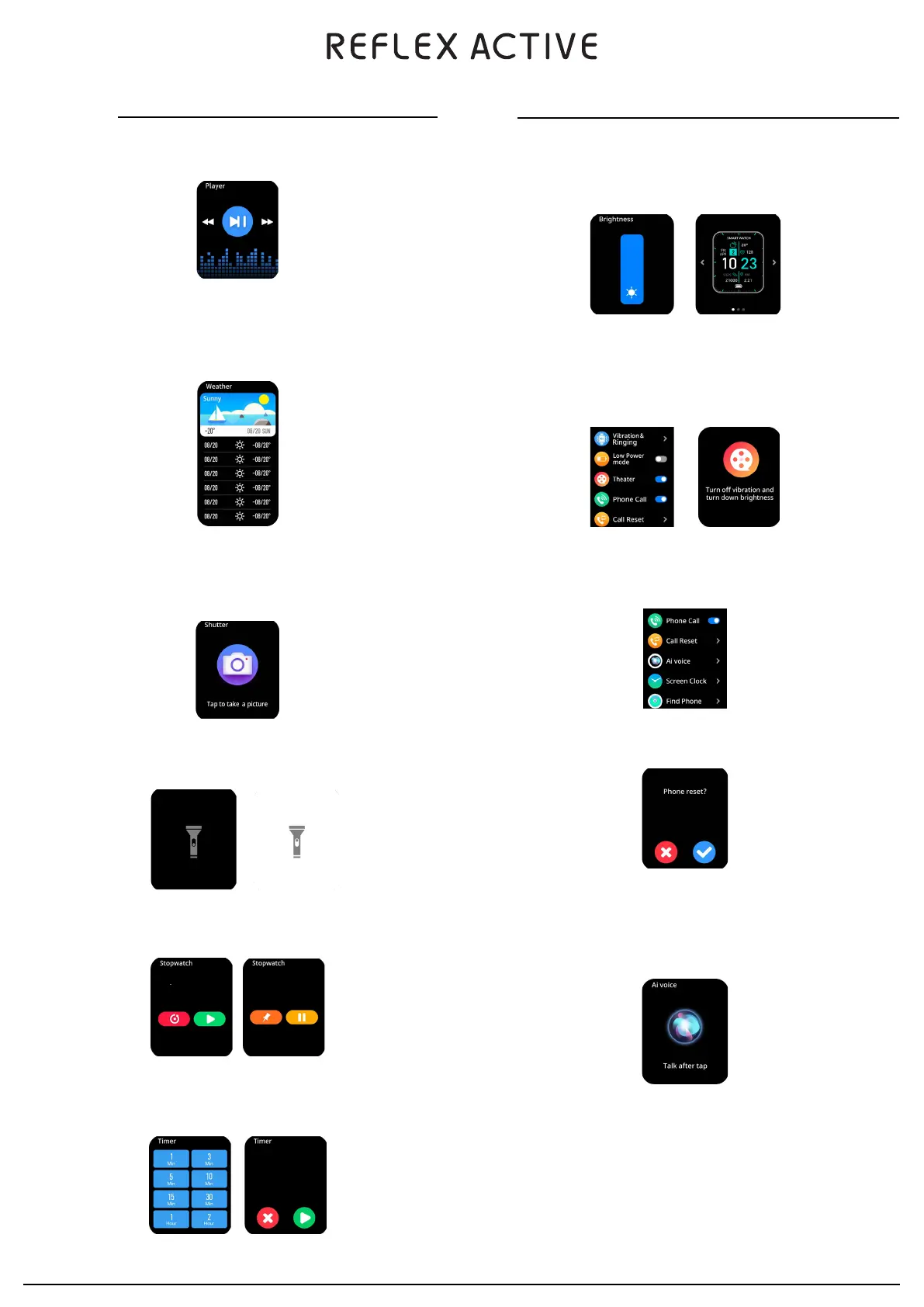
Theatre - This feature turns down the brightness and turns off vibrations.
Please Note: Call feature must be switched off separately.
•
Phone Call - This enables you to one tap activate Bluetooth calling mode.
•
Call Reset - This will reset the Bluetooth calling function.
•
Smart Assistant - Tap the icon to wake the phone smart assistant. You can control the smart assistant
through the watch microphone.
Please note: Smart assistant is only available on the Series 15.
•
Display - Choose from the various display features such as brightness, dial switch and menu view.
•
Vibrations On / Off - Switch vibration off to prevent any unwanted interruptions.
SETTINGS
In the settings page you can view settings for Display, Vibrating & Ringing, Low Power Mode, Theatre, Phone Call,
Call Reset, AI Voice, Screen Clock, Find Phone, System & About.
•
Find Device - When connected via Bluetooth, our FIND DEVICE feature will vibrate your watch to help you locate it.
•
System Menu - From here you can restart, power off and reset.
•
About - Here you can view device informations such as system version.
•
Flashlight - Make your way through the darkness by using the inbuilt flashlight function.
•
Music - Select your track & control volume from your watch. You’ll also see artist & track name displayed on your
watch screen.
LIFESTYLE FEATURES
•
Stopwatch - You can start and stop the stopwatch allowing you to keep track of the timings of your favourite activities.
•
Timer - A countdown timer lets you set goals and time your activities.
•
Weather - You can find out the current weather forecasts for the next 6 days. This information is synced from
the app. Swipe up to view the weather forecast. Location must be selected from the App settings.
Please Note: Phone must be connected to receive updated weather forecast.
•
Shutter - You can control the camera of your phone once the watch is connected to your phone.
Please Note: The phone needs to be unlocked before the watch can control the camera.
00:04:30
00:09:40
00:11:30


 To Next Page