11
QUICK USER GUIDE
Downloading and Printing Orientation Data
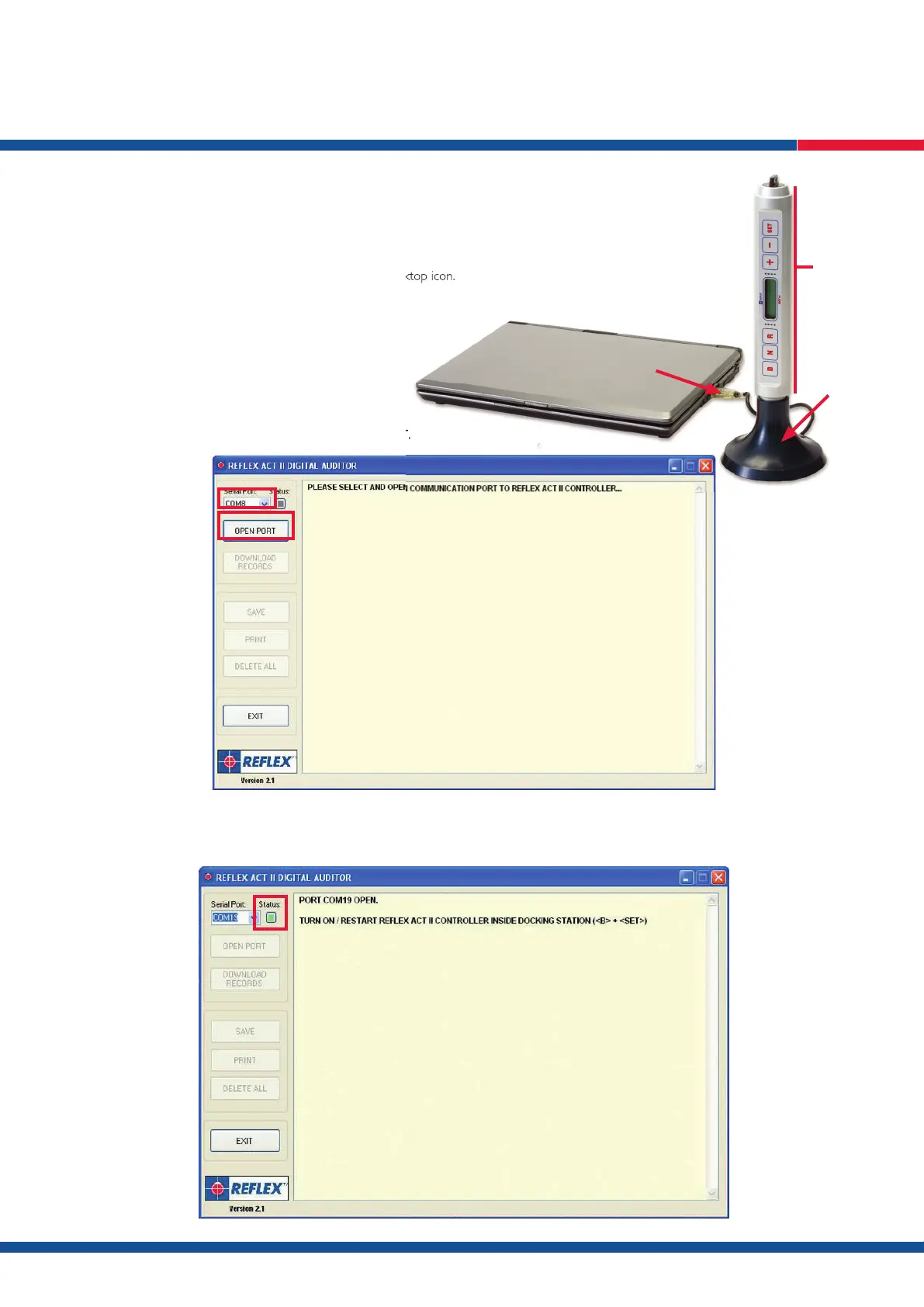
1. Connect the ACT III RD dock to your computer.
2. Open the Re ex Digital Auditor by double clicking the desktop icon.
3. Select a COM PORT in the ‘Serial Port’ drop down box.
N.B. The correct COM PORT will be displayed if the
docking station was connected at step 1 above.
3.1. When a COM PORT has been selected click OPEN PORT.
3.2. If the selected COM PORT is available the status box will be green – if the COM PORT is not available, a different COM PORT will need to be
selected by following step 2 above.
Open the Re ex Digital Auditor by double clicking the desktop icon.
Controller
Docking
Station
Connect USB to
computer



 To Next Page