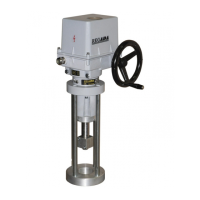
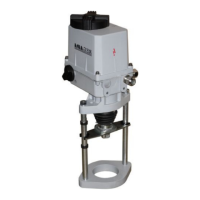
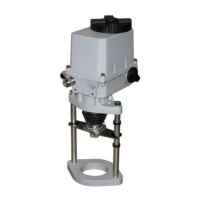
20 SP 1, SP 2, SP 2.3, SP 2.4
SPR1, SPR 2, SPR 2.3, SPR 2.4
• Having the transmitter adjusted put the jumper again on the terminals 81 and 82 in case that the output
signal wont be used (the circuit through the terminals 81 and 82 should be closed).
• Connect the control signal to the terminals 86 and 88
The user has to arrange grounding of the 2-wire circuit of the capacitive transmitter to the electrical
ground of a joined controller, computer, etc. The grounding should be performed only in one place in
any part of the circuit outside the electric actuator!
Note:
The trimmer (20) can be used to adjust the output signal of the capacitive transmitter to any value of Operating
angle in range from ca 40% up to 100% of the value of the Operating angle adjusted by the producer and stated
on the actuator′s nameplate.
4.6 Resetting of operation angle and setting of stop end screws (Fig.9)
The valve operation angle position is defined with the stop end screws which allow to change the position
from the position "Z" (closed - 0°) and from the position "O" (open - 60°, 90°, 120°, 160°) by a value of ±15°. For
better understanding see Fig. 9 where the output shaft is in the position "Z" for the operation angle of 90°. The
stop end screws serve as mechanical limits of the operation angle position at manual control or as end travel
points for torque switching-off, else the mechanical gearing could be damaged.
Note:
The stop end screws allow to extend or to reduce the operation angle by 30° in the adjusted EA, but
output shaft position cannot be tuned. Also the position unit is to be adjusted to this angle and the transmitter has
to be out of mesh.
4.6.1 Setting of stop end screws at position-unit switching-off
If the EA is equipped with the torque switches they function as limit switches in case of position-unit
switching-off failure, or as protection against overload.
The procedure is as follows:
• Loosen the counter-nut of the stop end screw "Z".
• Rotate the stop end screw to right until you feel an increased resistance while touching the end. From this
status turn the screw min. by 1/2 of revolution back to avoid torque switching.
• Lock the screw with the counter-nut.
• Use similar steps to set the stop end screw for the position "O".
4.6.2 Setting of stop end screws at torque switching-off (Fig.9)
In case the stop ends screws function as limit points (stop ends) of the EA output shaft travel the EA
torque unit is to be adjusted not to have the switching-off torque exceeded.
The procedure is as follows:
• Put the EA with the handwheel to the position "Z" (closed).
• Loosen the counter-nut of the stop end screw "Z".
• Rotate the stop end screw to right until you feel an increased resistance while touching the end - lock the
screw with the counter-nut.
• Use similar steps to set the stop end screw for the position "O".
• Adjust the position-signalling unit to switch-off before torque switching-off.
!


 To Next Page