6.7 Key Lockout
The VGreen 165 user interface has a “key lockout” feature to prevent
unwanted changes to the settings.
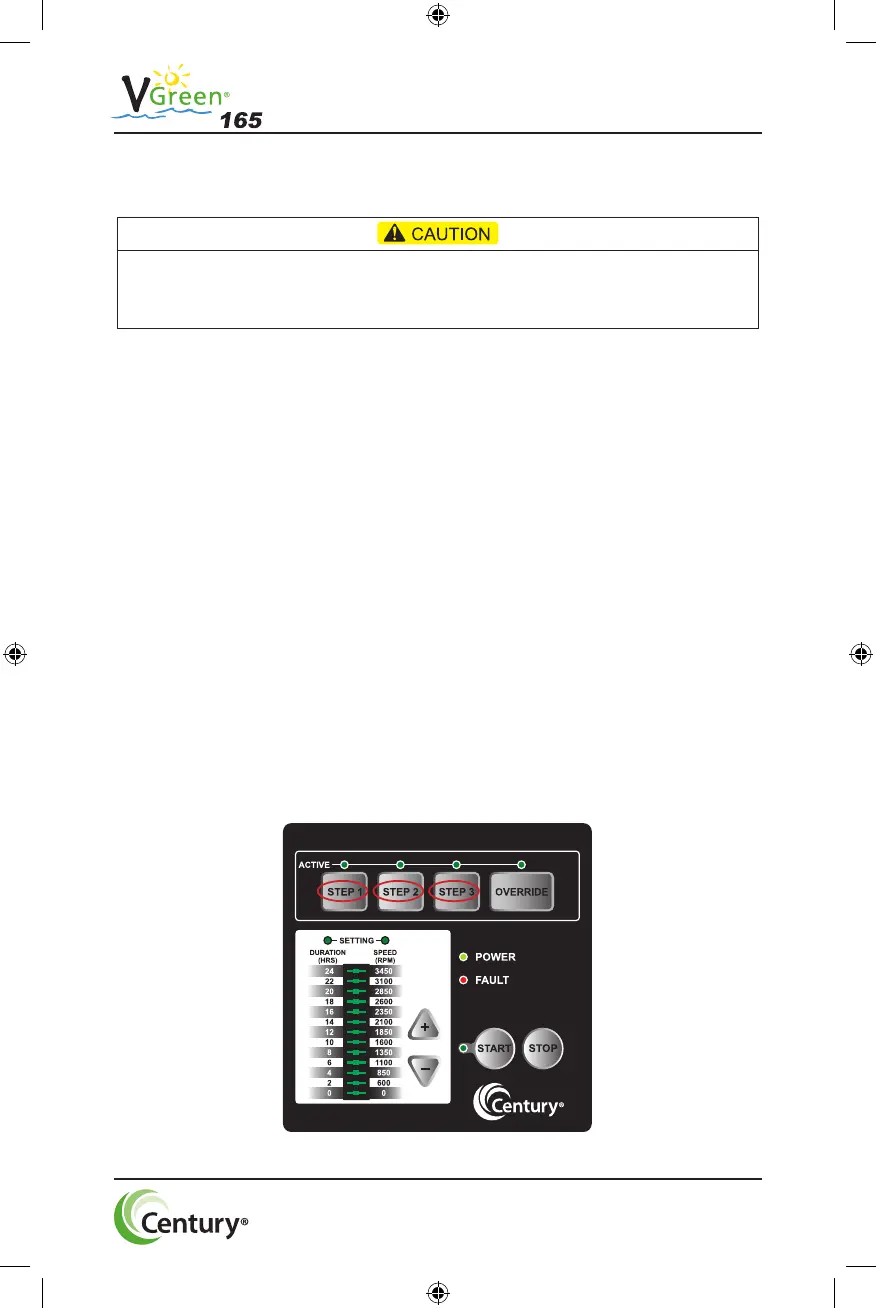
To lock the keys, hold down the ”STEP 1, STEP 2, and STEP 3” buttons
all at the same time for at least three seconds. The “active LEDs” for
STEP 1, STEP 2, and STEP 3 will blink for 30 seconds indicating that
the keypad is locked.
The user can unlock the keys by holding down the same three STEP
buttons for at least three seconds. The “active LEDs” for STEP 1, STEP
2, and STEP 3 will illuminate temporarily indicating the keypad is un-
locked.
NOTE: While operating in “key lockout” mode the motor can still be
stopped by pressing the stop key. If no digital or serial input is present
the motor will remain stopped. If the motor is being controlled by a digital
or serial input the motor will only temporarily stop for 4 minutes. See
section 6.9 for more information on temporary stop.
20
Key lockout will not prevent the motor from being stopped by pressing the STOP button.
If the motor is operating in “key lockout” mode, and being controlled through a digital or
serial input, the motor will only temporarily stop (4 min.) it will then restart.
10019878-001-001 _V-Green165 UM_7-30-19.indd 22 8/5/2019 4:26:59 PM



 To Next Page