24
Installer's Information
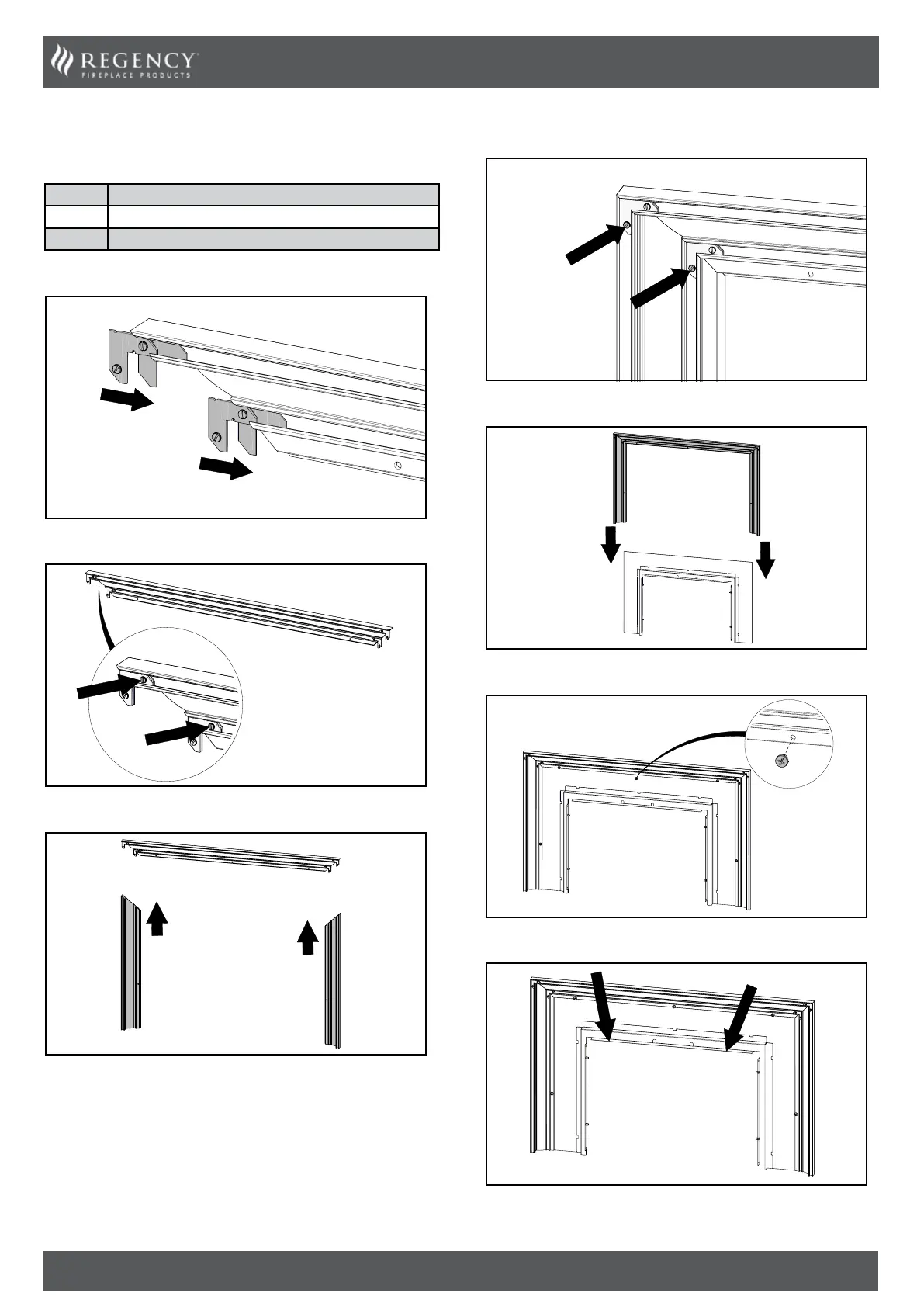
Faceplate Surround Installation
These instructions are for use with the following products:
PART # Description
311-927 Faceplate Traditional Surround Black
311-928 Faceplate Traditional Surround Brushed Antique Copper
1. Slide the corner clips in on either end.
2. Tighten the top screws (x4).
3. Slide the side pieces on.
4. Tighten the bottom screws (x4).
5. Gently slide the traditional surround on from the top.
6. Insert and tighten the rear screws (x5). Traditional surround
installed.
7. Lift the faceplate and traditional surround up from here and refer to
“Faceplate / Finishing Trim Installation”.


 To Next Page