29
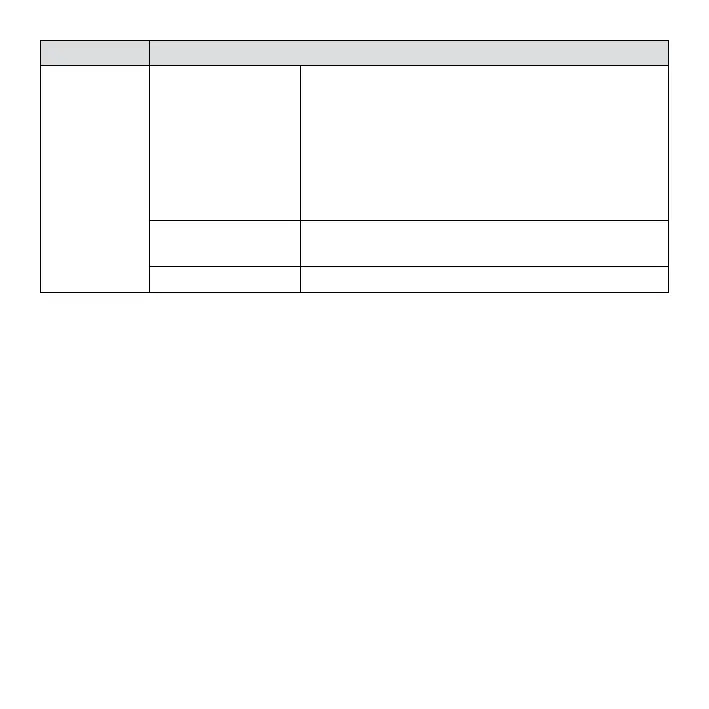
Menu item Function
Image
Setting:
Effect:
Set the color effect to add a color tone to the
picture.
[Normal]/[B&W]/[Sepia]/[Red]/[Green]/[Blue]/
[Sunset]/[Warm]/[Cool]/[Over Exposure] /[IR]/
[Binary]/[Vivid]/[Undertone]/[Dog Eye]/
[Aibao]/[Gothic]/[Japan Style]/[LOMO]/
[Negative]/[Cancel].
Saturation:
Sets the image’s saturation.
[High]/[Normal]/[Low]/[Cancel].
Cancel: Cancel this operation.
4.4 SETUP MENU
You can set the system items in setup menu.
1. Turn the power on and press the MENU button to display
the menu.
2. Press the LEFT or RIGHT buttons to select [Setup] Menu.
3. Press the UP or DOWN buttons to select an item.
4. Press the OK button to enter the submenu.
5. Press the UP or DOWN buttons to select the desired item.
6. Press the OK button to conrm the setting and exit the
menu.


 To Next Page