8
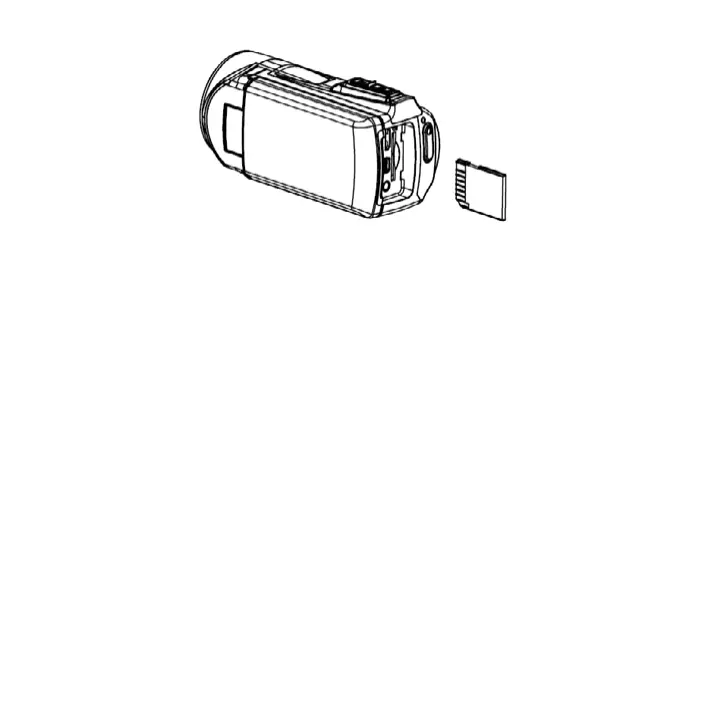
1. Turn off the camcorder.
2. Find the rubber cover at the side of digital video camera
and then you will see the SD card slot.
3. Insert the memory card as illustrated.
4. Close the rubber cover.
5. To release the memory card, press the edge of the card
gently.
2.4 HOW TO FORMAT THE MEMORY CARD
It is important to format the memory card the rst time you
use this digital video camera. All data will be deleted includ-
ing protected les. Be sure to download the important les to
your computer before formatting.


 To Next Page