ZXT-800 AC/AV MASTER USER MANUAL
3.6 IR Code learning
In case the IR code can’t support full keys controls, user can use the IR learning function to
capture the IR data from original remote controller, please follow below steps.
AC IR Code Learning
Please refer to “Conguration Master Table” for all conguration settings.
Step Procedure / Description Status Indicator
1
Refer to your primary controller user manual, enter
Conguration setting.
-
2
To learn AC IR code, look up AC Learning Mapping Table for
learning and decide which IR setting you wants to learn,
example:Parameter number: 25 (Learn AC IR code) Parameter
value size: 1 byte Parameter value: 5 (Cool mode, 20 °C) Then
activate or save it in gateway.
Then Red LED turns
ON for indicating the
IR Code Learning
3
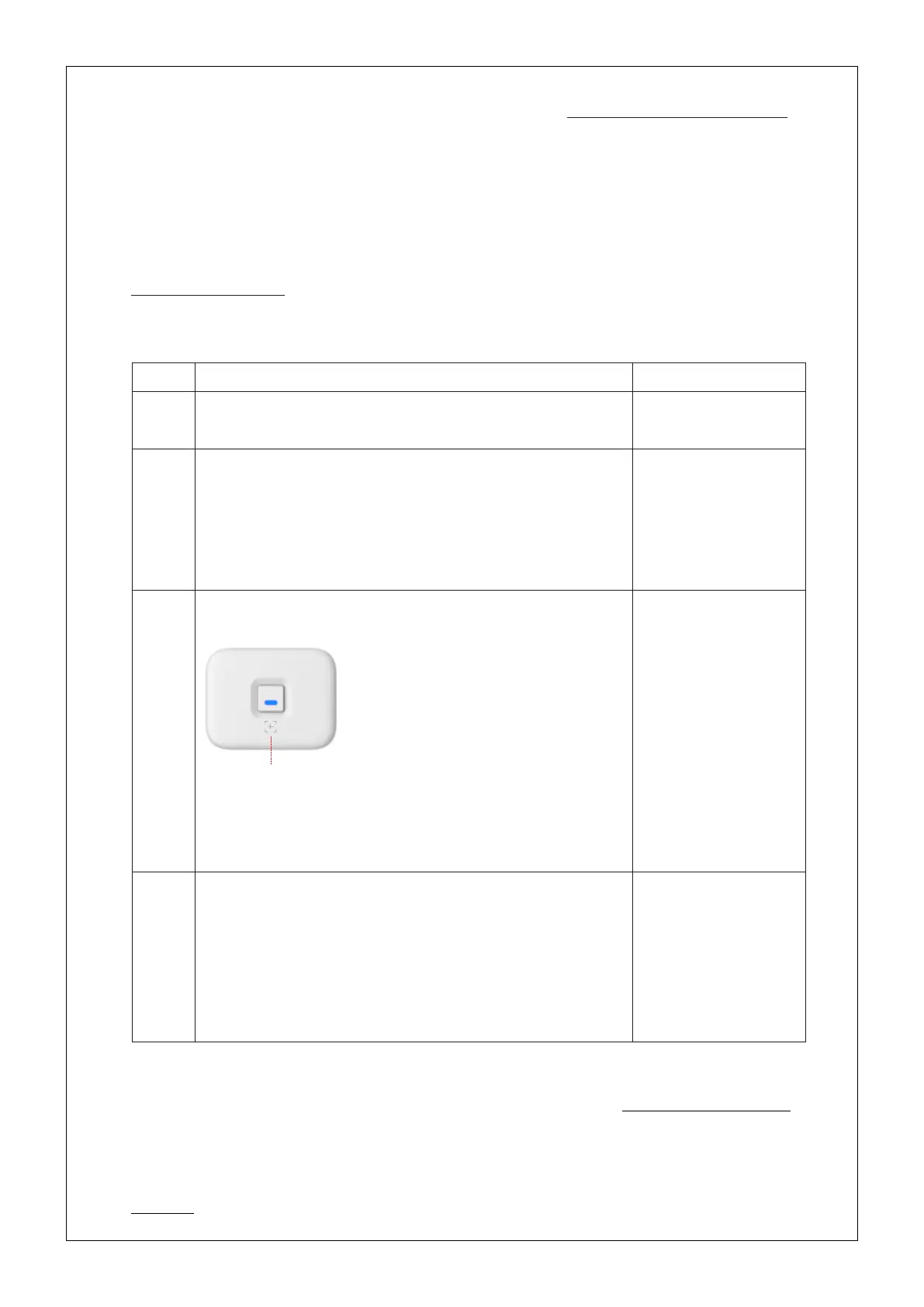
Learning location:
Adjust your original AC remote to
Cool mode 21 °C, aim your original
AC remote to ZXT-800 according to
above position within 1-3cm. Press
and release temperature down
button to adjust to 20 °C, ZXT-800
will learn the IR code automatically.
If the learning is failed or need to learn next IR code, repeat
step 2 to step 3.
Successful: Blue LED
ashes TWICE;
Unsuccessful: Red
LED ashes TWICE
4
Once you nished the IR Code Learning, please go to
Conguration setting page on the Gateway. Parameter
number: 27 (Set IR code) Parameter value size: 2 bytes
Parameter value: 0000 (AC learning location) Then activate or
save it in gateway. ZXT-800 will set the code number to “0000”
which is AC learning code location.
-
Continued on next page
CONTENTS [ 10 | 23 ]


 To Next Page