ZXT-800 AC/AV MASTER USER MANUAL
3.2 Step-2 Include ZXT-800 to a Z-Wave Gateway
There are two methods to include to a Z-Wave network,
Classic inclusion
Step Procedure / Description Status Indicator
1
Refer to your primary controller to enter
into the Inclusion Mode or Exclusion Mode
-
2
Once the primary controller is ready to
include/exclude the device, press the
“PROG” button once.
Blue LED will ash until complete the step
of inclusion / exclusion. If success, blue
LED will ash twice; if fail, red LED will
ash twice.
SmartStart inclusion
Step Procedure / Description Status Indicator
1
Refer to your primary controller (gateway)
instruction then use Smart Phone App to
scan ZXT-800 SmartStart QR code, it will
include the device into the Z-Wave network
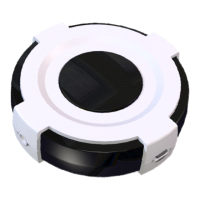
automatically. User can nd out the QR
code at device bottom Z-Wave DSK area.
Make sure your gateway supports
SmartStart feature.
Blue LED will ash until complete the step
of inclusion / exclusion. If success, blue
LED will ash twice; if fail, red LED will
ash twice.
Notes
• It is recommended to perform the Remove (Exclude) procedure before per-forming an
Add (Include) procedure.
• If the Add (Include) process fails, try to Remove (Exclude) from your primary controller
(or reset the ZXT-800 to Factory Default), then repeat the above steps.
Continued on next page
CONTENTS [ 5 | 23 ]


 To Next Page