SECTION 1
GETTING ACQUAINTED
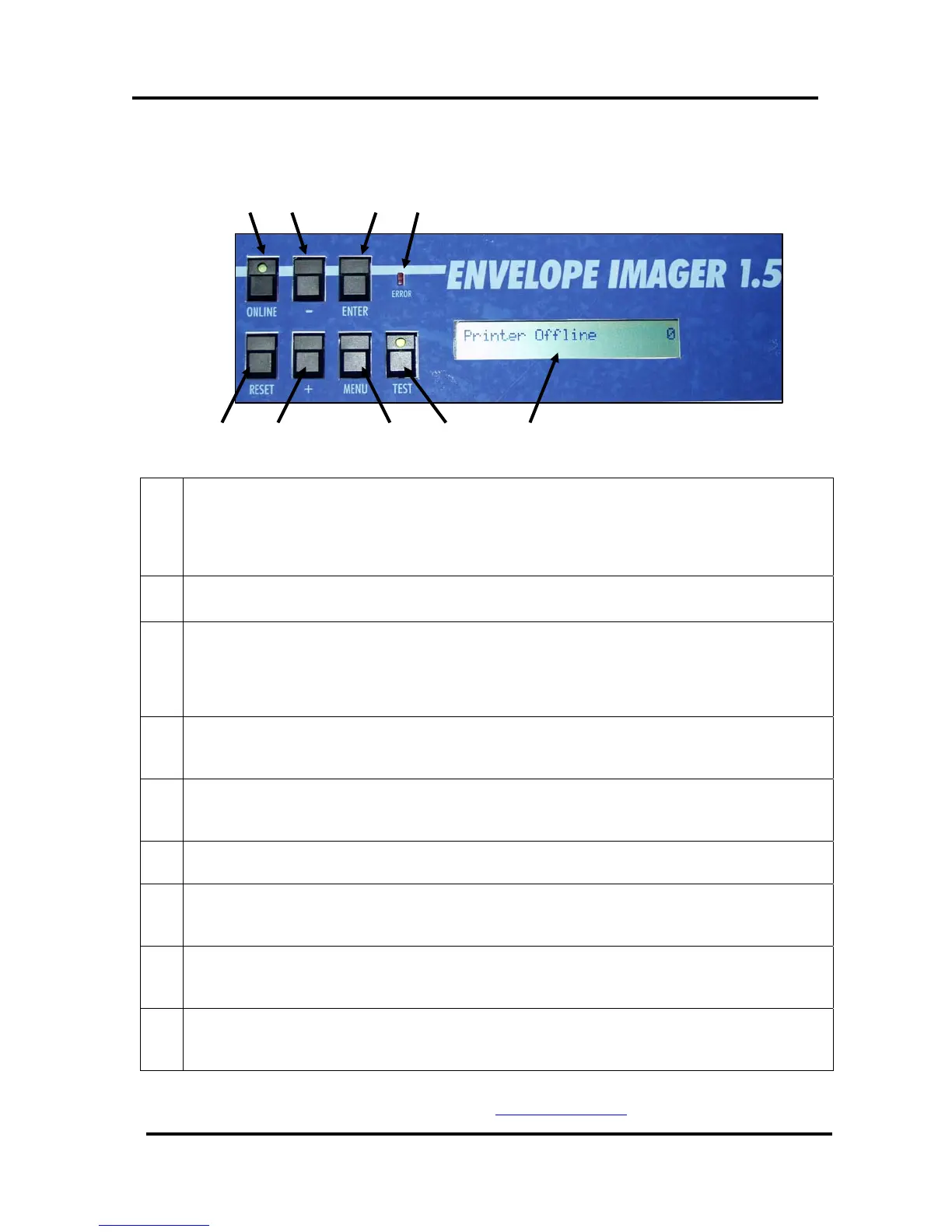
Printer Control Panel
1 2 3
5
6 7 8
9
4
Figure 9
1.
ON LINE key – This key is used to put the printer on/off line.
LED “slow flash” = Printer is powered on, but off-line.
LED “on” = Printer is on-line
Note: The printer must be off-line to access the menu modes or TEST print.
2.
- key – In the menu mode this key will scroll to the previous selection.
3.
ENTER key – This key is used to start/stop media feed.
When the printer is placed in any of the menu modes, the ENTER key is used to select the options
available.
When the printer is off-line this key is used to start the Paper Feed function.
4.
ERROR Indicator – This indicator lights when there is a problem with the printing
process.
5.
RESET key – Holding down this key, until all LED’s light momentarily, will reset
the printer to its normal ready state.
6.
+ key –In the menu mode this key will scroll to the next selection.
7.
MENU key – This key causes the printer to enter the menu mode where several
operator functions can be accessed.
8.
TEST key – Pressing this key will put the printer into the test pint mode (LED on);
allowing the printer’s internal “test image” to be printed.
9.
LCD DISPLAY – Indicates the status of the printer including piece count, menus,
and error messages.
NOTE: A complete description of the functions and operation of the printer keys
can be found in Section 3 –
Operating the Printer.
Envelope Imager 1.5/1.5 Plus Operations (Rev.6/7/2007)
11


 To Next Page