SECTION 1
GETTING ACQUAINTED
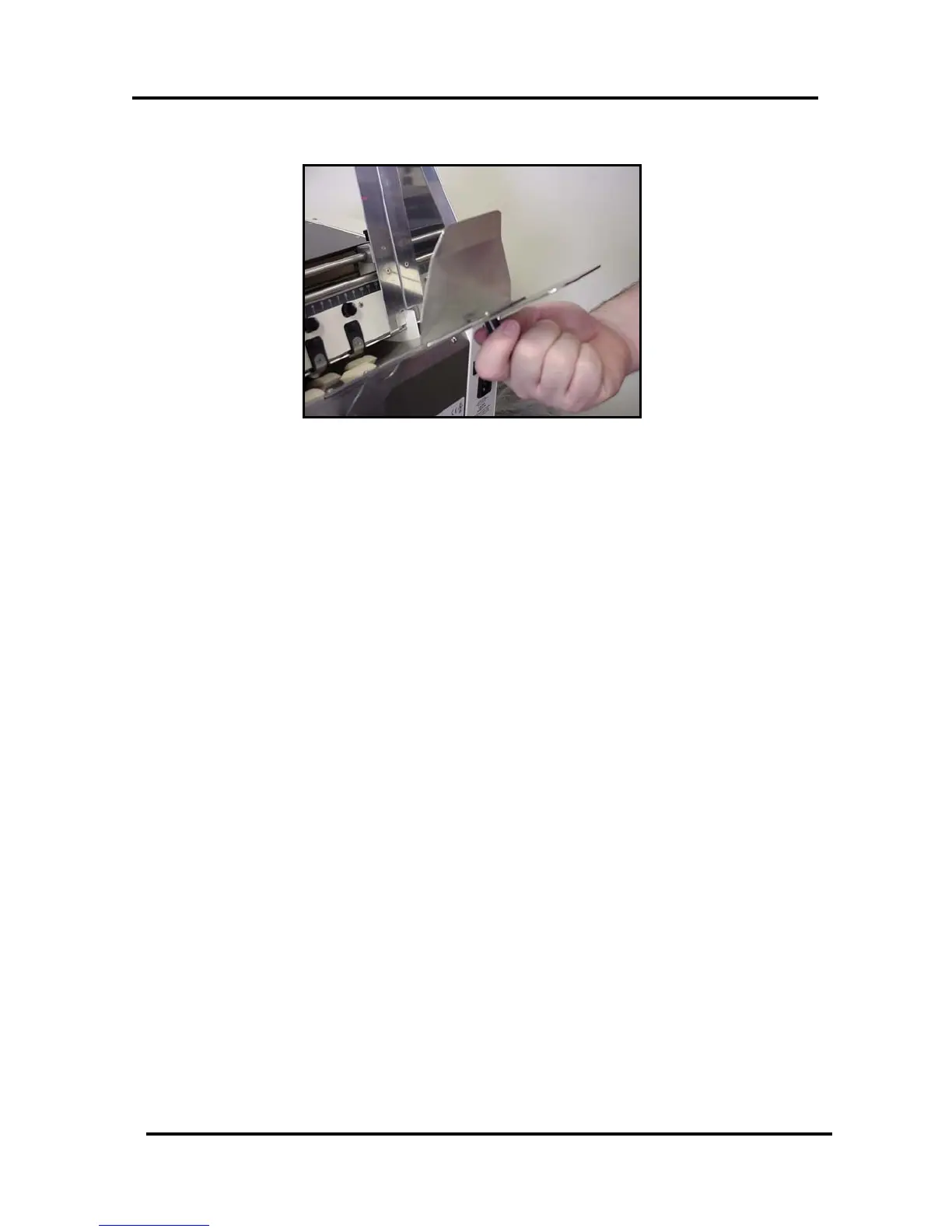
Attach the Rear Media Guide to the Rear Paper Support
Figure 5
Using the thumb screw and washer supplied; attach the Rear Media Guide to the Rear Paper
Support.
Note: The thumb screw and washer are shipped; attached to Rear Media Guide.
System Requirements
• Pentium III-class PC (500 MHz or higher recommended)
• Windows 98, Windows NT 4.0 (Service Pack 6 or higher), Windows 2000 or Windows
XP. You must have administrative privileges on the system.
• Microsoft Internet Explorer 5.0 or higher.
• System memory depending on your operating system.
• At least 120 Mb free hard-disk space.
• CD-ROM drive
• Centronics Parallel and or USB port
Envelope Imager 1.5/1.5 Plus Operations (Rev.6/7/2007)
7


 To Next Page