SECTION 3
OPERATING THE PRINTER
Printer Driver Properties
The printer driver describes to the printer how to print your job. It controls the operation of the printer and
allows you to send fixed and variable text and graphics to the printer. The following describes the printer
driver properties windows for the Envelope Imager 1.5/1.5+ and how to use them to customize the output
of your printer.
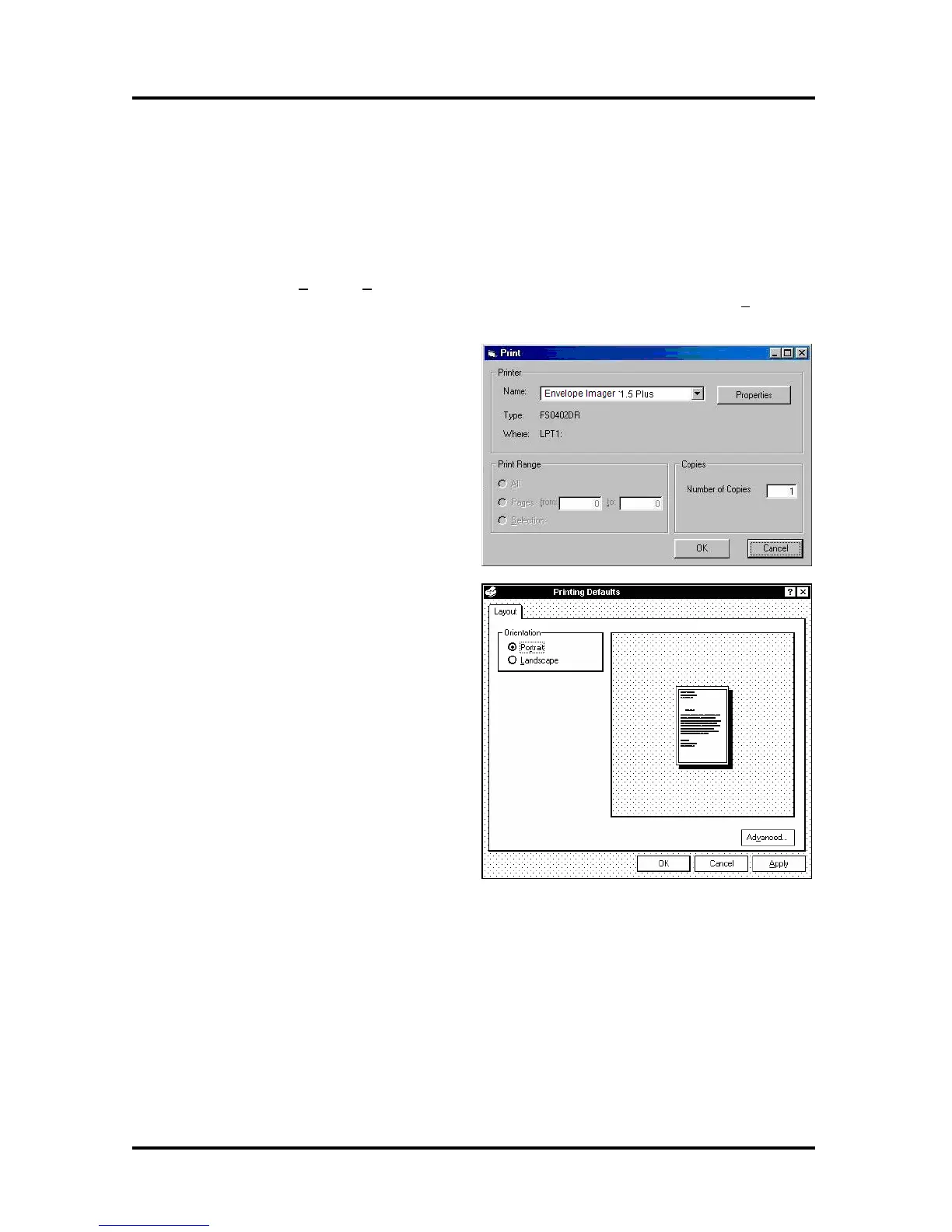
To start printing click on F
ile, then Print. The Print window will open. If you wish to print the job click
on OK. If you wish to use the special features built into the printer drivers; then clicking on the Properties
button will open the printer properties window.
If you are using Windows 2000 or Windows XP
the window on the right will open.
Clicking on Advanced will open the Options
window.
Envelope Imager 1.5/1.5+ Operations Rev. 6/7/2007
23


 To Next Page