SECTION 2
INSTALLATION & SETUP
Rear Media Guide Adjustment
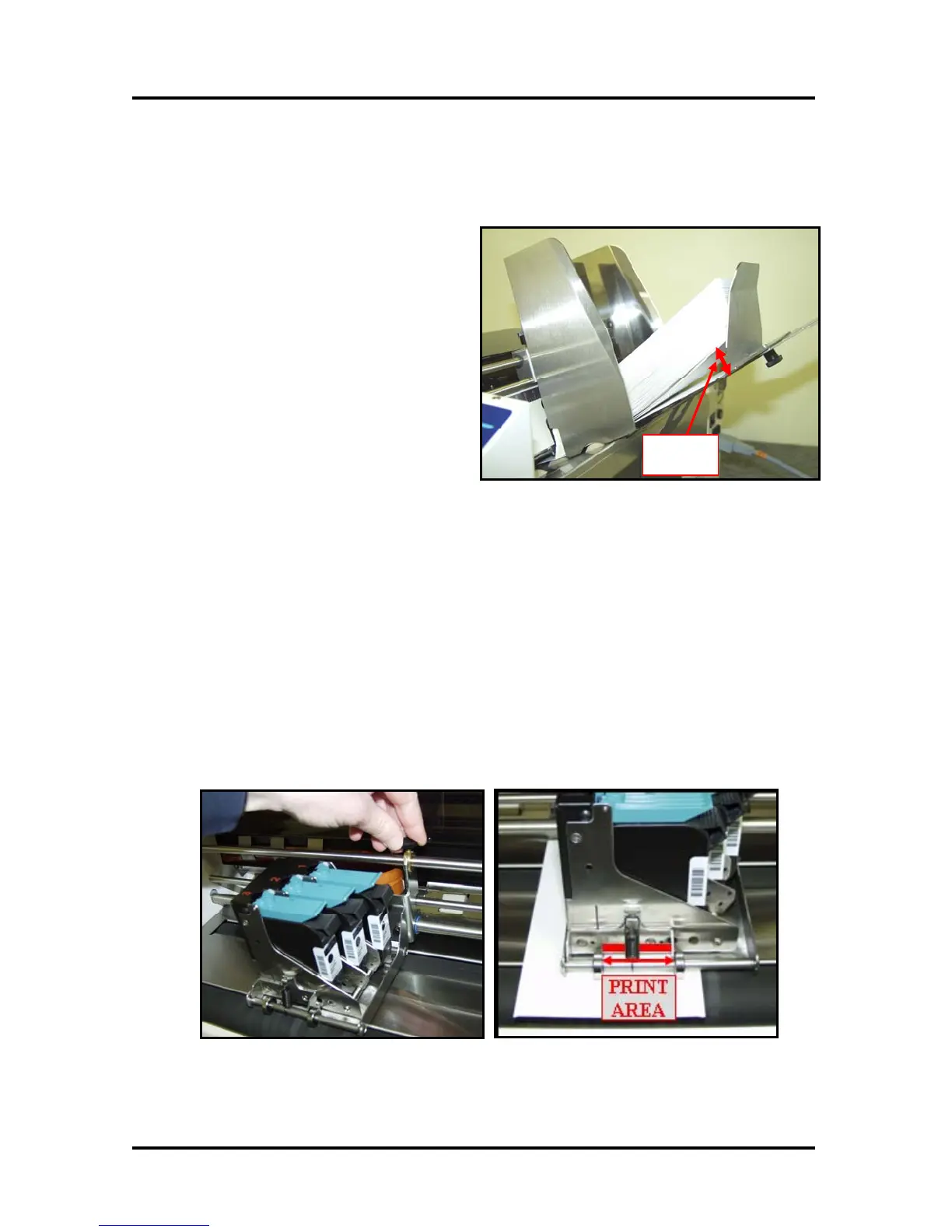
Position the Rear Media Guide so it raises the back end (trailing edge) of the stack about 0.5 to 1 inch, as
shown in Figure 19.
1. Loosen the thumb screw.
0.5” - 1”
Ga
Figure 19
2. Slide the Media Guide to the desired
position and secure the thumb screw.
Print Unit Positioning (Vertical Address Positioning)
The print unit is the device that contains the pen stalls and inkjet cartridges. To adjust the vertical position
of the address (printed image) on the media, you must move the Print Unit to the desired print position.
The area between the two silver rollers, at the exit end of the print unit, can be used to approximate the
print position on the media. See Figure 21 below.
1. Loosen the Print Unit Securing Knob.
2. Slide the Print Unit to the desired position.
3. Tighten the Print Unit Securing Knob.
Note: Horizontal print position is adjusted via your software (mailing program).
Figure 20
Figure 21
Envelope Imager 1.5/1.5+ Operations Rev. 6/7/2007
17


 To Next Page