Printer Tips
The Print Head Assemblies (Banks A & B) need to be
synchronized horizontally using the Adjust Print menu when
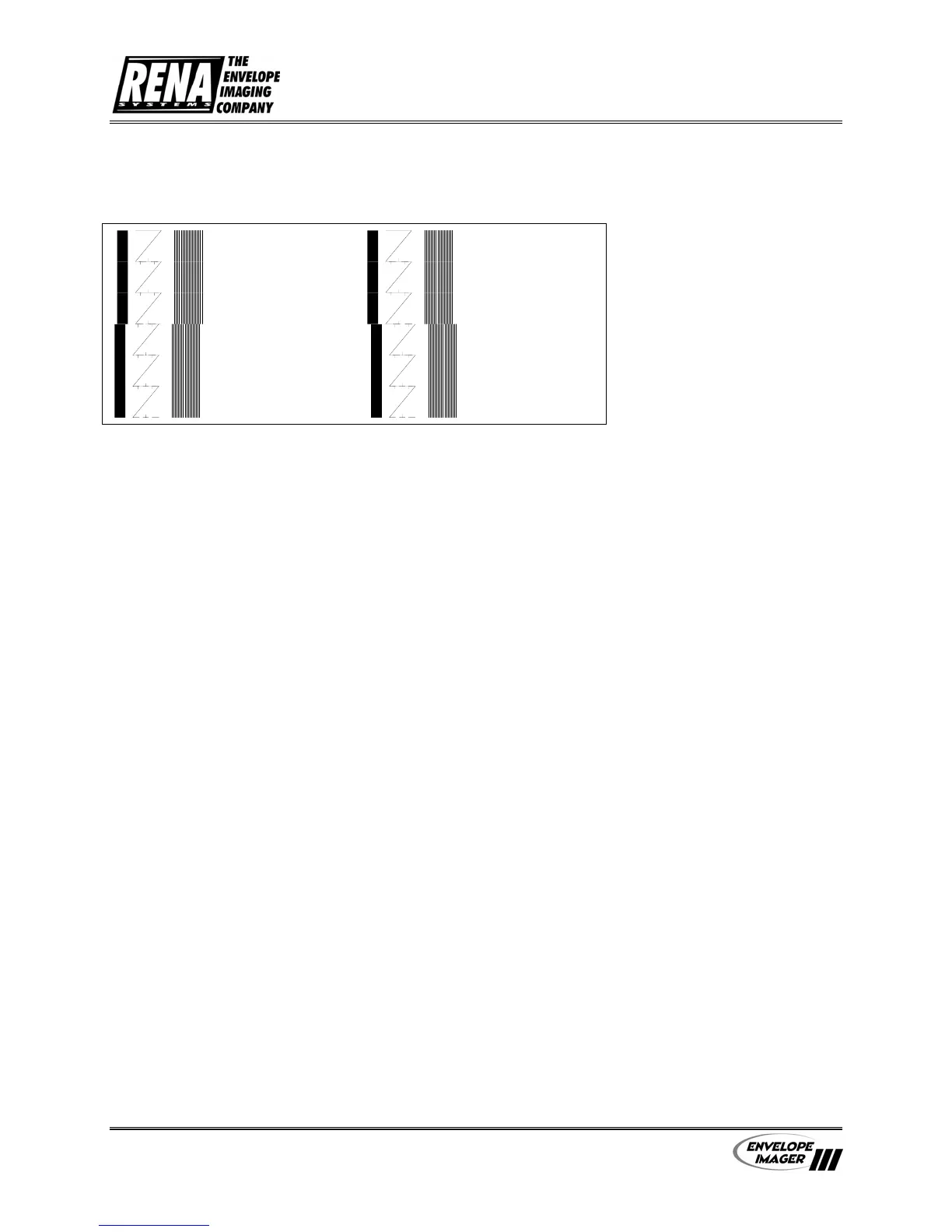
the Test Pattern looks like one of the examples below.
Head 3 Bank A Head 3 Bank A
Head 2 Bank A Head 2 Bank A
Head 5 Bank B
Head 4 Bank B
Head 6 Bank B
Head 5 Bank B
Head 4 Bank B
Head 6 Bank B
Head 1 Bank A Head 1 Bank A
The Adjust Print menu has to be used when synchronizing the
two banks together. For more information about the Adjust
Print menu see the section in the Service Menu.
Synchronizing
Print Head
Assemblies
• Press the [+] plus or
[ -] minus
buttons to scroll
through the Service Menu options until the 1. ADJUST
PRINT option is displayed on the LCD panel.
• Press the [Enter] button to select this option.
• Press the [+] plus or
[ -] minus
buttons to scroll
through the Adjust Print menu options until the BANK
A TO BANK B option is displayed on the LCD panel.
• Press the [Enter] button to select this option.
• Now print out a Test Pattern by pressing the [Test]
button. The printer will print a Test Pattern like the
preceding example.
The Test Pattern consists of three rows of different patterns,
the first wide line and the eighteen vertical lines are used for
synchronizing Bank A and Bank B.
When the two patterns do not match to form long vertical
lines, then perform the following steps.
• Press the [+] plus
(
MORE
)
button to increment the
Move Bank B value on the LCD display.
User’s Manual - Revision C Section 4 - 10


 To Next Page