Printer Menu System
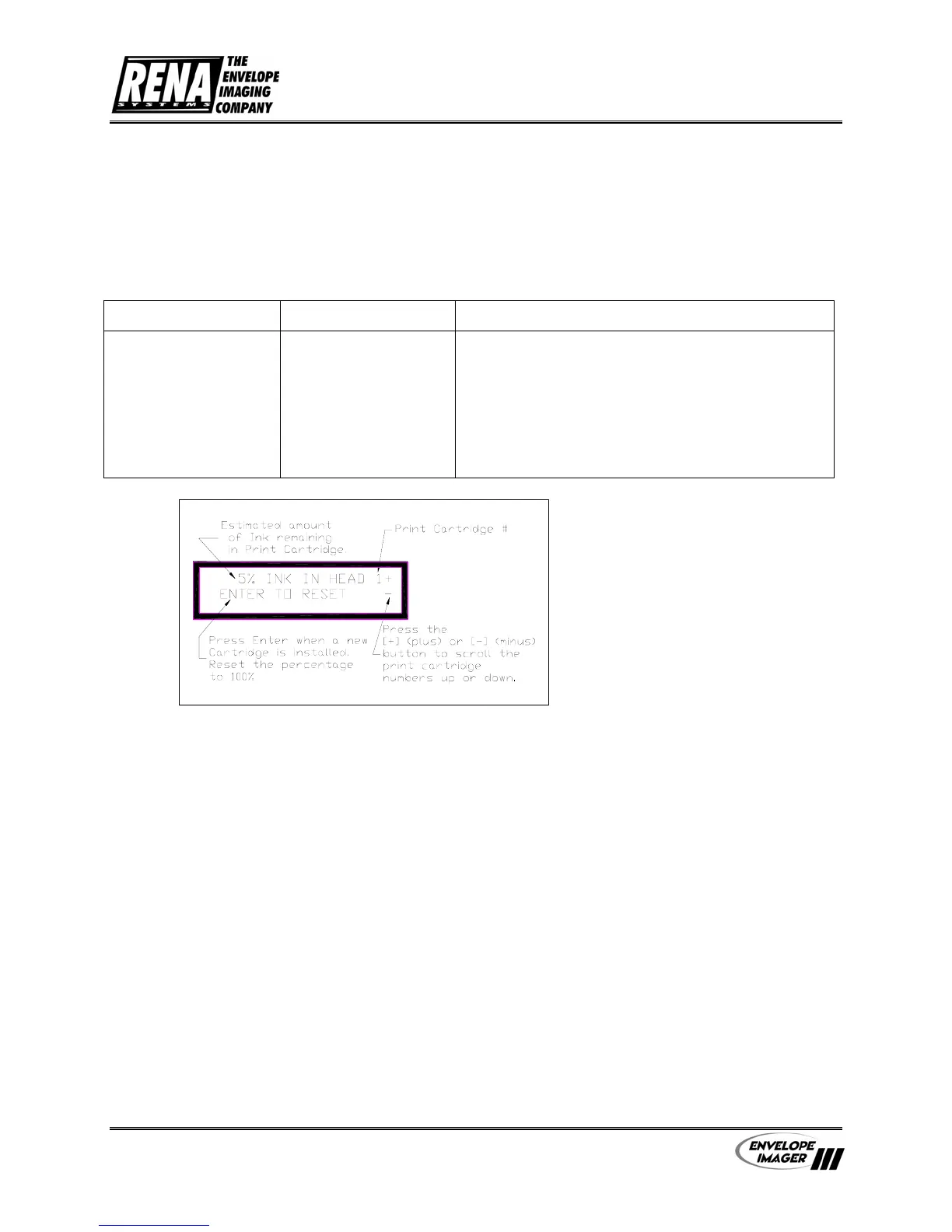
10. RESET INK COUNT
The printer calculates the amount of ink used by each of the Print Cartridges. When the red led
on a Print Head Assembly starts to blink it is a signal that one or more of the Print Cartridges is
less than 5% full and it must be changed relatively soon. After new Print Cartridges are installed
the Ink Count needs to be reset to stop the red led from blinking.
Menu Items Selections Explanation
1,2,3,4,5,6
This item displays the estimated amount of ink
remaining in the print cartridge(s).
Press the [
+]
plus
or
[
-
] minus button to scroll
through the print cartridges 2,3,4,5 and 6. When the
desired Print Cartridge number is displayed, press
the [Enter] button to reset the percent ink to 100%.
Note
: The calculation used to
determine the percentage of ink
available is based on the HP
51645A (or Rena C8842A) Print
Cartridge.
User’s Manual - Revision C Section 6 - 9



 To Next Page