Cleaning and Maintaining the Printer
Preventative
Maintenance:
The Envelope Imager III is designed for trouble free service
with a minimal amount of care. Periodic cleaning of the
Sensor, Transport Belts, Floor, Print Head Assemblies and
cartridges will be necessary.
CAUTION!!
CLEAN SURFACES AND COVERS WITH PLAIN WATER.
ALL METAL AND PLASTIC CAN BE CLEANED WITH ISOPROPYL, DENATURED & RUBBING
ALCOHOL OR WATER ONLY.
USING ANY OTHER CLEANING SOLVENTS WILL VOID ALL WARRANTIES.
Keep cleaning solvents with petroleum based products from rubber or plastic parts.
DO NOT USE ANY LIQUIDS TO CLEAN MATERIAL SENSORS. COMPRESSED AIR ONLY.
If the print quality is unacceptable select the Purge Print Head
function from the Main Menu (See Section Purge Print Head).
If problems still persist then do the following:
Cleaning
the print
cartridges
•
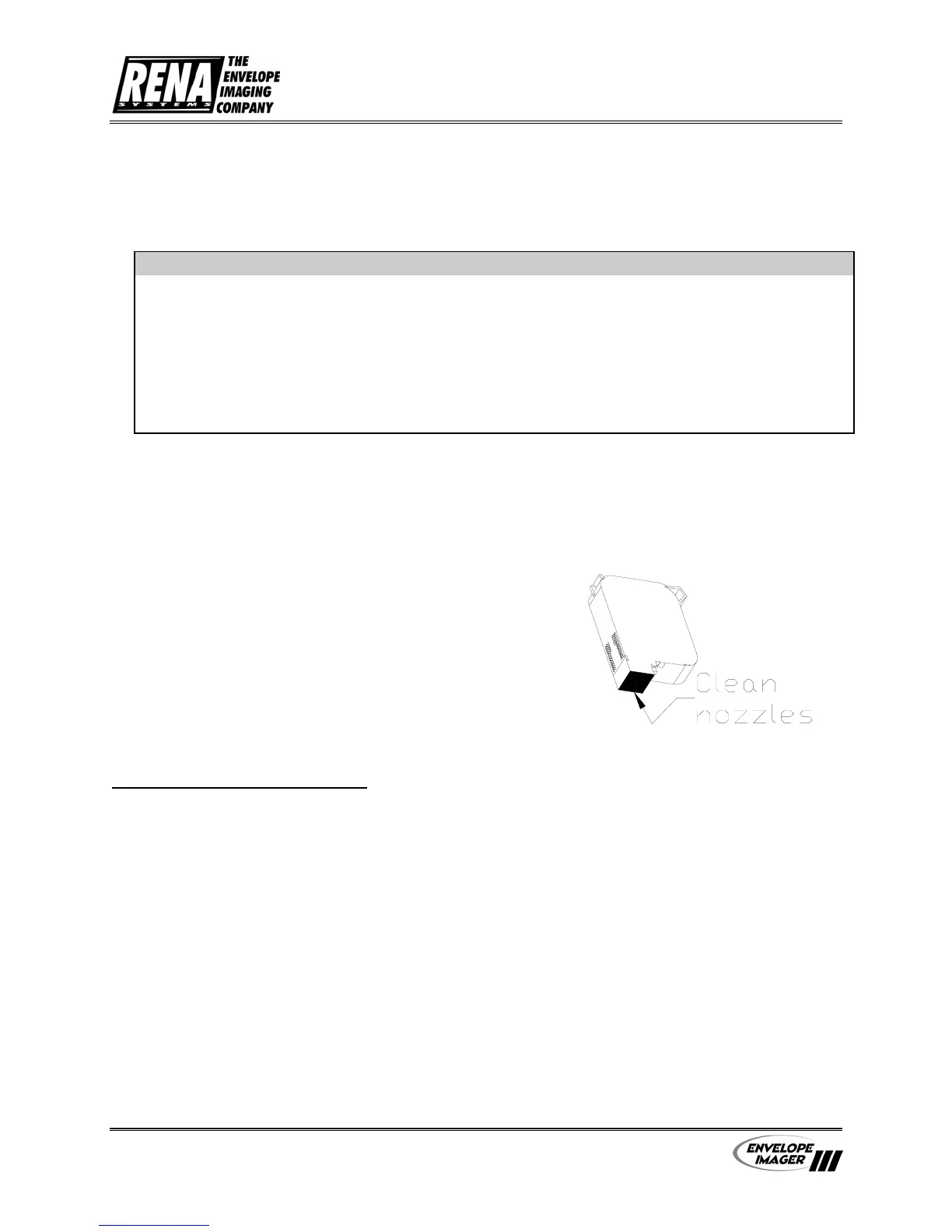
Remove the Print Cartridge (See Section
Remove Print Cartridges). Clean the nozzles
with a Rena Tex Wipe (#2023) lint-free
cloth that has been moistened with
distilled water.
•
Remove problem print cartridge and
install a new print cartridge.
Perform a self cleaning (Purge Print Head) cycle at the
start before printing and periodically while printing to
keep the nozzles clear of dry ink and debris.
CARTRIDGE CLEANING
In order to maintain print quality, the ink cartridges must be removed and manually
cleaned on a routine basis. To reduce the chance of ink drying and clogging the cartridge
nozzles, it is recommended that, if the printer is not going to be used for more than a few
hours, the ink cartridges should be removed from the printer, cleaned and properly stored.
When should ink cartridges be manually cleaned?
• Before the start of a print job (run).
• During a run, when ever the print quality becomes unsatisfactory.
Note: To improve the print quality of the first addresses printed, it is
recommended that the Purge Print Head function, in the Main Menu, be used after
cleaning ink cartridges and anytime after the printer is paused, just before putting
the printer on-line.
User’s Manual - Revision C Section 5 - 1


 To Next Page