•
Remote Control Key system (where fitted)
—“Push-button ignition switch (models with Re-
mote Control Key system)” in the “5. Starting
and driving” section
•
Oil control system (where fitted)
—“Oil control system (where fitted for diesel
engine model)” later in this section
•
Tyre Pressure information (where fitted)
—“Tyre Pressure Monitoring System (TPMS)
(where fitted)” in the “5. Starting and driving”
section
HOW TO USE THE VEHICLE
INFORMATION DISPLAY
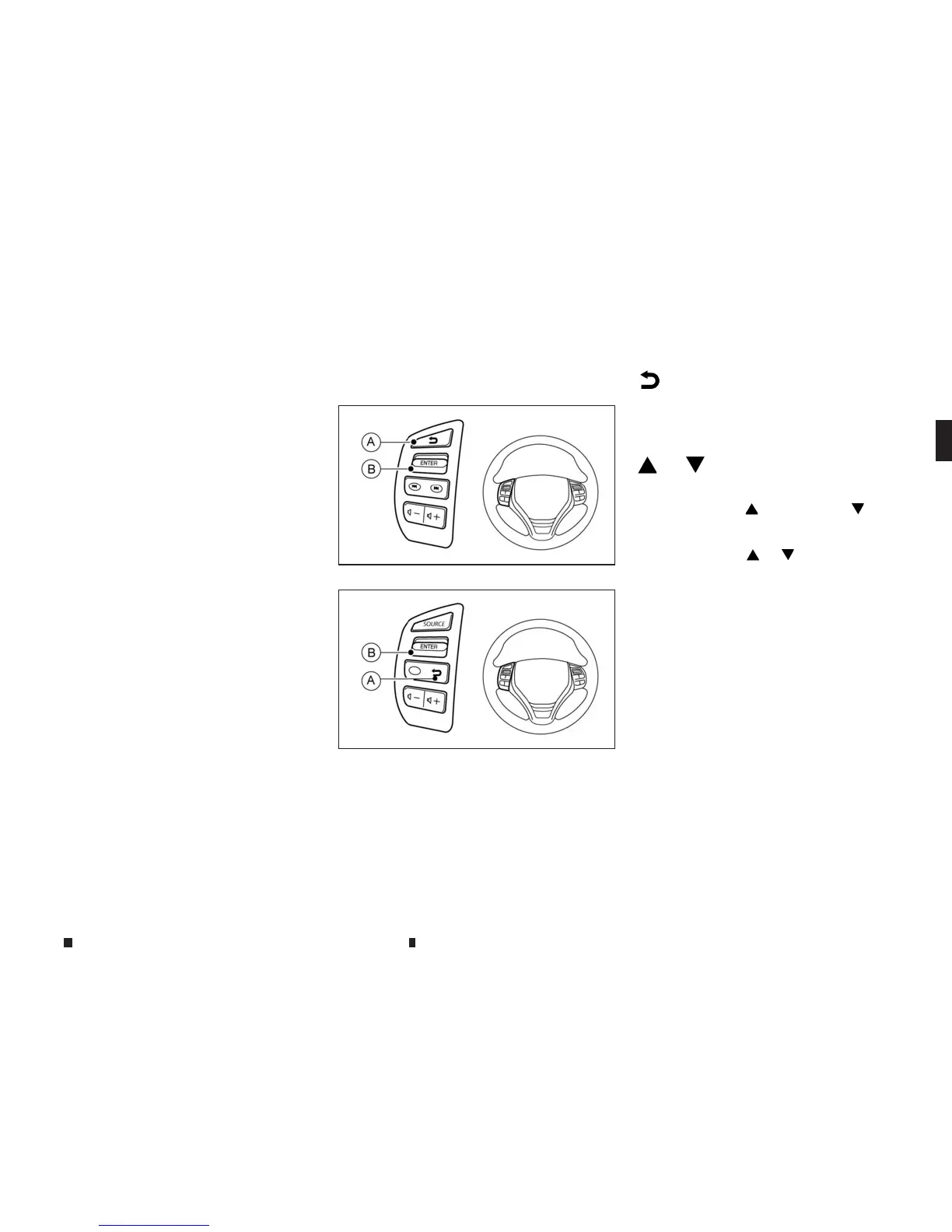
The vehicle information display can be changed us-
ing the <ENTER> and BACK buttons located on the
left side of the steering wheel.
m
Back button jA
Press the BACK button to return to the previous dis-
play screen or menu level, or to cancel the selection
if it is not completed.
m
or
m
Display scrolling switch jB
The display scrolling switch can be used in three dif-
ferent ways. Push
to scroll up or to scroll
down through the items in the vehicle information
display. Press <ENTER>
jBtoselect an item in the
display, then push
or to scroll through the
associated menu options.
SETTINGS
The settings mode allows you to change the infor-
mation displayed in the vehicle information display:
•
[Driver Assistance]
•
[Clock]
•
[Display Settings]
•
[Vehicle Settings]
•
[Maintenance]
•
[Alert]
•
[Tyre Pressures] (where fitted)
•
[Units]
•
[Language]
•
[Factory Reset]
NIC3083
Type A
NIC3124
Type B
Instruments and controls 2-15


 To Next Page