1.17
ENG_UD35289_5
Véhicule électrique : programmation de la charge (X10 - Renault)
programming
This function sets the start time for
charging.
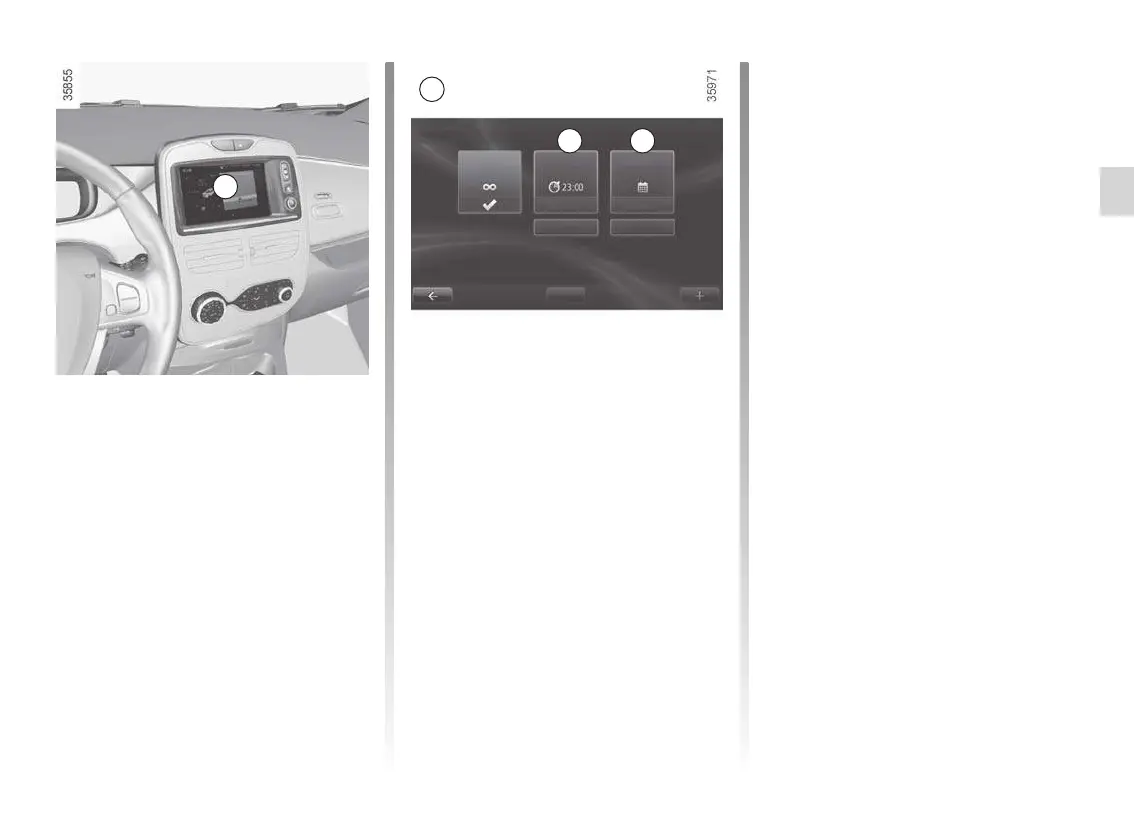
From the multimedia
display 1
(depending on the vehicle)
Programming the function start time
Select “Menu”, “Vehicle”, “Electrical ve-
hicle”, “Charge scheduler”.
El ECTri C vEhiCl E: charging programming (1/2)
You can choose:
– an instant charge start;
– a daily schedule;
– a weekly schedule.
Confirm your choice by selecting
“Done”.
1
Daily
On the menu A, press “Change ” and
set the charging start and end times,
then press “Select ” to confirm.
Weekly
On the menu B, press “Change” and
set the charging start and end times for
each weekday, then press “Select ” to
confirm.
NB: When the programming is con-
firmed, the warning light
comes
on on the instrument panel.
1
Always
charging
Start at Calendar
Change
Select
Change
Select
Done
Charge scheduler
A B











 To Next Page