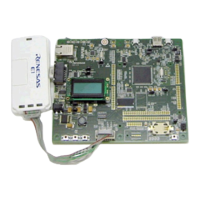
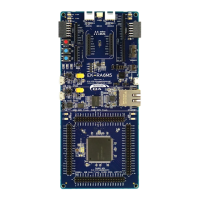
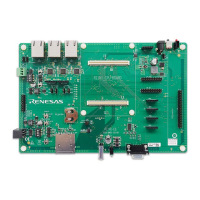
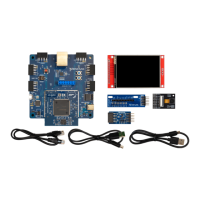
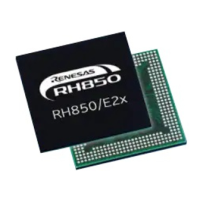
The Renesas RX111 Group Starter Kit (RSK) is an evaluation tool designed to facilitate the development and debugging of software for Renesas microcontrollers, specifically the RX, 78K, RL, and V850 families, with a focus on the RX111 series. This manual serves as a tutorial, guiding users through the process of setting up the RSK environment, running sample code, and performing basic debugging operations using the e² studio Integrated Development Environment (IDE) and CubeSuite+.
Function Description:
The RSK RX111 provides a comprehensive platform for evaluating the capabilities of Renesas microcontrollers. Its primary function is to enable users to:
- Program Renesas microcontrollers: Write, compile, and download software to the target RX111 microcontroller.
- Debug user code: Utilize the E1 debugger to step through code, set breakpoints, and inspect variables, aiding in the identification and resolution of software issues.
- Interact with user circuitry: The board includes various user-accessible components such as switches, LEDs, and a potentiometer, allowing for practical application development and testing.
- Run sample applications: The kit comes with pre-configured sample code that demonstrates various features of the RX111 microcontroller and the RSK itself.
- Utilize sample peripheral device initialization code: Provides examples of how to configure and use the microcontroller's integrated peripherals.
The RSK board is designed to contain all the necessary circuitry for the microcontroller's operation, simplifying the setup process for developers. The tutorial project, generated by the CubeSuite+ environment, offers three selectable build configurations:
- DefaultBuild: A project with debug support and an optimization level set to two.
- Debug: A project built with debugger support included and optimization set to zero, which is helpful for debugging as it prevents unexpected code execution order due to optimization.
- Release: A project with optimized compile options, producing code suitable for deployment in a final product.
The CubeSuite+ IDE is central to the RSK's functionality, providing an integrated environment for writing, compiling, programming, and debugging software. It supports various Renesas microcontroller families and includes tools for project management, code editing, and debugging.
Important Technical Specifications:
While the manual primarily focuses on usage, it provides insights into the technical aspects of the RSK and its components:
- Microcontroller: The RSK is designed for the RX111 Group, specifically mentioning the R5F51115AxFM microcontroller.
- Debugger: The E1 On-chip Debugger (Serial) is the primary debug tool used with the RSK.
- Clock Source: For the RSK, the Main Clock Source should be set to EXTAL (External Crystal).
- Main Clock Frequency: The recommended Main Clock Frequency is 16.0000 MHz.
- Supply Voltage: The RSK operates at a supply voltage of 3.3V.
- Internal ROM/RAM: The RX111 microcontroller typically features 128 KBytes of internal ROM and 16 KBytes of internal RAM.
- DataFlash Memory: The device includes 8 KBytes of DataFlash memory.
- Pmod™ Compatible Connector: The RSK features a Digilent Pmod™ Compatible connector, allowing for expansion with various peripheral modules.
- Build Tool: The CC-RX (Build Tool) is used for compiling and linking projects.
- Debug Information: For debugging, the 'Outputs debug information' setting should be 'Yes(-debug)', and 'Optimization level' should be '0(-optimize=0)' to ensure predictable code execution.
Usage Features:
The RSK RX111 offers several user-friendly features to streamline the development process:
- Project Generation: CubeSuite+ includes a project generator that creates a tutorial project with pre-configured settings, simplifying initial setup.
- Project Workspace: The IDE organizes projects in a 'Project Tree', allowing users to manage master projects, subprojects (e.g., ADC_Oneshot, Application, CRC), and source files.
- Active Project Selection: Users can easily switch between master projects and subprojects by right-clicking and selecting "Set x as Active Project."
- Source Code Management: Source files are organized into folders, with those generated by the Application Leading Tool (Applilet) prefixed with 'r_' or 'R_'.
- Code Editing and Viewing: Files can be opened for viewing or editing by double-clicking or right-clicking and selecting 'Open'.
- Build Options: Three build options are available: 'Build Project' (F7), 'Rebuild Project', and 'Build & Download' (F6), allowing users to compile, link, and download code to the target device.
- Debugger Connection: Detailed instructions are provided for connecting the E1 Debugger to the host computer and the target hardware, including fitting the LCD display and ensuring correct pin insertion.
- Program Execution Control: Users can download the program code to the RSK, and then execute it using the 'Go' button (F5), 'Step In' (F11), or 'Step Over' (F10) buttons, enabling granular control over program flow during debugging.
- Breakpoints: Software and hardware breakpoints can be set to pause program execution at specific lines of code or at the occurrence of certain events, aiding in fault isolation.
- CPU Reset: The 'CPU Reset' button on the Debug Toolbar allows users to reset the microcontroller, restarting program execution from the beginning.
- Disassembly View: The 'Display Disassemble' button provides a view of the compiled assembly code alongside the source code, useful for low-level debugging.
- LCD Display: The RSK includes an LCD display for outputting text, which is demonstrated in the tutorial to show "Renesas" and "RX111" or other dynamic text.
- Interactive Components: The tutorial demonstrates interaction with LEDs and switches, allowing users to observe how software controls hardware.
Maintenance Features:
While the manual does not explicitly detail "maintenance features" in the traditional sense (e.g., hardware repair), it provides guidelines and advice that contribute to the longevity and proper functioning of the development environment and hardware:
- Precautionary Notes: The manual emphasizes the importance of observing precautionary notes throughout the text, at the end of sections, and in the Usage Notes section to prevent issues.
- ESD Precautions: Users are advised to take Electrostatic Discharge (ESD) precautions when handling the equipment to prevent damage to sensitive electronic components.
- EMC Considerations: The product is potentially susceptible to EMC phenomena, and measures are recommended, such as ensuring attached cables do not lie across the equipment, reorienting antennas, increasing distance from receivers, and using shielded interface cables.
- Power Supply Management: Instructions are given regarding power supply, noting that the RSK can be powered via USB, but external power may be required for other sample code. Users are advised to be aware of USB port current limitations and to ensure correct polarity and voltage if using an external supply. The option to disable power from the emulator when using an external supply is also highlighted.
- Mobile Phone Usage: Users are advised not to use mobile phones within 10m of the product when in use, likely due to potential electromagnetic interference.
- Documentation Reference: The manual consistently directs users to refer to other relevant documentation, such as the RSK Quick Start Guide, RX Family Software Manual, RX111 Group Hardware Manual, and E1 Emulator User's Manual, for more in-depth information and troubleshooting. This promotes self-maintenance through informed usage.
- Software Updates: The manual advises referring to the Renesas Electronics website (www.renesas.com) for the latest versions of documents and software, ensuring users have access to the most up-to-date information and fixes.
- Copyright and Disclaimer: The inclusion of copyright and disclaimer information, including the "as is" provision for the RSK, sets clear expectations regarding support and liability, which is a form of maintenance of the user-vendor relationship.
In essence, the Renesas RX111 Group Starter Kit is a robust educational and development platform, designed to provide a hands-on experience with Renesas microcontrollers, supported by comprehensive documentation and an intuitive IDE.

 Need help?
 General

 To Next Page