1 2
Images required
6.5
Maintenance
Interface cover
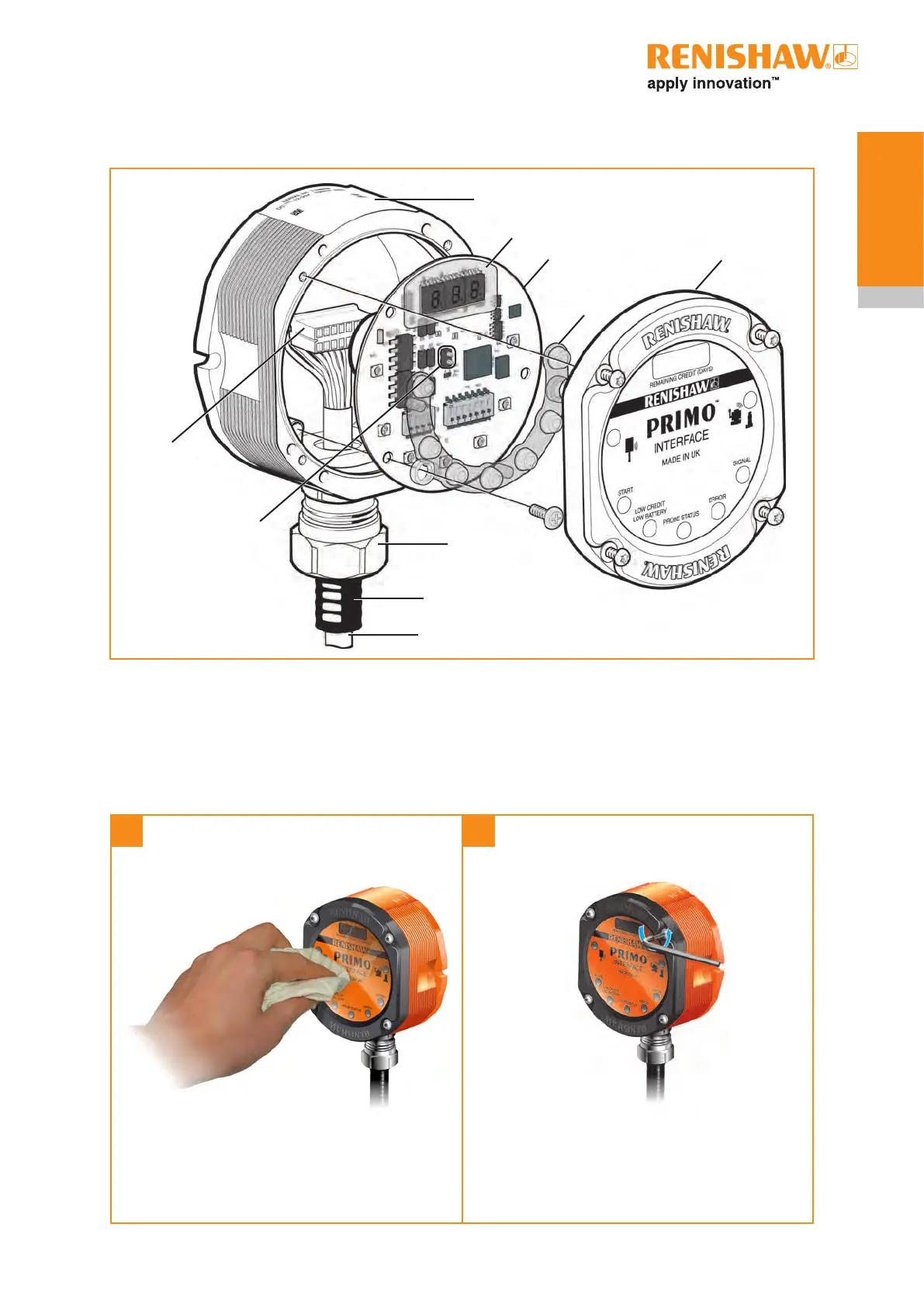
Removing the interface cover
Clean thoroughly to ensure no
debris or coolant enters the unit.
Unscrew (but DO NOT remove) each captive
screw and washer evenly from the cover using
the T10 tamper-proof key.
Interface body
Digital display
PCB
Light guide
Interface cover
Cable
connector
Antenna
contact pins
Cable
Conduit
Conduit
adaptor
The front cover may be removed and replaced to
change the configuration of the DIP switches.


 To Next Page