57
Connection of Control Lines, USB and Aerial
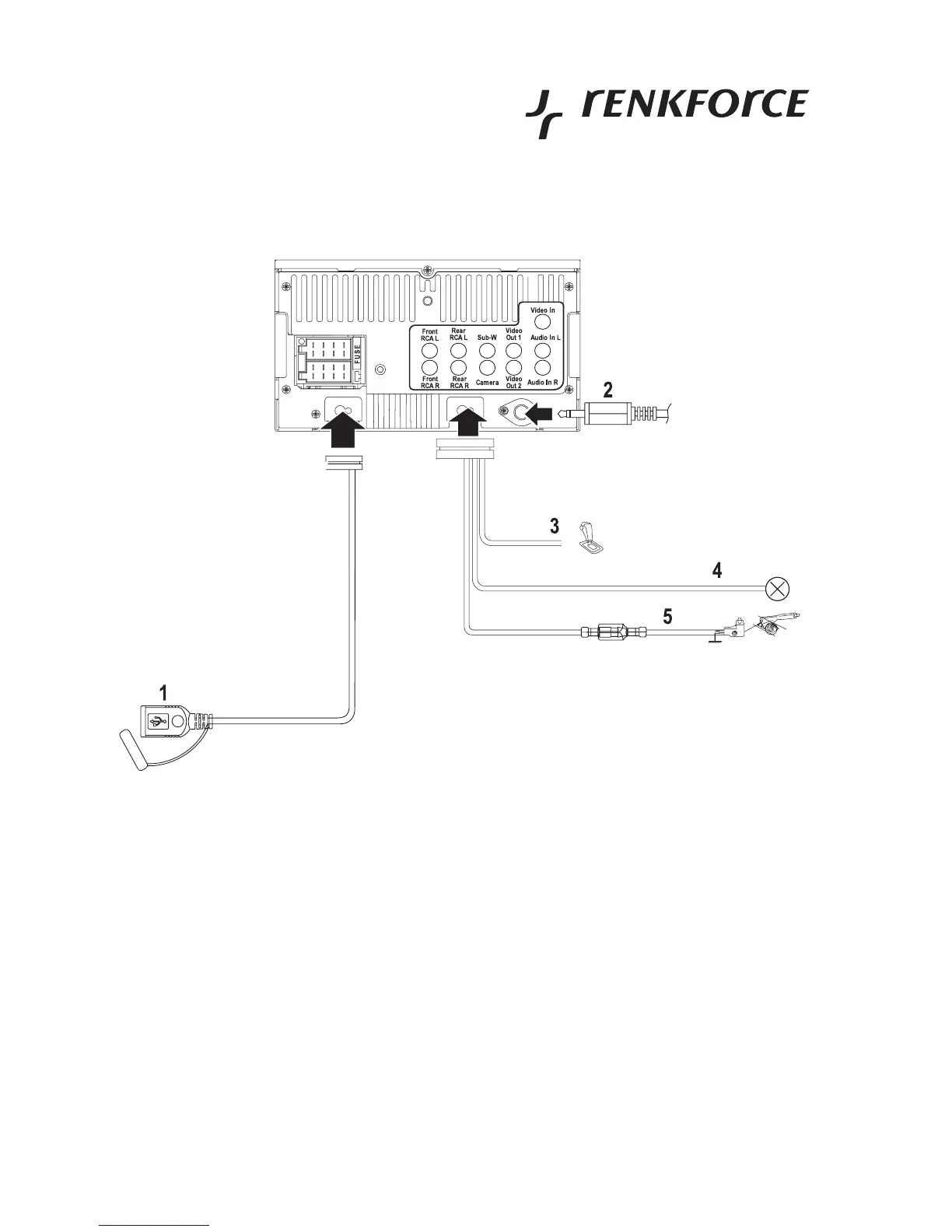
• Place the firmly connected USB line (1) at the reverse of the device, e.g. into the glove compartment or another
deposit compartment. A USB storage medium is connected here later.
• Connect the aerial plug (2) of your vehicle with the aerial socket at the back of the radio (socket below to the cinch
terminals). If your vehicle has a different aerial plug, please use a suitable adapter, available in specialist shops.
• Connect the violet line REVERSE GEAR SIGNAL (3) to the reversing lamp of your vehicle or another line that
conducts +12 V with the reverse gear engaged. Once the reverse gear is engaged, the moniceiver automatically
switches to input for the reversing camera.



 To Next Page