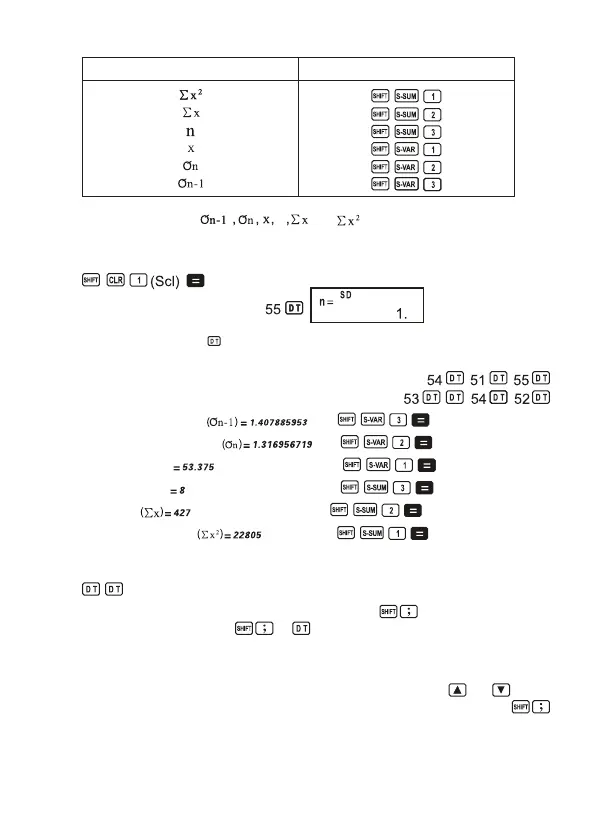
To recall this type of value: Perform this key operation:
• Example: To calculate , and for the following data: 55, 54, 51, 55,
53, 53, 54, 52
In the SD Mode:
Stat clear
Each time you press to register your input, the number of data input up to that point is
indicated on the display (n value).
Sample standard deviation
Population standard deviation
Arithmetic mean (x)
Numberofdata(n)
Sun of values
Sun of squares of values
Data input precautions
• inputs the same data twice.
• You can also input multiple entries of the same data using . To input the data 110 ten
times,forexample,press110 10 .
• You can perform the above key operations in any order, and not necessarily that shown
above.
• While inputting data or after inputting data is complete, you can use the and keys to
scroll through data you have inputif you input multiple entries of the same data using
to specify the data frequency (number of data items) as described above, scrolling through
data shows both the data item and a separate screen for the data frequency (Freq).
20


 To Next Page