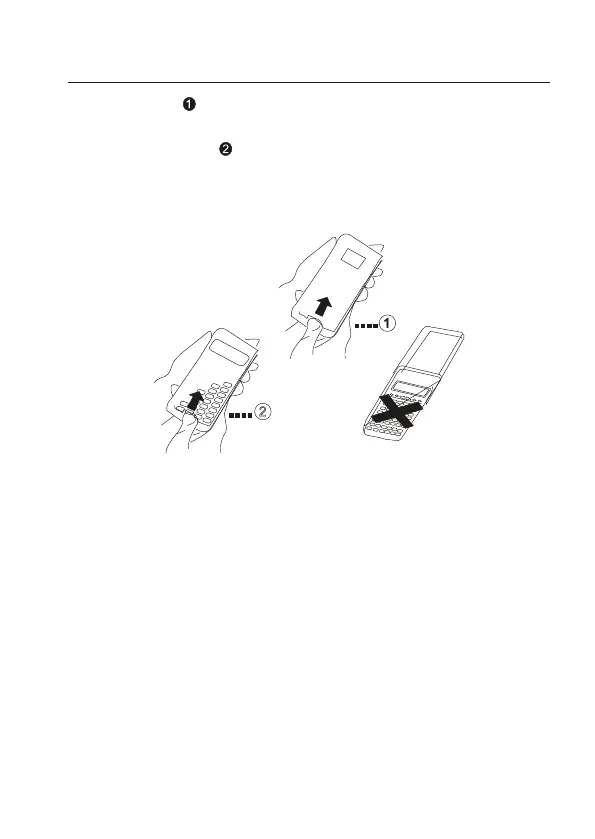
2. Removing and replacing the calculator’s cover
• Before starting......
Holding the cover as shown in the illustration, slide the unit out of the cover.
• After you are nished......
Holding the cover as shown in the illustration, slide the unit out of the cover.
• Alwaysslidethekeyboardendoftheunitintothecoverrst.Neverslidethedisplayendof
the unit into the cover.
4


 To Next Page